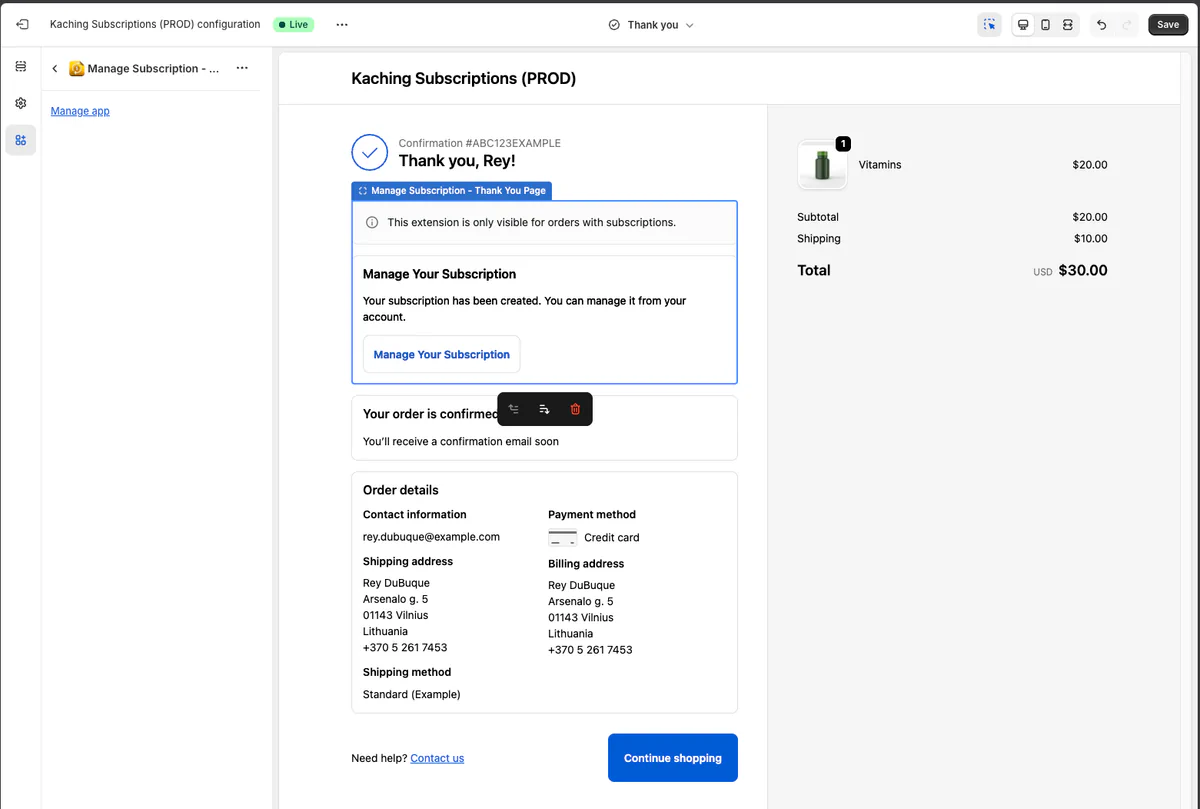
Manage Subscription widget on Thank You Page
 Subscriptions
- In the app admin: Go to Settings → General.
- Find: “Manage Subscription on Thank You Page”.
- Click: “Enable Manage Subscription on Thank You Page” (this opens Shopify’s Checkout Editor on the Thank You page).
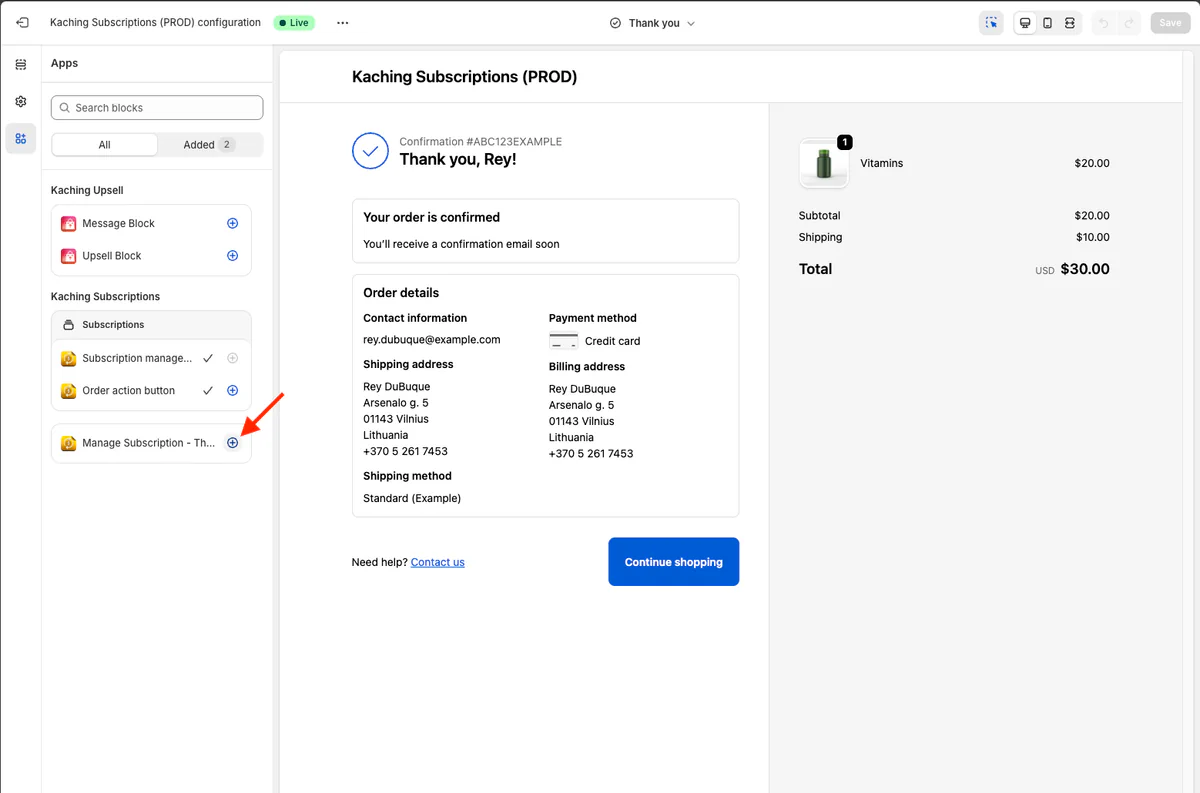
- In Checkout Editor: Add/enable the app block “Manage Subscription - Thank You Page” and Save/Publish: