







New editor is finally here!
 Post-purchase
Your Post-Purchase Upsells just got way more powerful
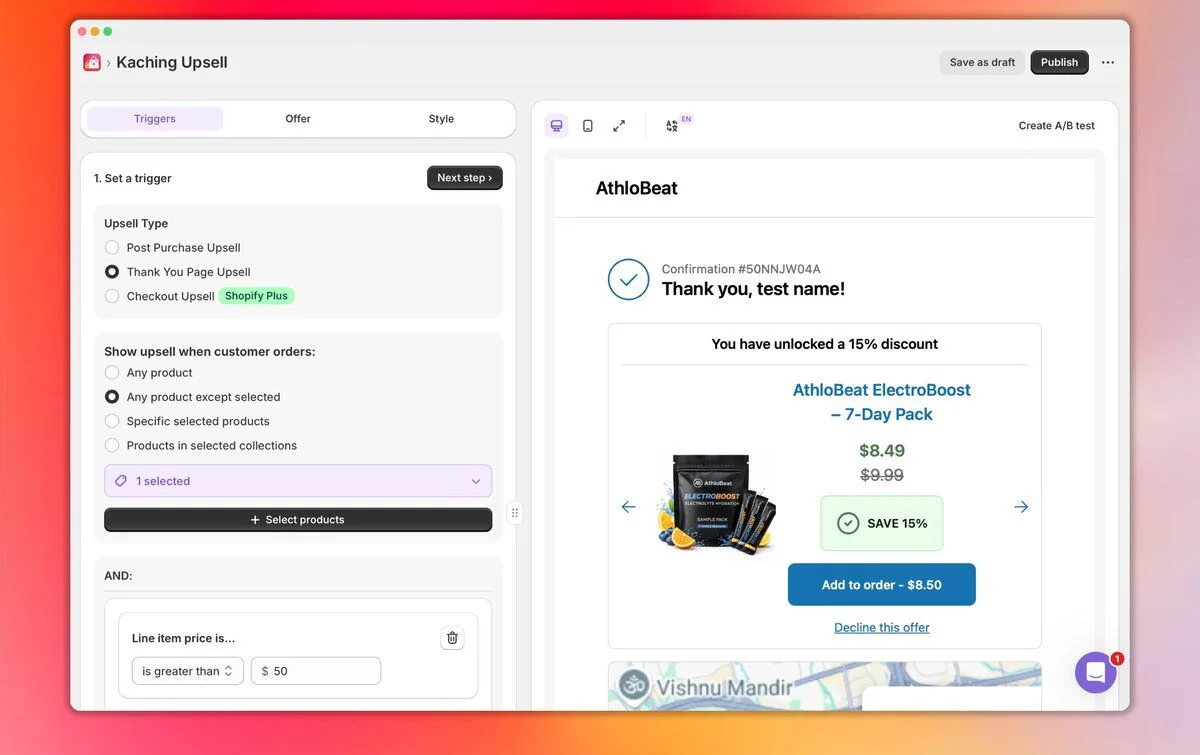
We've rolled out a major update to Post-Purchase Upsells, making it faster, smoother, and easier to create high-converting offers after checkout.
Here's what's new:
🎨 New editing flow
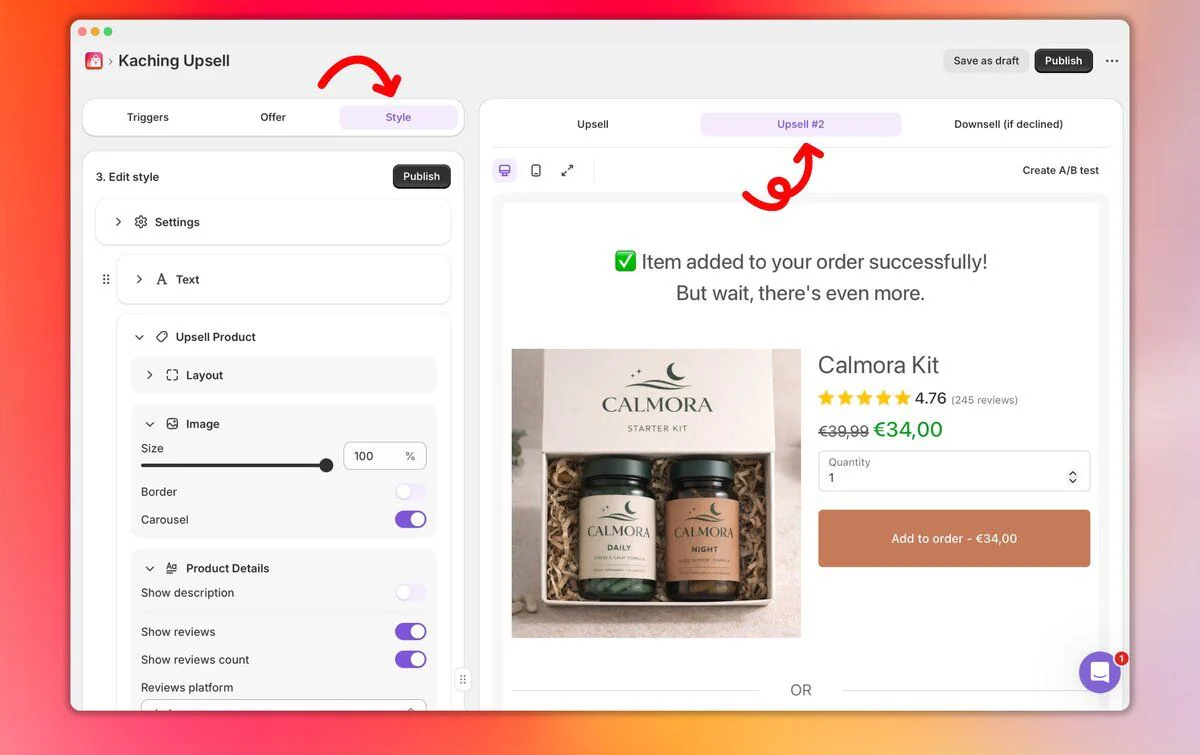
We rebuilt the Upsells builder from the ground up. Create and launch offers faster with a live preview, so you always know exactly how they'll look.
🎯 Customize every part of your upsell
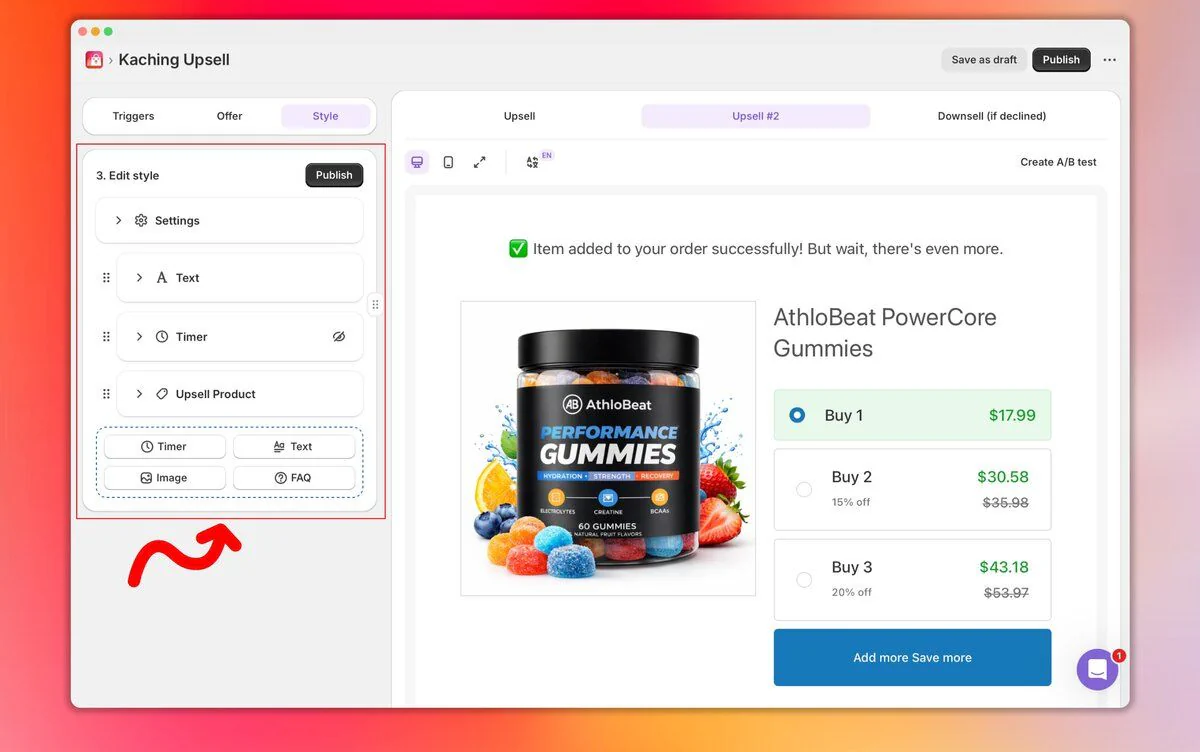
You now have full control over your upsell presentation:
- Adjust layout width + spacing
- Customize product titles & descriptions
- Use rich text (colors, bold, alignment, etc.)
- Collapse long descriptions to keep offers clean
- Show/hide discount badges and move them
- Add custom pricing text
Why it matters: Clearer offers = less thinking → more one-click accepts.
🧠 Guide the customer decision
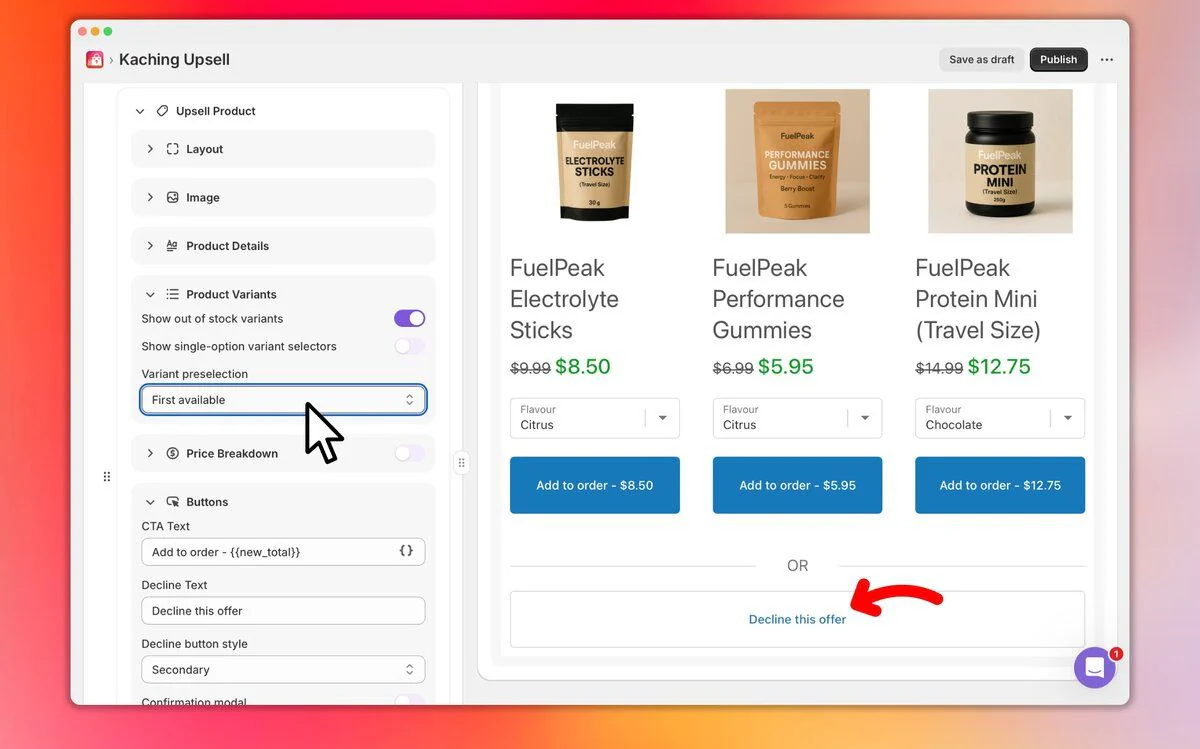
New controls let you shape how customers choose:
- Preselect variants (cheapest / most expensive / force selection)
- Show/hide variant options
- Show/hide price breakdown
- Customize decline button style & position
Why it matters: Small UX changes = big impact on conversions.
💸 New: BUY ALL button
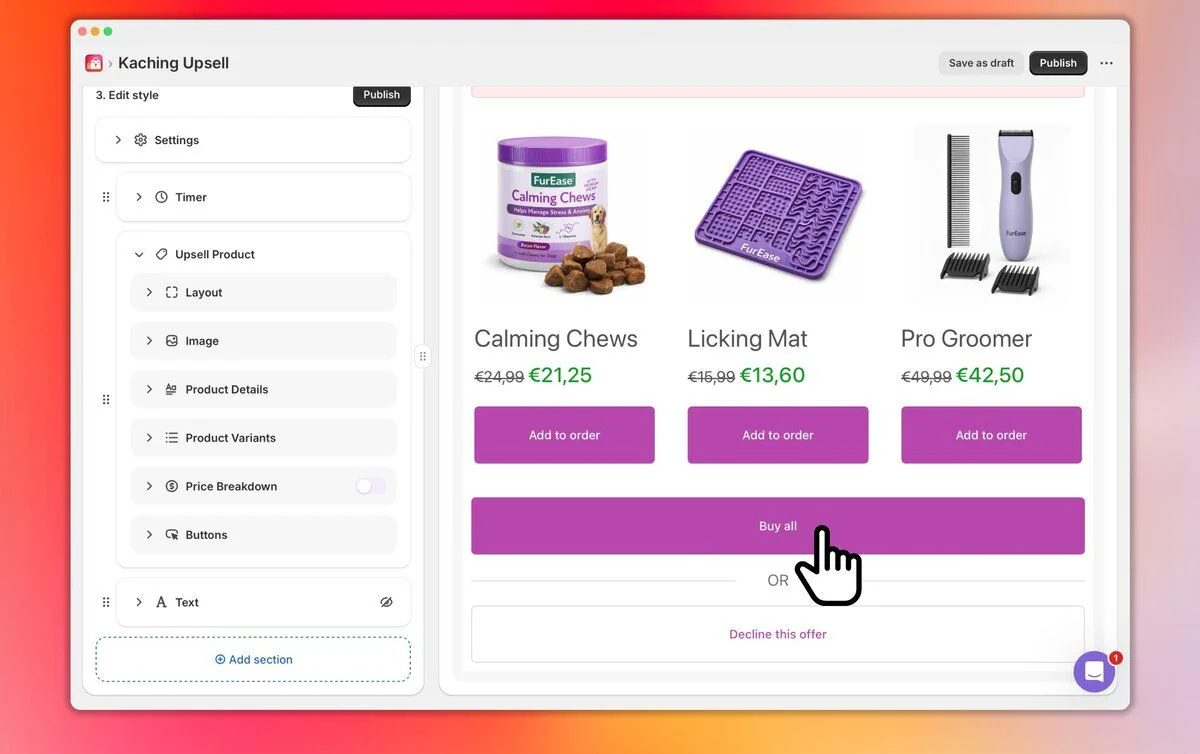
Let customers add multiple products in one click.
No thinking. No extra steps.
🛡️ New: FAQ inside upsells
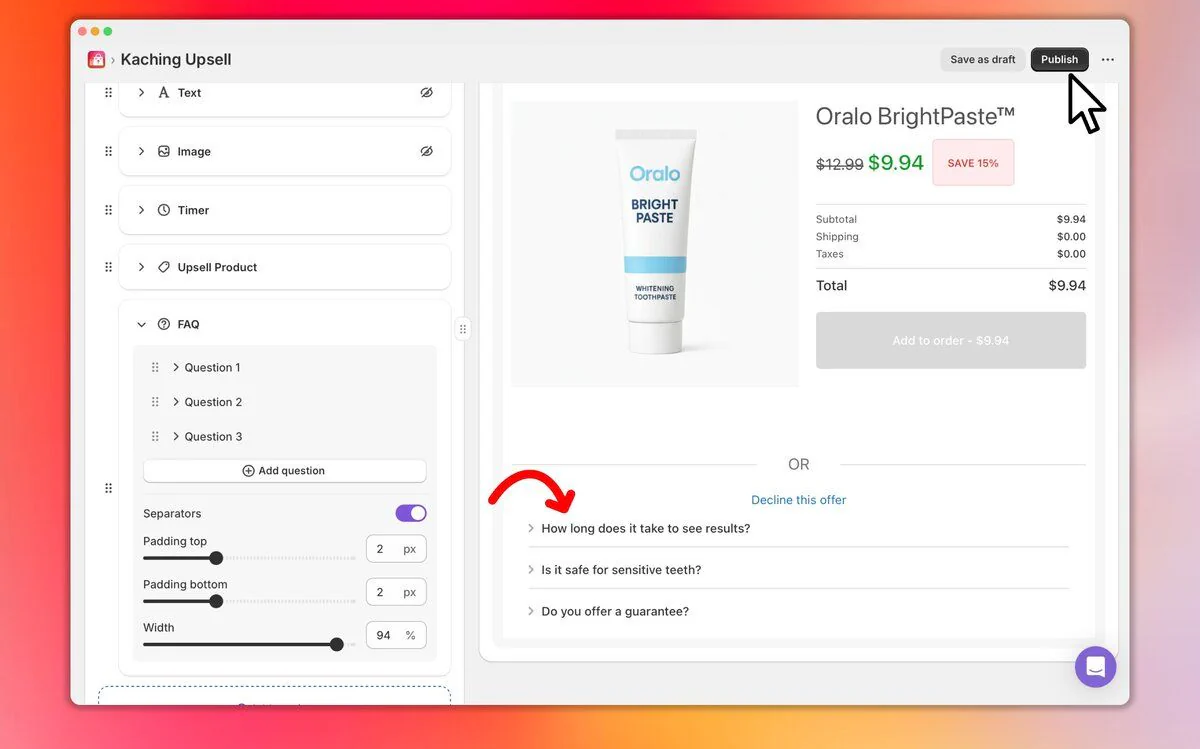
Answer objections right inside the offer.
Reduce hesitation. Build trust instantly.
🎯 Better upsells. Higher AOV.
Post-purchase is one of the highest-intent moments, but it only works when the experience is fast, clear, and guided.
This update brings all three together so you can capture more revenue after checkout.