







Same quantity, different deal
 Bundles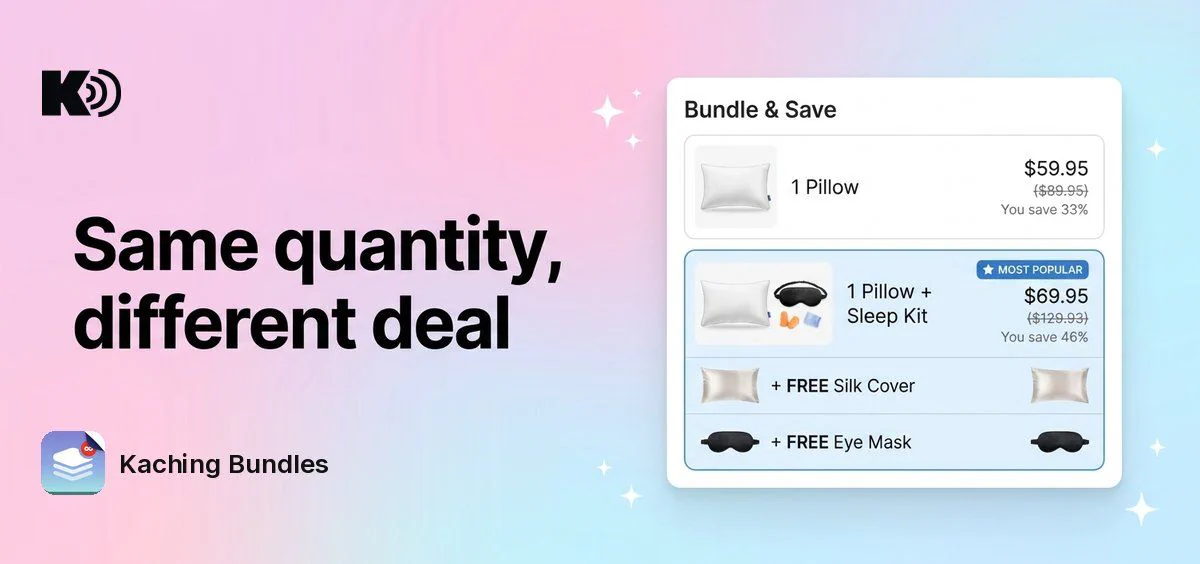
Before, the deal editor stopped you with "Discounts must be the same for the same quantity" when two bars had the same quantity. You had to build the offer with product variants instead. Now you can publish both bars, and each one keeps its own discount at checkout.
What's new
- Same quantity, own discount: show "1 Pillow" at 33% off next to "1 Pillow + Sleep Kit" at 46% off, both with a quantity of 1.
- Correct price at checkout: the shopper gets the discount of the bar they picked, not the discount of the other bar with the same quantity.
- Works with A/B tests: every variant of a deal can use bars like this.
Why it matters
You can sell an upgraded version of the same offer, for example the product alone or the product with free gifts, without a separate deal or extra variants. Shoppers compare both options side by side and pick the one they want.
How to enable it
Nothing to turn on. Open your deal, add a second bar with the same quantity, give it a different discount and publish.
One exception: deals with Volume discount with other products set to Same products as deal visibility still need the same discount for the same quantity. In that setup the cart counts products from the whole collection, so it can only pick a bar by quantity.