







Copy a widget to your other stores
 Subscriptions
If you run more than one store, you no longer need to rebuild the same subscription widget in each one. Export the design from one store and import it into another.
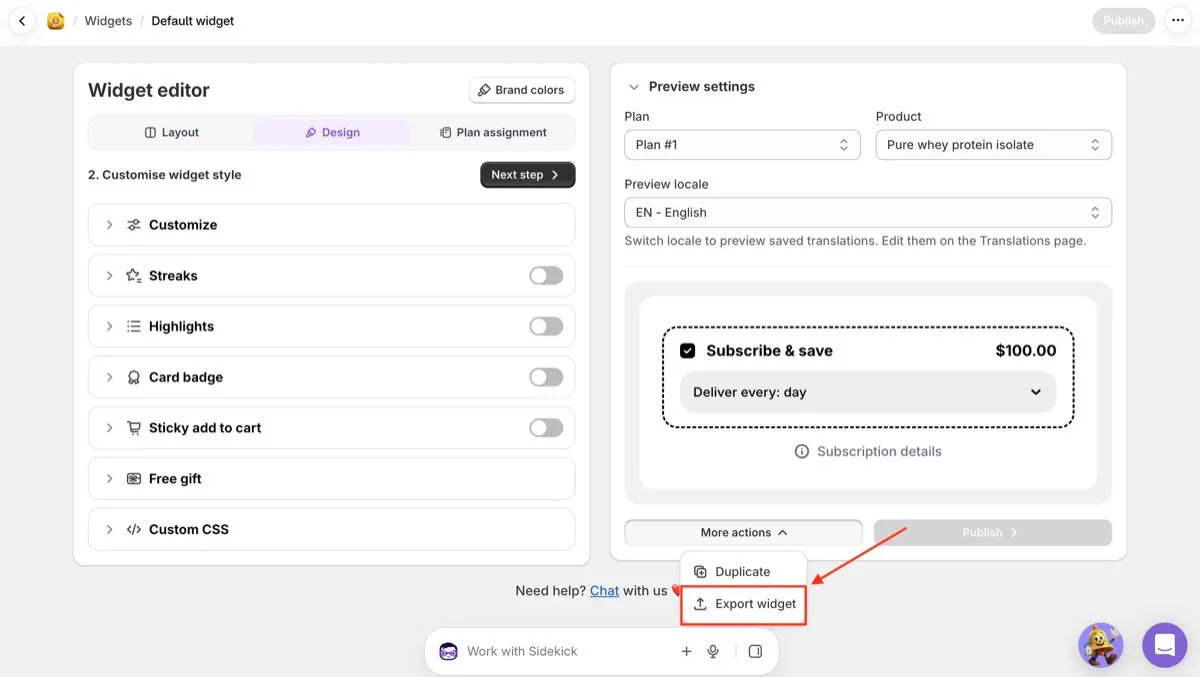
Export. Open a widget, click More actions and choose Export widget. A .json file with the widget's design downloads. You can also export a widget from its menu on the Widgets page.
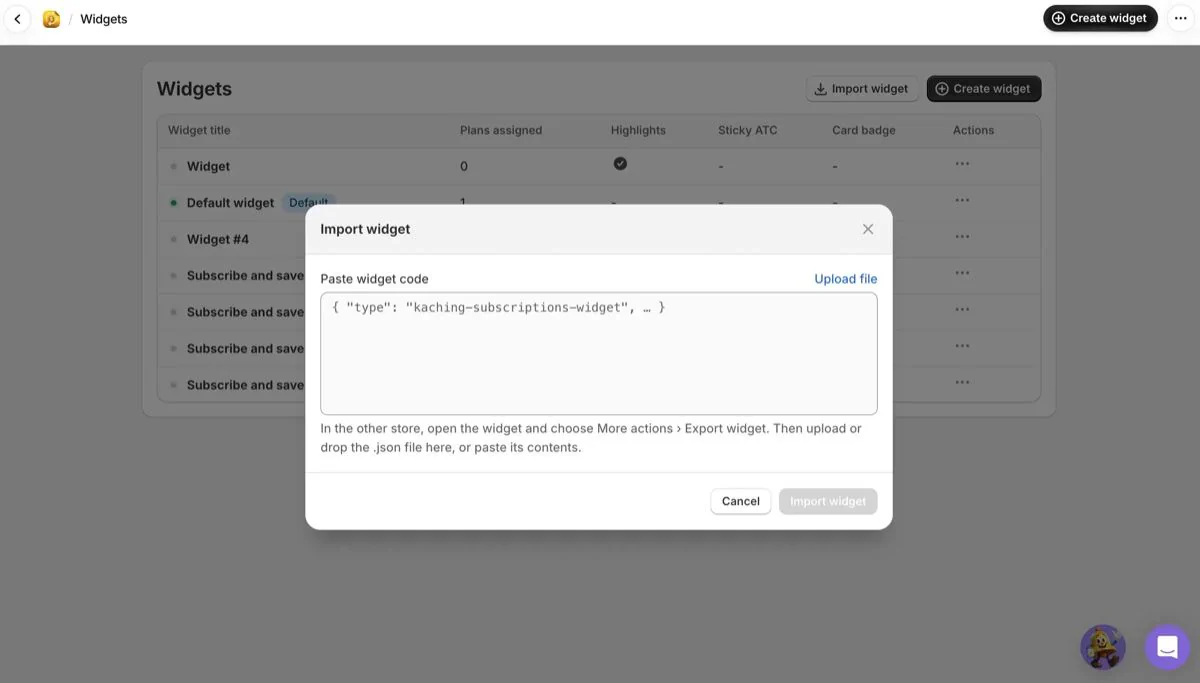
Import. In your other store, go to Widgets and click Import widget. Upload or drop the file, or paste its contents, and click Import widget.
Review and publish. The design opens as a new, unpublished widget with a preview. Plans don't carry over, because each store has its own, so assign it to your subscription plans, make any changes and click Publish. The original widget isn't changed.