






Give each integration its own API token
 Subscriptions
Integrations on the Advanced plan can now each have their own API token. Create up to 10 under Settings → Integrations → API, name each one after the tool that uses it, and choose what it can do:
- Full access can call every endpoint, including ones we add later.
- Custom can only do what you tick, grouped into Analytics, Subscriptions, Upcoming orders and Line items. A reporting tool can read your analytics without being able to cancel a subscription.
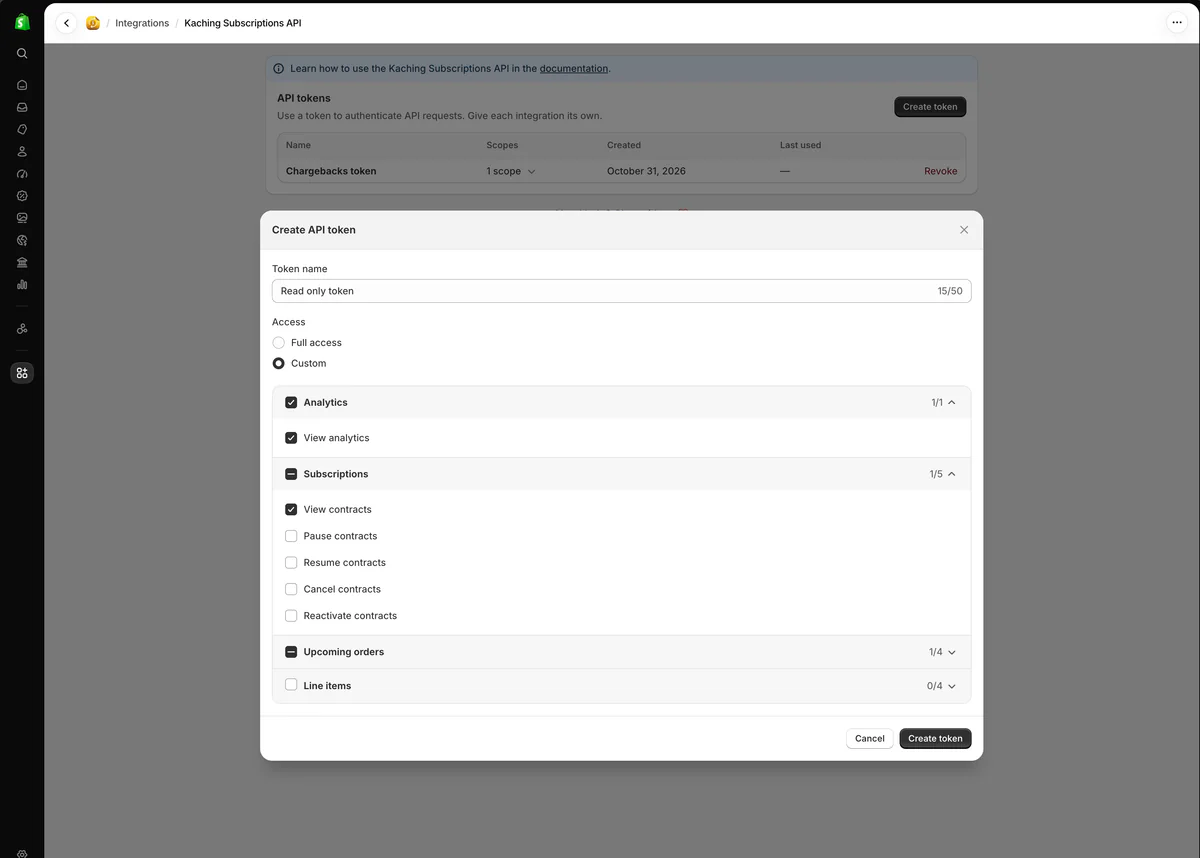
The list shows what each token can do, when it was created and when it was last used. Click a token to see its permissions, and revoke one without touching the others.
Your existing token keeps working exactly as before. It now shows as Default token with full access.
When a token calls an endpoint it isn't allowed to, the API answers 403 and names the missing permission in requiredScope. Which permission each endpoint needs: Permissions