


Start Shopify Flow workflows when a deal is ordered
 Bundles
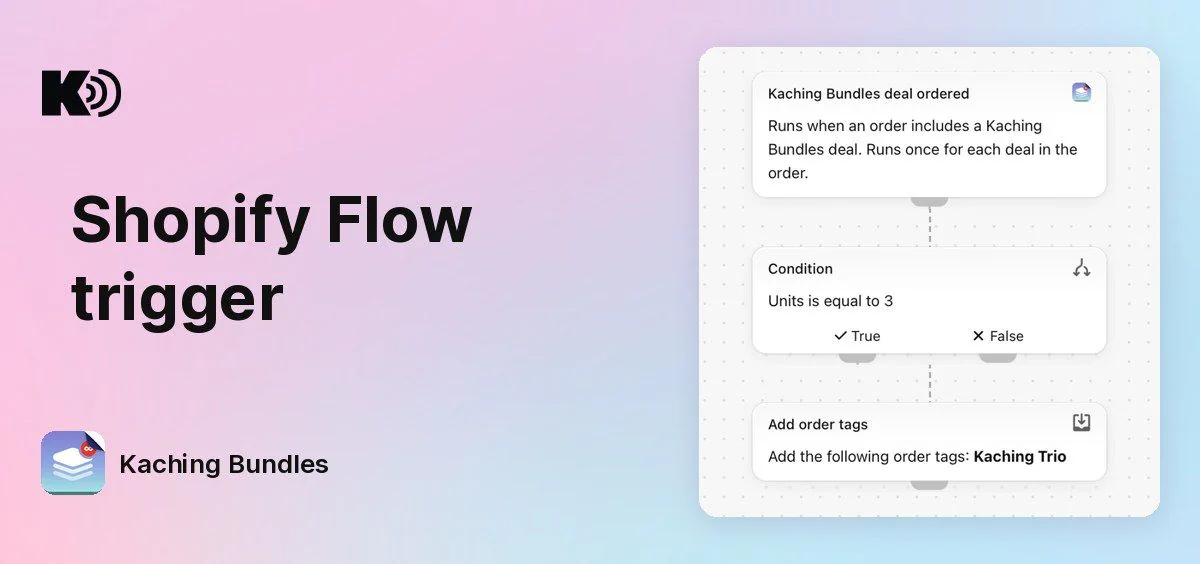
Before, nothing outside Kaching Bundles knew which deal or tier a customer bought. Now Shopify Flow does: when an order includes a Kaching Bundles deal, Flow starts your workflow, and you decide what happens next.
What's new
- New Flow trigger: Kaching Bundles deal ordered runs when an order includes a Kaching Bundles deal. It runs once for each deal in the order. An order with only one unit of a deal does not start it.
- Deal data in your workflow: use the order, Deal name, Tier title (for example "Buy 3"), Units, Bundle price, Full price, Savings and Currency code in conditions and actions.
- Works with your other apps: any Flow action can follow, from Shopify or from another app you use in Flow.
What you can build
- Tag orders by tier: add the tag "Trio" when Units is 3, so you can filter and report on bundle orders in Shopify.
- Email or SMS after a bundle order: start a flow in your email or SMS app, for example a thank-you or a refill reminder for customers who bought the 3-pack.
- Tag customers: mark customers who bought a bundle, to use them in segments and campaigns.
- Tell your team: send a message to Slack when a big bundle order comes in.
Why it matters
You can follow up on what each customer really bought, the deal and the tier, without checking orders by hand.
How to use it
Open the Shopify Flow app (it's free from Shopify) and create a new workflow. Select a trigger, search for Kaching Bundles deal ordered, then add your conditions and actions, and turn the workflow on.
Units counts the deal's main products, bundle products and collection break products. Upsells, gifts and personalisations do not count.
Nothing to set up in Kaching Bundles: the trigger works for all stores.
Test orders (Shopify Payments test mode or the Bogus Gateway) do not start the trigger. To try your workflow, place a real order with a deal.