





Collections as swap products in Mix & Match
 Bundles
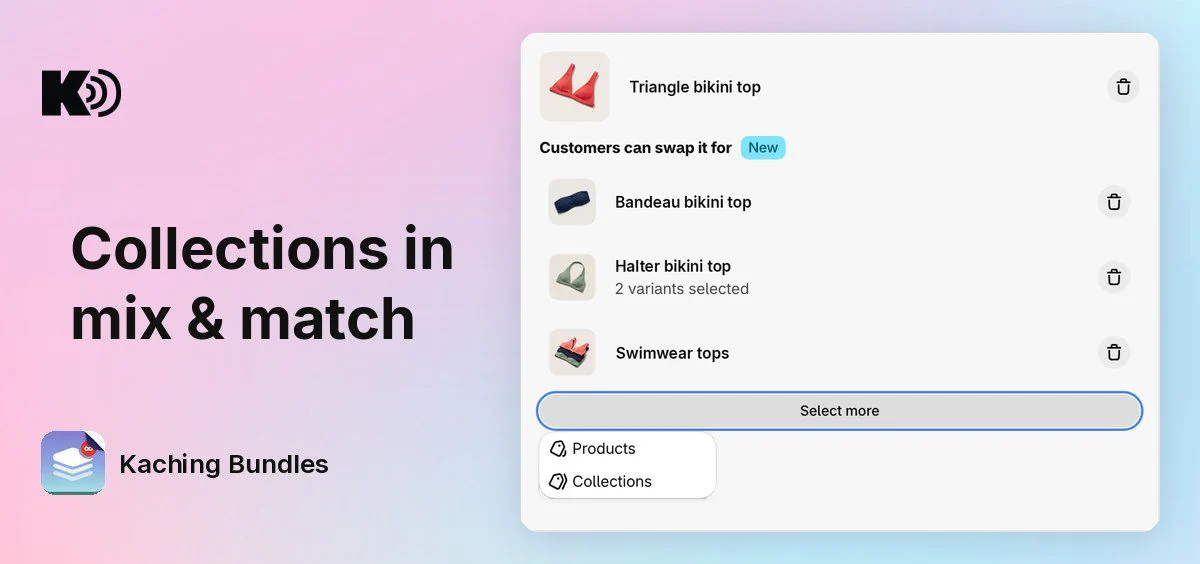
Before, you picked the swap products of a Mix & Match item one by one. A big choice, like all your swimwear tops, meant adding every product by hand and editing the deal each time you added a new one to your store. Now you can pick whole collections.
What's new
- Collections as swap products: under Customers can swap it for, click Add swap products (or Select more) and choose Collections. Customers can swap the item for any product in those collections.
- New products show up by themselves: a product that you add to the collection later shows in the swap list. You do not have to edit the deal.
- Products and collections together: pick single products and collections for the same item. They show as one list in the editor.
- A warning for hidden collections: a collection that is not on your Online Store sales channel gets a warning, because customers cannot choose its products.
How to use it
Open a deal with a Mix & Match bar and find the item. Under Customers can swap it for, click Add swap products, choose Collections and pick your collections. Save the deal.
Customers see the first 100 products of each collection. The bar's discount works as before: it applies to the products that the customer picks.