






One deal for several markets with the same currency
 Bundles
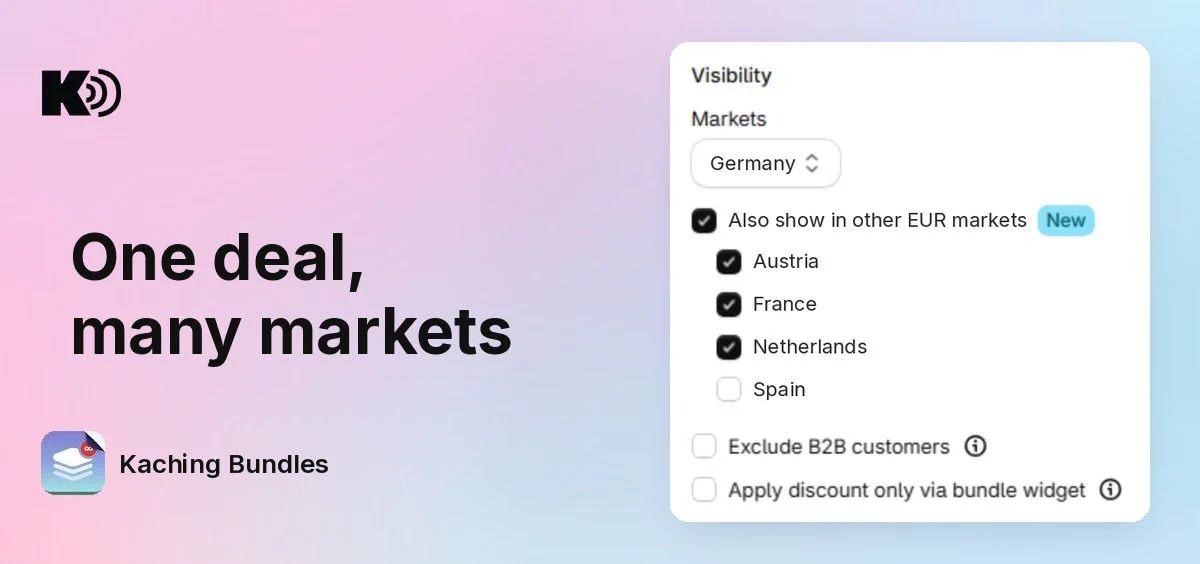
Before, a deal showed in one market or in all of them. To run the same deal with the same fixed prices in Germany, France and Austria, you made a copy for each market and changed the prices in every copy. Now one deal can cover all markets that use the same currency.
What's new
- More markets for one deal: after you pick a market, tick Also show in other EUR markets (with your market's currency) and pick the other markets. The deal shows and its discount applies in each of them.
- Only markets with the same currency: the list shows the markets that use the currency of the market you picked first. That market sets the currency and the prices of the deal.
- Every market in one place: the badge in your deal list and the note under Markets name every market of the deal.
How to use it
Open a deal and go to Visibility. Under Markets, pick a market. Tick Also show in other EUR markets and pick the markets to add. Save the deal.
The checkbox shows when another market uses the same currency. If you change the first market to one with another currency, the markets with another currency are removed from the deal. Choosing All removes them all.
Good to know
- A market with another currency still needs its own deal.
- Not available on Build a box pages yet.
- Your deals don't change until you edit them. Nothing to turn on.