






Cancel flows are live in Kaching Subscriptions
 Subscriptions
You can now build the screens a customer goes through after clicking Cancel, step by step. Ask why they're leaving, show the offer that fits their answer, and send different customers down different paths. It's on for every store and every plan.
What's new
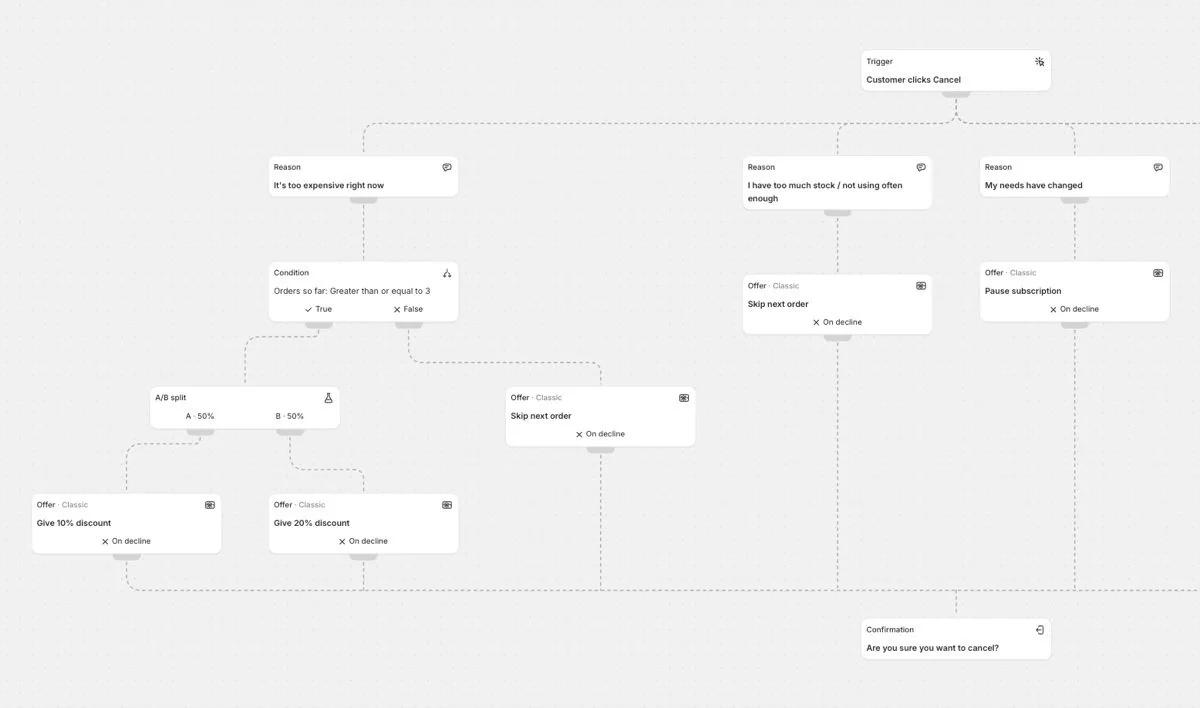
- A flow you design. Start from Customer clicks Cancel and add steps: reasons and follow-up questions, conditions, A/B splits, offers and the Confirmation.
- The right offer for each reason. Each reason leads to its own offer: a discount, Skip next order, a pause, Swap product or Change frequency. You can also show two to four offers side by side.
- Different flows for different customers. On the Segments tab, send customers to their own flow by customer tags, orders so far, products, country, order value, how many times a flow has already saved them, and more. A condition does the same for a single step.
- A/B tests. Split customers between offers and compare which one keeps more subscribers.
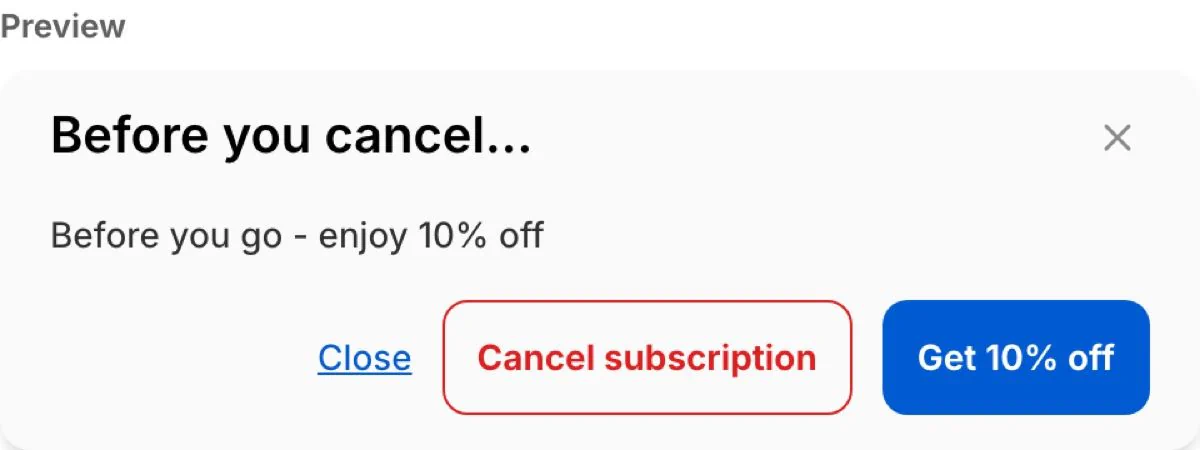
- Classic or Card. Each offer uses Classic, the cancel popup your customers know, or Card, the offer in a card with a full-width button. New offers start on Classic.
- Every word is yours. Edit each screen's headline, text, images and buttons, and translate them into your store's languages. Auto-translate fills them in one click on the Growth plan and up.
- Results. Each flow shows its Save rate, how many customers are Still subscribed and the revenue it retained, for every reason and offer.
- Ching builds it with you. Ask Ching to suggest a flow for your store, or to change one in plain words.
In the flow above, customers who say it's too expensive and have at least 3 orders are split 50/50 between a 10% and a 20% discount. Everyone else who gives that reason is offered Skip next order.
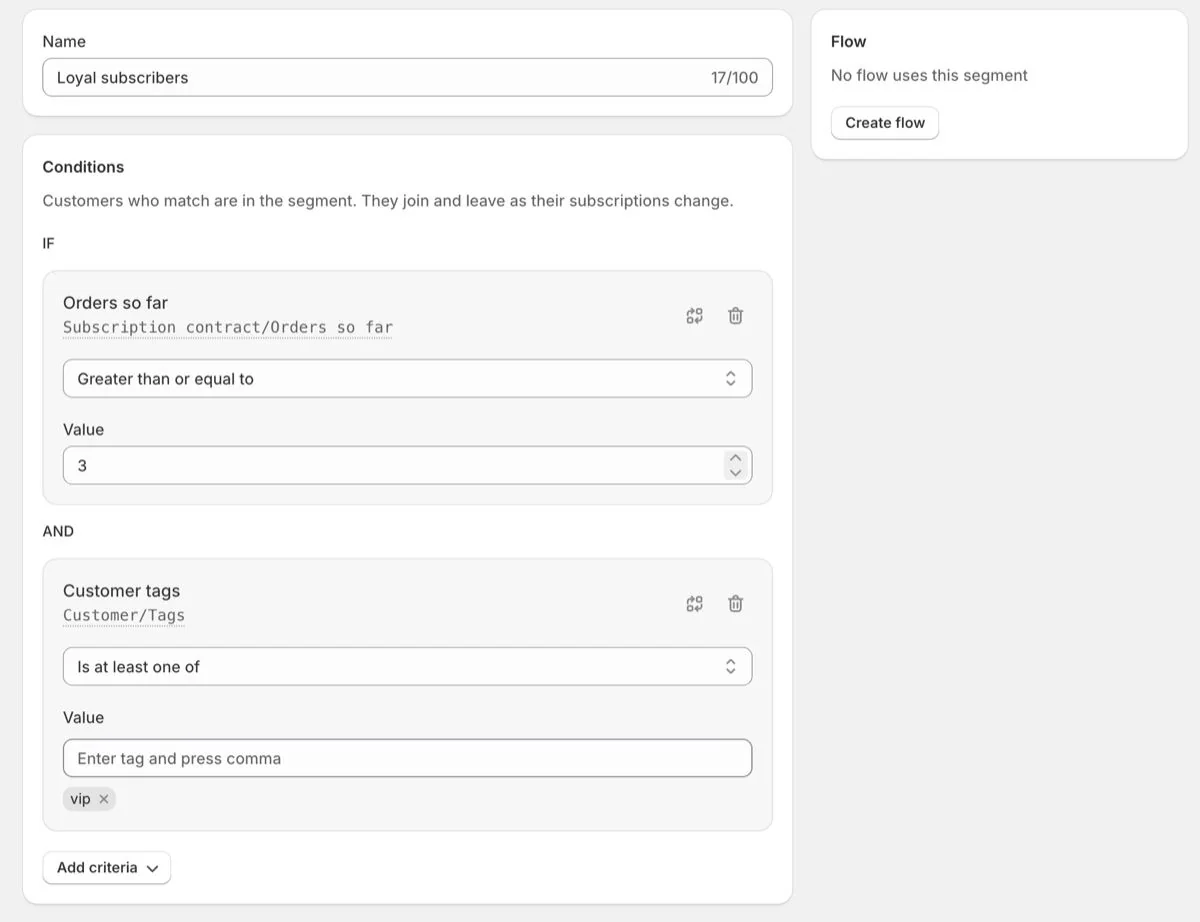
A segment gives matching customers a flow of their own. This one catches subscribers tagged vip with at least 3 orders:
An offer on Classic looks like the cancel popup your customers already know, and every word on it is yours to change:
Already using cancellation offers?
In Retention → Cancel flow, choose Try it out on the Upgrade to our new flow editor card. It turns your reasons and offers into a draft flow, with every offer on the Classic layout and your translations included, so customers see the same popup as today. Your current offers keep running until you turn the flow on. From then on the flow replaces them, and pauses last a set number of deliveries.
How to start
Go to Retention → Cancel flow and choose Use starter template for our recommended reasons and offers, or Start from scratch. Turn the flow on when it's ready.