






Sticky add to cart now adds the bundle to cart
 Bundles
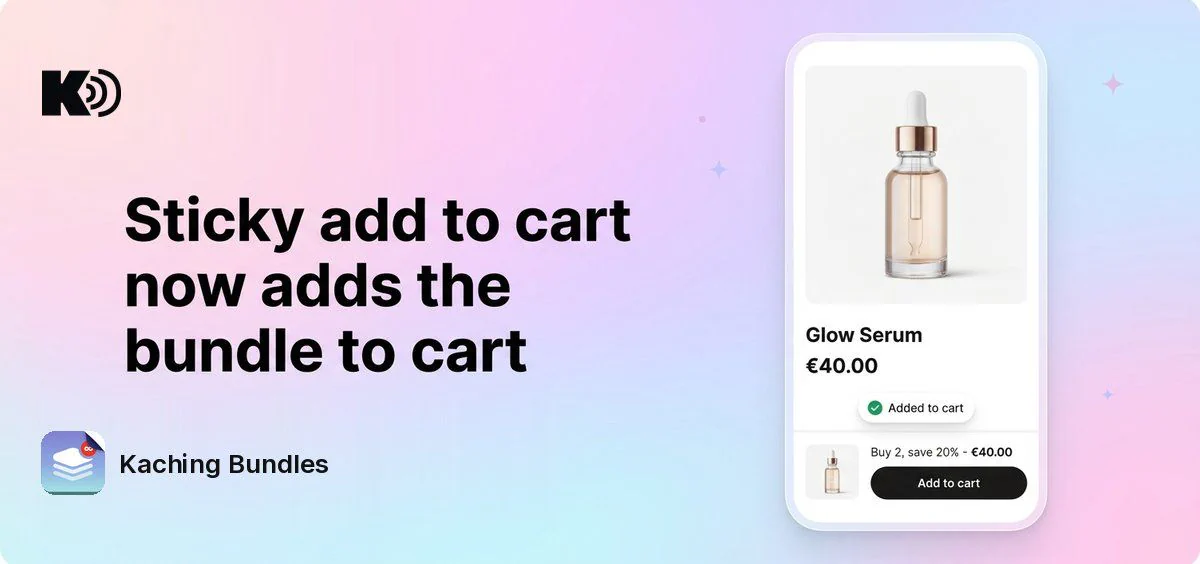
Before, the button on the sticky add to cart bar scrolled the shopper back to your deal. Now it can add the bundle the shopper selected straight to the cart.
What's new
- Button action: pick Add to cart to add the selected bundle to the cart, like your theme's add to cart button, or Scroll to deal to keep the old behavior. When the shopper hasn't seen your deal or picked a deal bar yet, or the add doesn't go through, the button scrolls to the deal instead.
- The selected bundle in the bar: add the Deal bar title variable to the Title to show the title of the deal bar the shopper selected, for example "Buy 2, save 20% - €40.00". With Add to cart, the bar also shows that deal bar's image, if it has one.
- Shows whenever your deal is out of view: the bar now also shows when the deal is further down the page, not only after the shopper scrolls past it.
- Bar padding: a new slider under Style → Size makes the bar slimmer or roomier.
- Tidier bar: long titles wrap to two lines.
Why it matters
Shoppers who scroll down to read reviews or details can buy the bundle from where they are, so fewer leave before adding to cart.
How to set it up
For now, Button action and showing the bar while the deal is further down are on only for new stores. Want them on your store? Write to our support team in the chat and we will turn them on for you.
Open your deal and turn on Sticky add to cart. On the Content tab, set the Button action. More in Sticky add to cart bar.
Good to know
- When you turn on the sticky bar in a deal for the first time, it starts with Add to cart and the title
{{deal_bar_title}} - {{new_total}}. Deals that already use the sticky bar keep Scroll to deal until you change it.