





Compare-at price is not showing up in the first quantity deal
Shopify does not show compared-at-price if a certain setting is enabled. Learn how to fix that.
You might encounter an issue where the compare-at price is not visible on the product, including the single Kaching quantity deal. To resolve this, you need to toggle an option to make the price appear.
In Shopify:
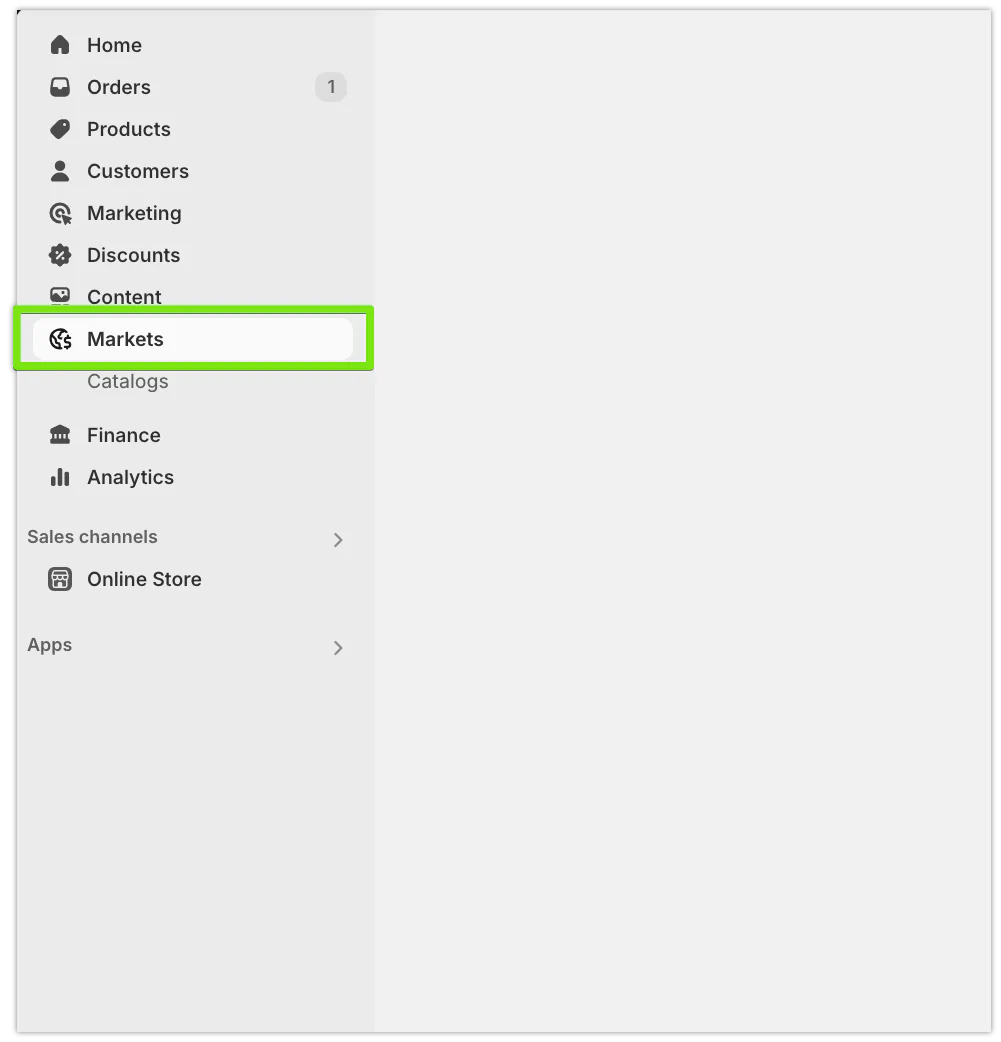
- Navigate to 'Markets' settings in the left side panel.
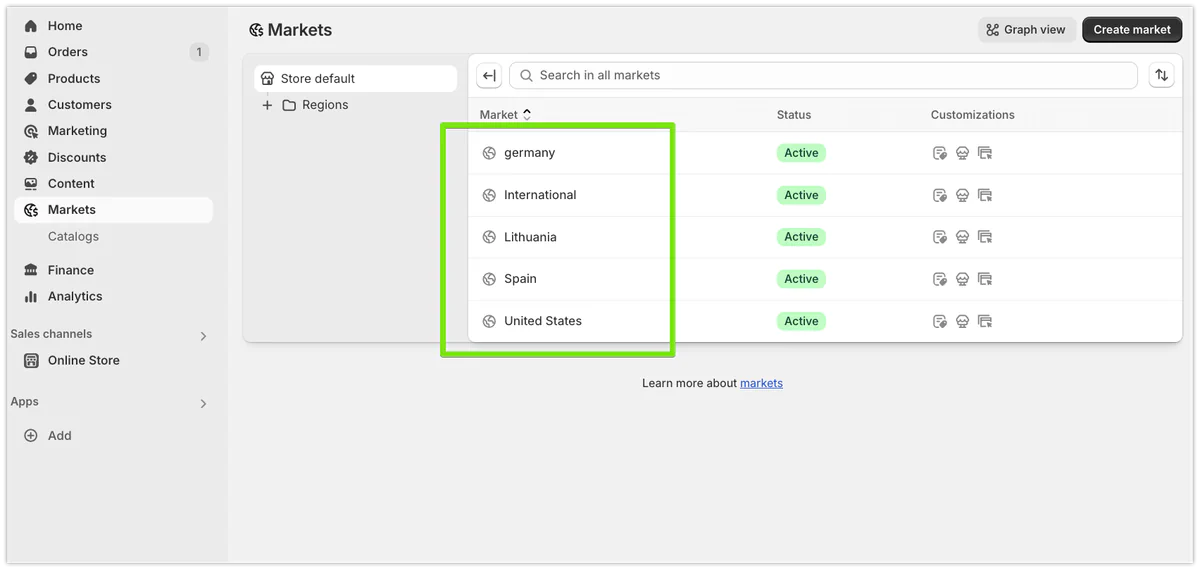
- Select the market.
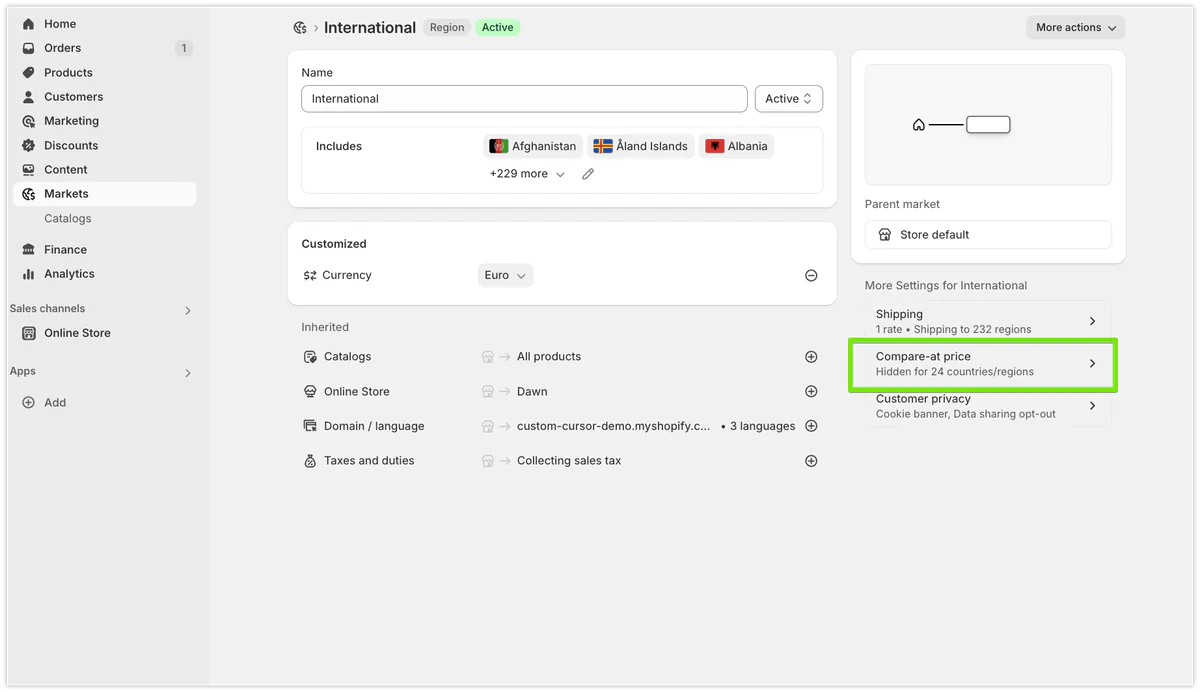
- Make sure that hiding the compare at price is disabled.
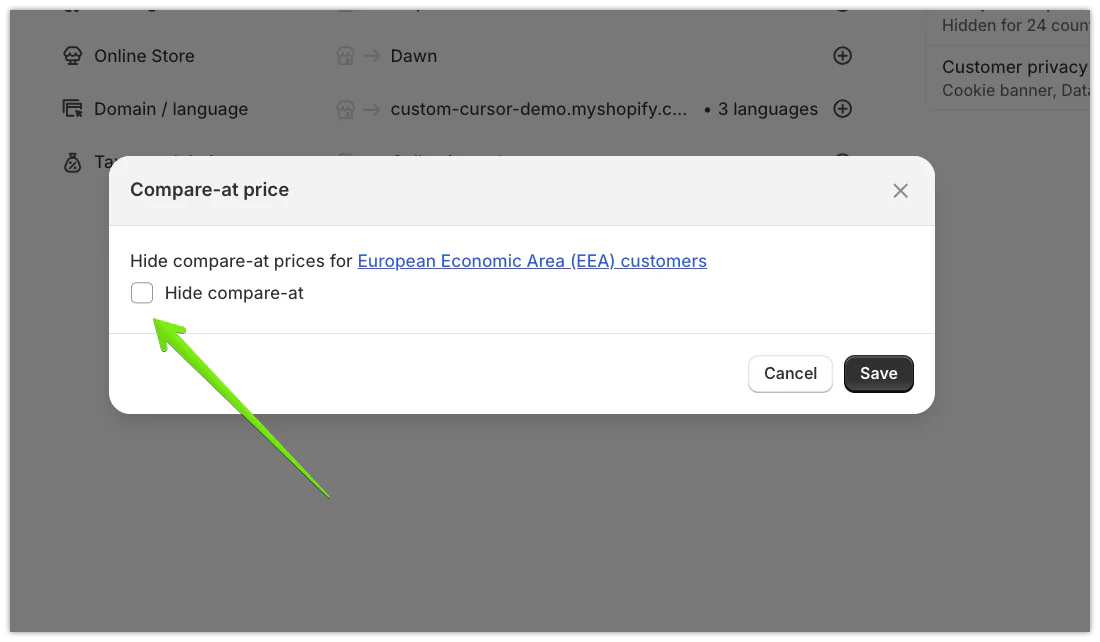
Save settings and check your product page again.
Related articles
How to remove compare at price from the bundle dealLearn how to hide compare at price for Kaching Bundle deals.Bundles How to set up Different Prices for Different MarketsLearn how you can create different deals based on visitor locationBundlesHow to change the crossed-out (compare-at) price in your bundleWhere the crossed-out price on your deal bars comes from and how to change itBundlesUpsell Product Isn’t ShowingLearn why Product upsell might not show in the cartCart
 Why isn’t the compare-at price showing on my product pages or bundles?The "compare-at price" is a key feature for displaying discounts and original prices on your product pages and bundles. If this price isn’t showing as…Bundles
How to set up Different Prices for Different MarketsLearn how you can create different deals based on visitor locationBundlesHow to change the crossed-out (compare-at) price in your bundleWhere the crossed-out price on your deal bars comes from and how to change itBundlesUpsell Product Isn’t ShowingLearn why Product upsell might not show in the cartCartWhy isn’t the compare-at price showing on my product pages or bundles?The "compare-at price" is a key feature for displaying discounts and original prices on your product pages and bundles. If this price isn’t showing as…Bundles