







How to dynamically display product/discount details in the bundle deal
Learn more about Kaching Quantity bundles dynamic personalizations ( variables )
In this article:
- What's personalization ?
- How personalizations can help me?
- How to use personalizations?
- Advanced custom product personalizations
What's personalization ?
A personalization variable is a snippet of code that renders details dynamically. For example, by adding the {{ product }} variable to any bundle deal input, every bundle deal will display unique product title on the product page.
How personalizations can help me?
Think of personalization as a "magic snippet" that renders certain details automatically. If your goal is to make a bundle deal unique and dynamic, always try to use personalizations instead of creating a new bundle block. This helps with bundle maintainability. In other words, you can have one bundle block that is unique across different products in the store.
How to use personalizations?
Each field in the bundle deal that supports personalization has a "Variable" icon.
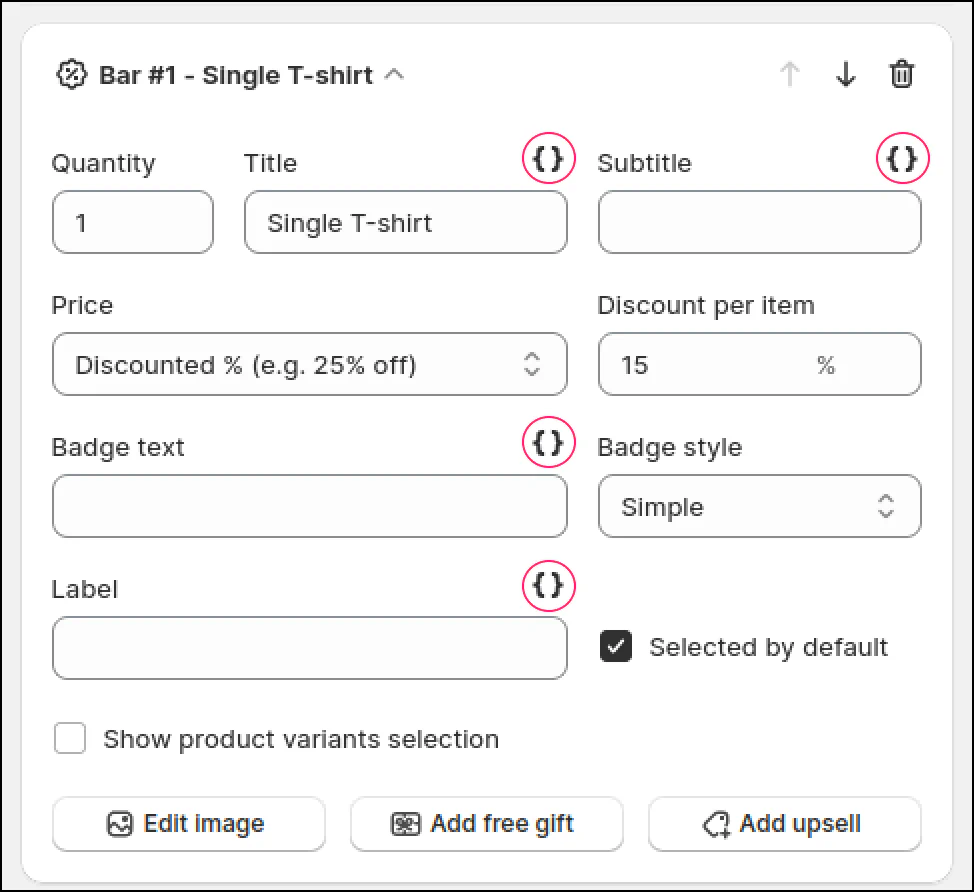
After clicking this icon, all available personalization options are displayed.
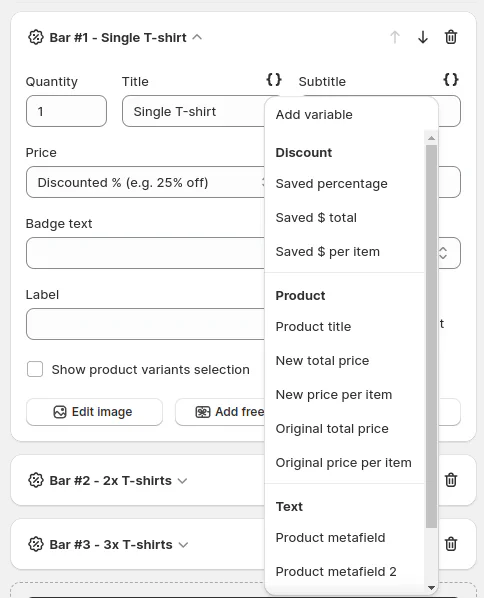
"Discount" personalizations are calculated and shown directly by the app, while "Product" and "Text" personalizations are drawn directly from your store and displayed in the bundle deal.
Example: Creating a Dynamic Bundle Block with Personalizations
Suppose you want to create a bundle block that displays the quantity and product title for each item in a bundle deal. Since each product title varies, the bundle deal needs to display them dynamically.
In the past, you might have created separate bundles for each product, using the "Specific Products" setting and manually writing each bundle deal title.
With personalizations, this extra work is no longer necessary.
To set it up, create a bundle, select all the products you want to include, and in each bundle deal title, click the "Variable" icon and choose the "Product title" personalization. Type the deal quantity before the personalization, and voilà!
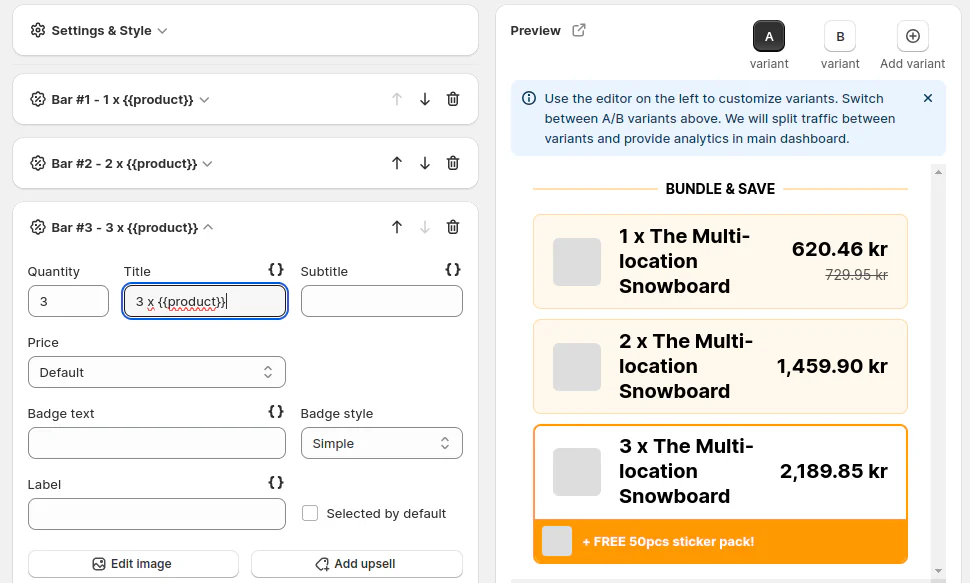
Now, all selected products in the bundle block will dynamically render their titles on the product page.
This is just a simple example, but in practice, combining multiple personalizations can help create highly dynamic bundles and save significant time on management. It’s much easier to manage a few bundles than to handle hundreds of them individually.
Advanced custom product personalizations
Additionally, with the provided predefined personalizations, Kaching Bundles offers four custom product metafield-related personalizations. These can be used to add custom information directly to each product in the Shopify admin.
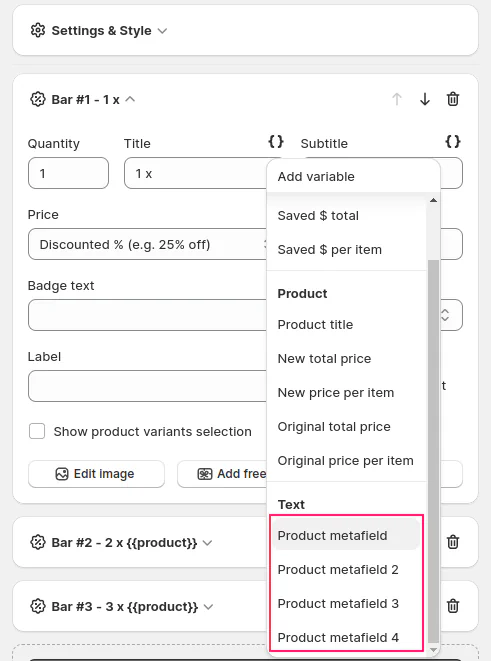
To use these personalizations, simply select one from the "Text" group and save the bundle block. After saving, the app will create this personalization in Shopify (if it hasn’t been created already).
Next, go to the product's edit page in the Shopify admin and scroll down to the "Metafields" section. There, you’ll find the new "Kaching Bundles" personalizations.
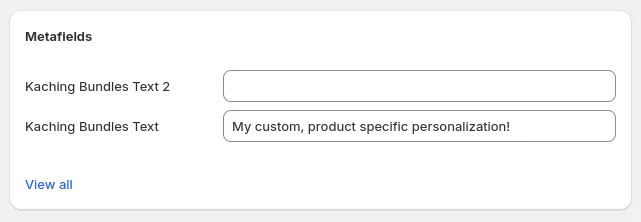
Fill in the personalization input and save your changes. Then, navigate back to the bundles edit page and check the bundle block preview. The personalization defined specifically for the product is now displayed in the bundle deal.
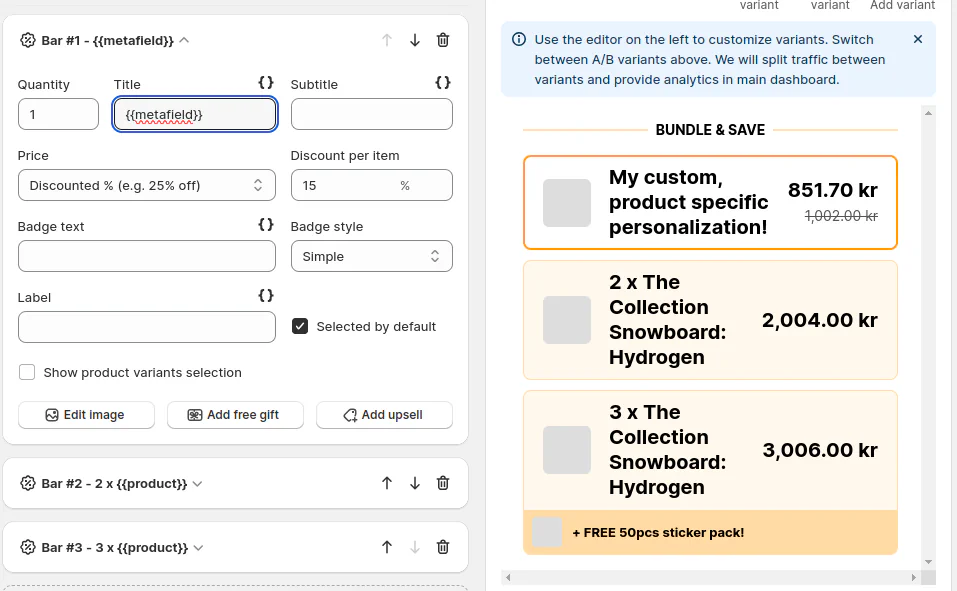
Once again, this is just a simple example, but it should give you an idea of how to use personalizations to create highly dynamic and unique bundles for every product in your store!
If you need help with personalizations or want to explore more unique use cases, don’t hesitate to reach out to our support team for a help!