





How to integrate Kaching Subscriptions with PageFly Landing Page Builder
Learn about Kaching Subscriptions and PageFly Landing Page Builder integration
The PageFly Landing Page Builder is a powerful tool for creating attractive, fast, and high-converting Shopify pages. Its intuitive drag-and-drop builder, hundreds of building blocks, and powerful AI allow you to create your dream store in minutes.
PageFly Landing Page Builder Features
- CRO-optimized templates
- Build with 100+ page templates & 100+ premade sections
- Build with flexibility
- Drag, group & align layouts and elements freely
- Data-driven A/B Testing
- Identify, implement and track high-converting variants
- Sales-boosting elements
- countdown, upselling, trust badges, ...
- Integrate 130+ apps:
- reviews, personalizers, upsells,... all to boost conversion
How to integrate Kaching Subscriptions with PageFly Landing Page Builder
Kaching Subscriptions can be easily integrated into the PageFly page builder in just a few simple steps:
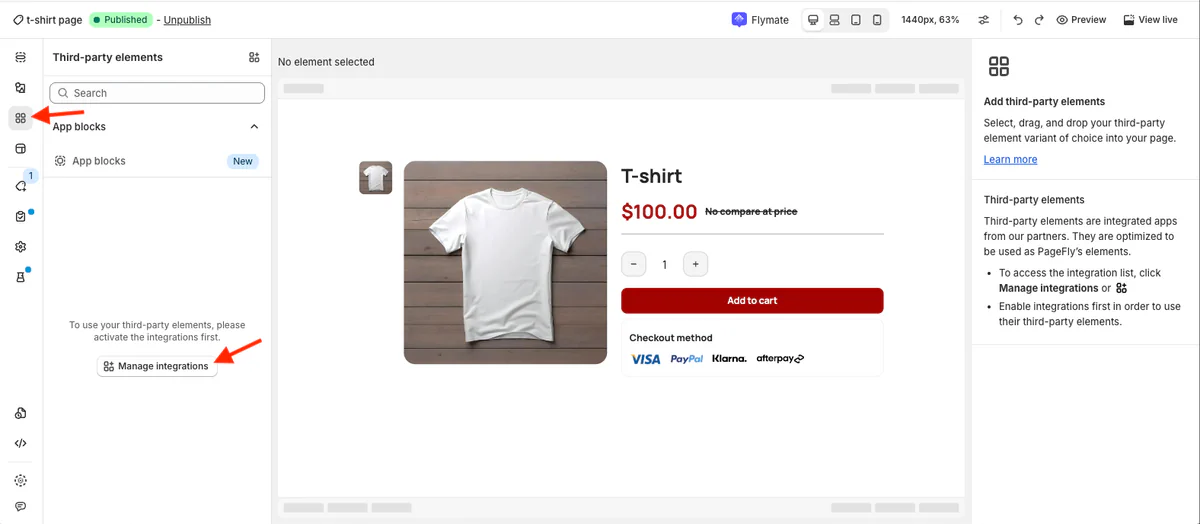
- Navigate to the PageFly Landing Page Builder
- Click 'Third-party elements' and click 'Manage integrations'
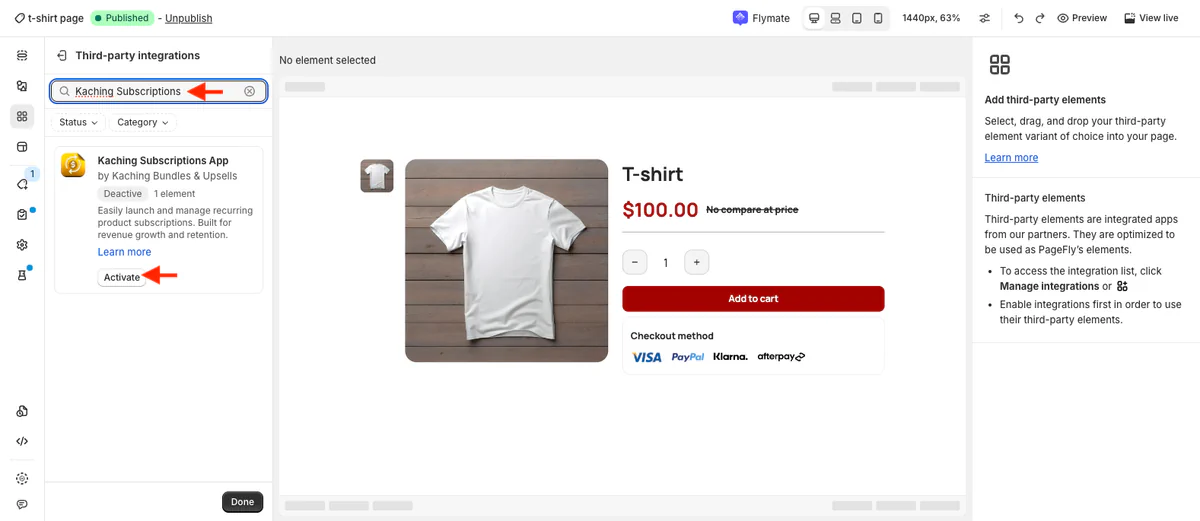
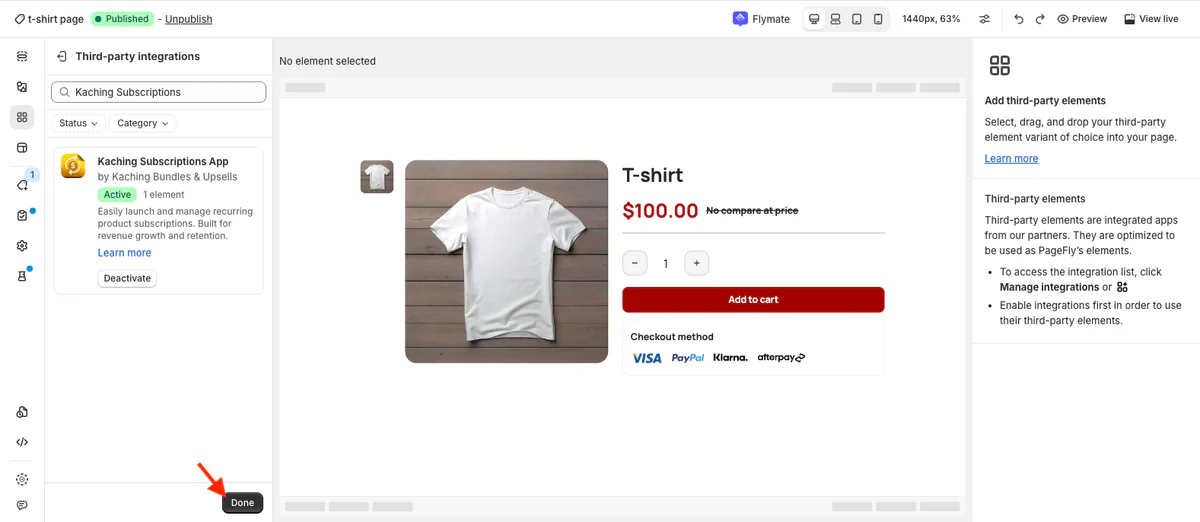
- Search for 'Kaching Subscriptions' and click 'Activate'
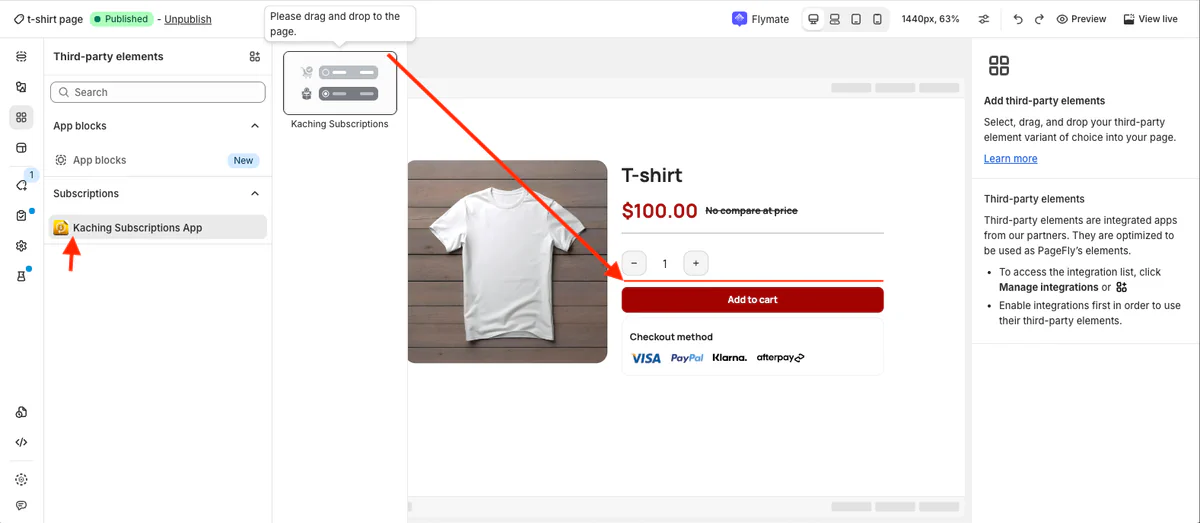
- Add the 'Kaching Subscriptions' block to the product module or product list
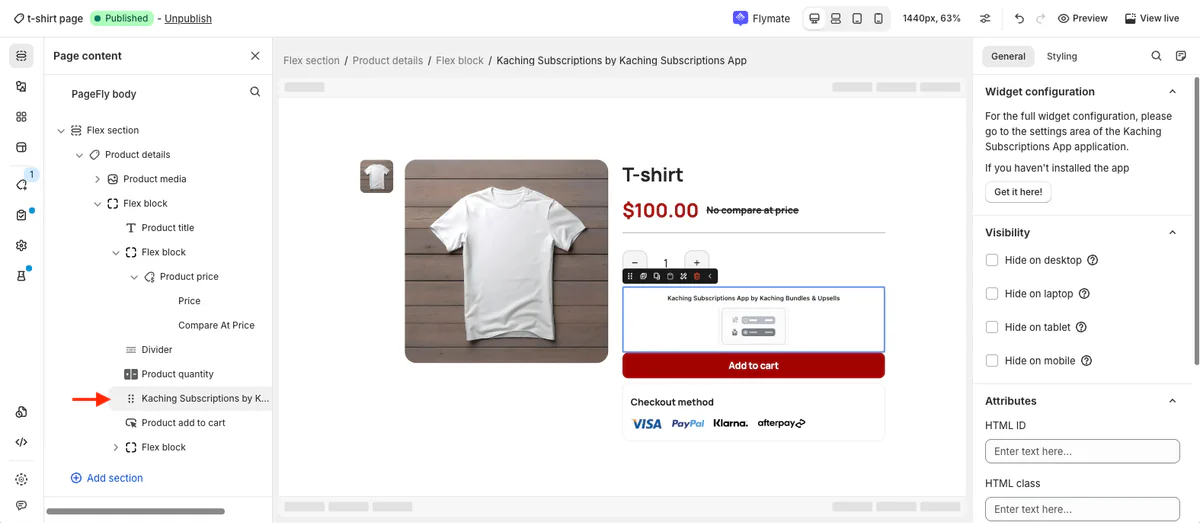
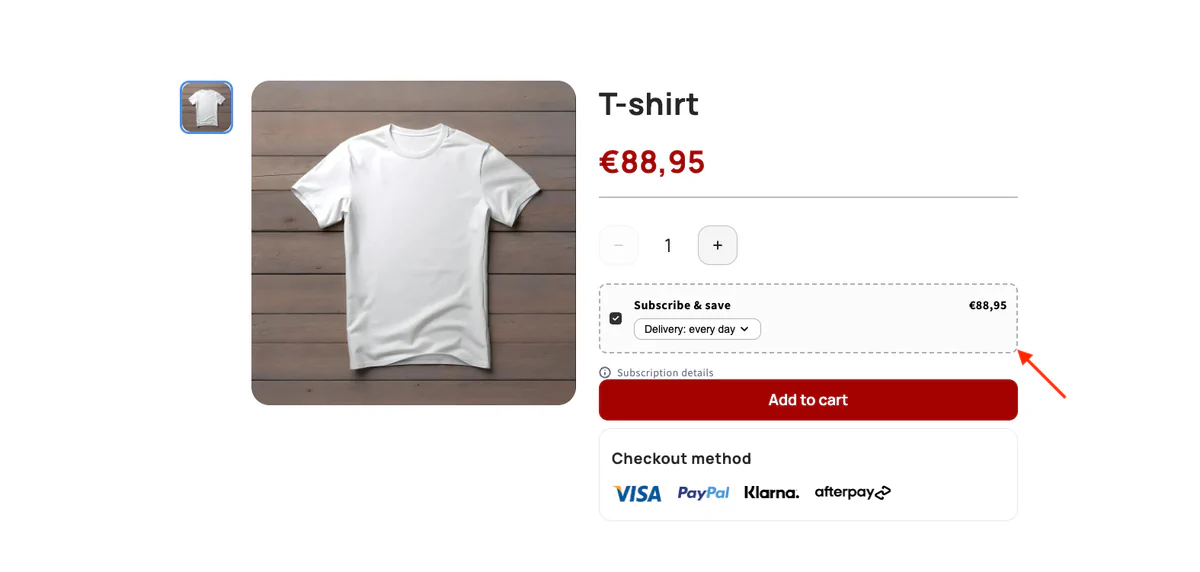
Alternatively you can add 'HTML/Liquid' block:
- Navigate to the PageFly Landing Page Builder
- Search for 'HTML/Liquid' block
- Add the 'HTML/Liquid' block to the product module or product list
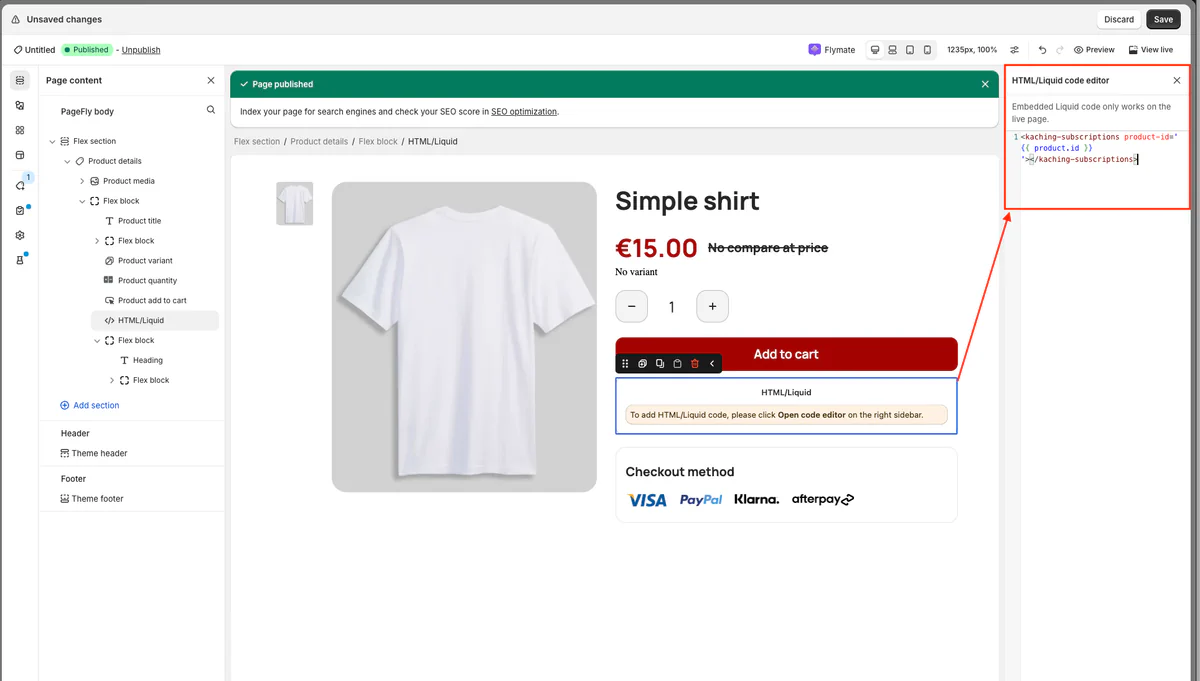
- Click 'Open code editor' button
- Insert the code snippet:
<kaching-subscriptions product-id='{{ product.id }}'></kaching-subscriptions>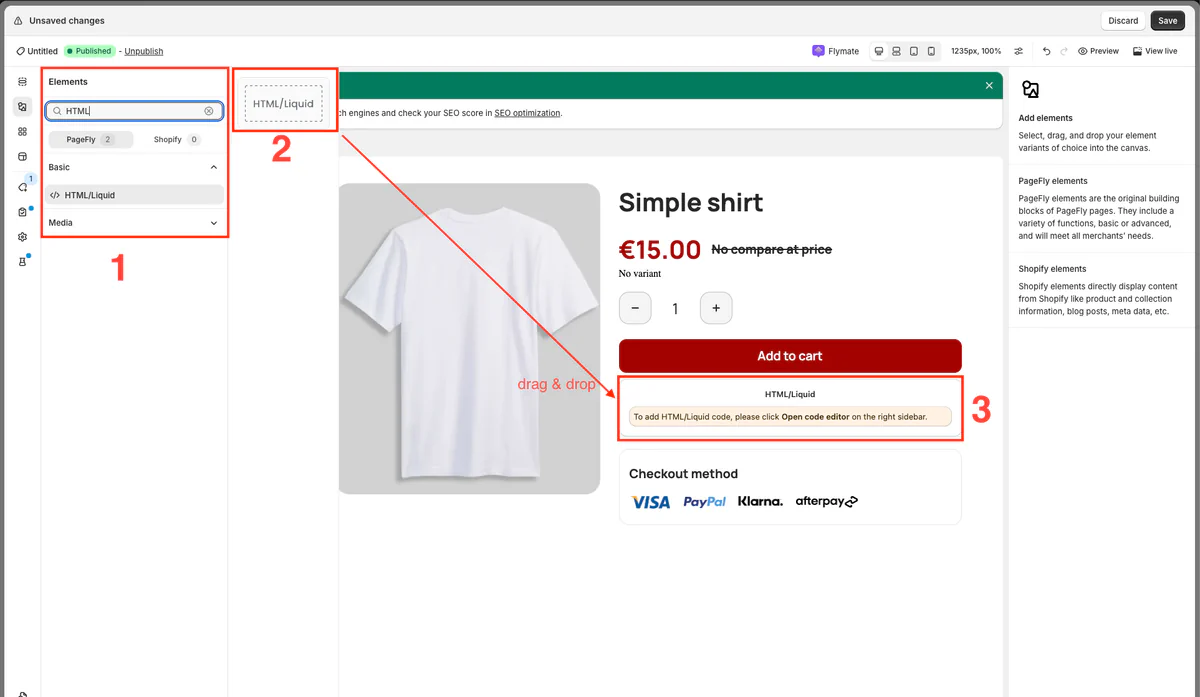
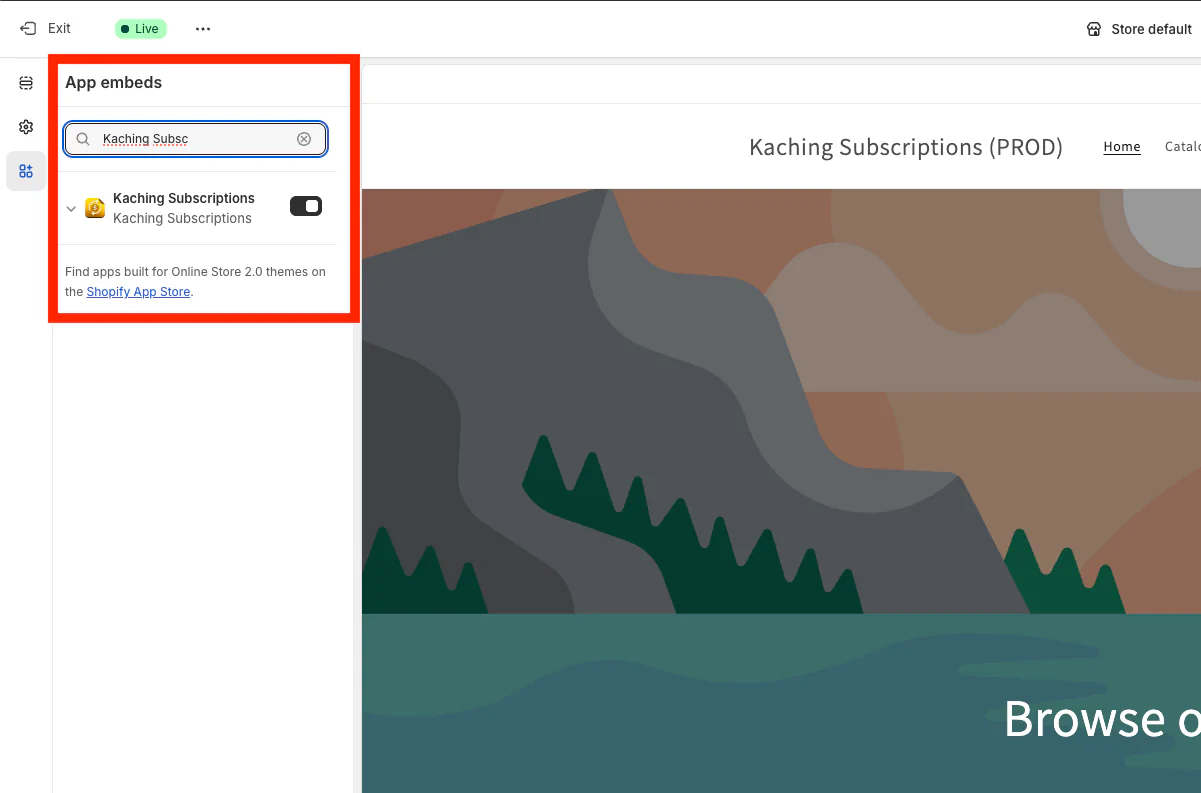
Make sure that the 'Kaching Subscriptions' app embed is enabled in Shopify, then check the live product page, as editor will not display the actual widget.
Need help? Drop us a message in the live chat, and we'll sort it out together.
Related articles
How to reposition / display Kaching Quantity Bundles widget in a page builder, landing page, or any other custom placement in the store.Learn about the Kaching Quantity Bundles widget snippet and its positioning.Bundles How to integrate Kaching bundles with the PageFly page editorLearn about Kaching bundles and Pagefly page editor integrationBundlesHow to integrate Kaching Subscriptions with GemPages Page BuilderLearn how to integrate Kaching Subscriptions with GemPages Page BuilderSubscriptions
 How to integrate Kaching Subscriptions with Replo page builderLearn about Kaching Subscriptions and Replo page editor integrationSubscriptionsHow to reposition / display Kaching Subscriptions widget in a page builder, landing page, or any other custom placement in the store.Learn about the Kaching Subscriptions widget snippet and its positioning.Subscriptions
How to integrate Kaching bundles with the PageFly page editorLearn about Kaching bundles and Pagefly page editor integrationBundlesHow to integrate Kaching Subscriptions with GemPages Page BuilderLearn how to integrate Kaching Subscriptions with GemPages Page BuilderSubscriptionsHow to integrate Kaching Subscriptions with Replo page builderLearn about Kaching Subscriptions and Replo page editor integrationSubscriptionsHow to reposition / display Kaching Subscriptions widget in a page builder, landing page, or any other custom placement in the store.Learn about the Kaching Subscriptions widget snippet and its positioning.Subscriptions