




How to show Kaching offers in Moast shoppable videos
Let shoppers pick a Kaching subscription or bundle straight from your Moast videos.
 Moast · MarketingWorks with Kaching Bundles and Subscriptions1 min read
Moast lets you add shoppable videos to your Shopify store. If a product in a video has a Kaching subscription or bundle, shoppers can pick it straight from the video’s quick add panel. The Kaching discount carries over to the cart.
Setup
- In Moast, open Settings → Integrations.
- Click Manage on the Kaching card.
- Turn on “Show Kaching offers in quick add”.
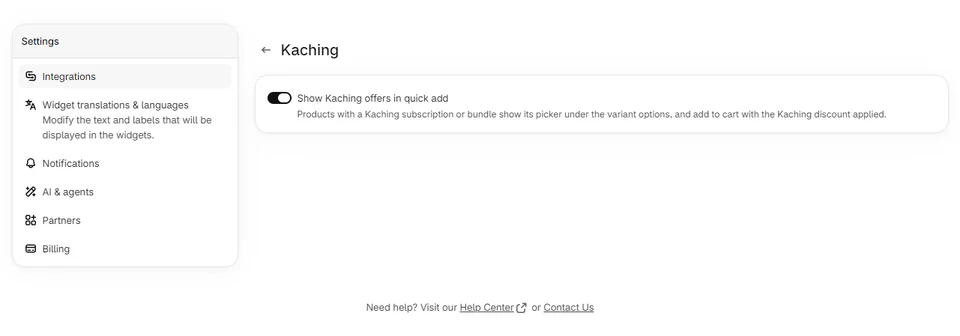
Your existing Kaching offers will show up in your videos. You don’t need to change anything in Kaching.