




How to Set up & Sell Subscriptions on Shopify in 5 Steps (2026)
In order to sell subscriptions on Shopify you have to install a subscription app, add a recurring purchase option to your products and let the app charge each renewal.

Reviewed by Mantas Petruškevičius, Organic Growth Lead at Kaching Appz
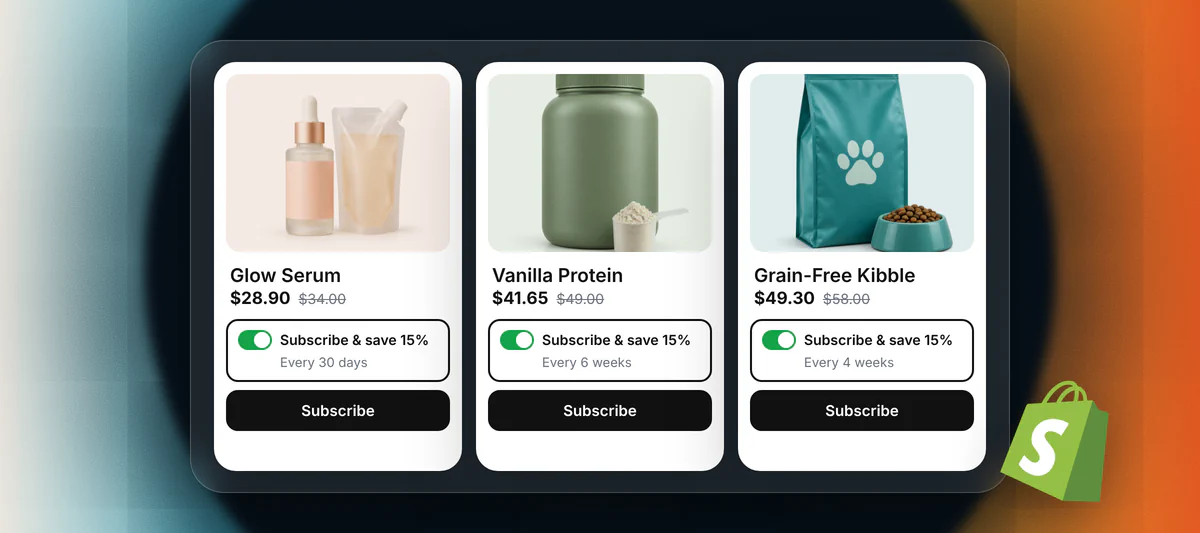
Five steps take a store from one-time sales to a subscription business with predictable, regular revenue. I put them together from Shopify's help center, the App Store listings and pricing pages of the main subscription apps as of November 2026.
Can you sell subscriptions on Shopify?
Yes, you can sell subscriptions on Shopify through a subscription app from the Shopify App Store. Shopify's guide to subscription model types names three business models, and subscription apps add a fourth for digital goods.
Replenishment subscriptions. Coffee, pet food, supplements, razor blades. The customer automates something they run out of, and Shopify credits this model with higher conversion and retention, with thin margins as the catch.
Curated subscriptions. Better known as the subscription box. Every delivery brings new or surprise items, and Shopify calls it the most common model while warning about high churn and heavy operations.
Access subscriptions. A monthly fee buys lower prices or members-only perks, say free shipping and early access to new drops. Brands use it to build loyalty with their best customers.
Digital subscriptions. Files, courses, templates, software licenses. Your subscription app bills on schedule, and a separate digital delivery or membership app sends the download or opens the gated content.
Whichever type you pick, Shopify sets two limits. Subscription products only sell on the online store, Shopify POS, the Shop app and custom storefronts. Renewals also need one of five payment gateways (Shopify Payments, PayPal Express, Authorize.net, Adyen or Stripe), per Shopify's subscription considerations, so Klarna and other buy now, pay later methods are ineligible for recurring charges.
How to Sell Subscriptions on Shopify?
To sell subscriptions on Shopify, go through the five steps below in order, starting with the model and ending with retention:
Step 1: Choose your subscription model
Your subscription model can be one of four types: replenishment, curated, access or digital. Then decide how customers pay, because Shopify lists two billing models. With pay-as-you-go, better known as subscribe and save, the customer pays for each delivery when it's due, and it's the simplest place to start. With prepaid, the customer pays upfront for several deliveries, which helps cash flow and makes a neat gift. In Kaching Subscriptions, a monthly delivery billed every five months creates one order holding five fulfillments, and the first ships straight away, according to its prepaid subscriptions guide. For replenishment products, I'd launch with subscribe and save, and prepaid can come later as you grow.
Step 2: Pick the products and price the offer
Pick products that customers already reorder on their own. Your order history will show them: bestsellers with repeat buyers and a steady use-up rate. One to three of those best-selling products is usually plenty for a first subscription offering. If you don't have any sales history yet, pick a product that is proven to work with a subscription model, where repeat purchases from the same buyers recur periodically each week, month or over a longer period.
Then set the price for your subscription. A subscribe and save discount is the main lever, and on my test store the Kaching Subscriptions setup wizard suggested a monthly plan at 25% off.
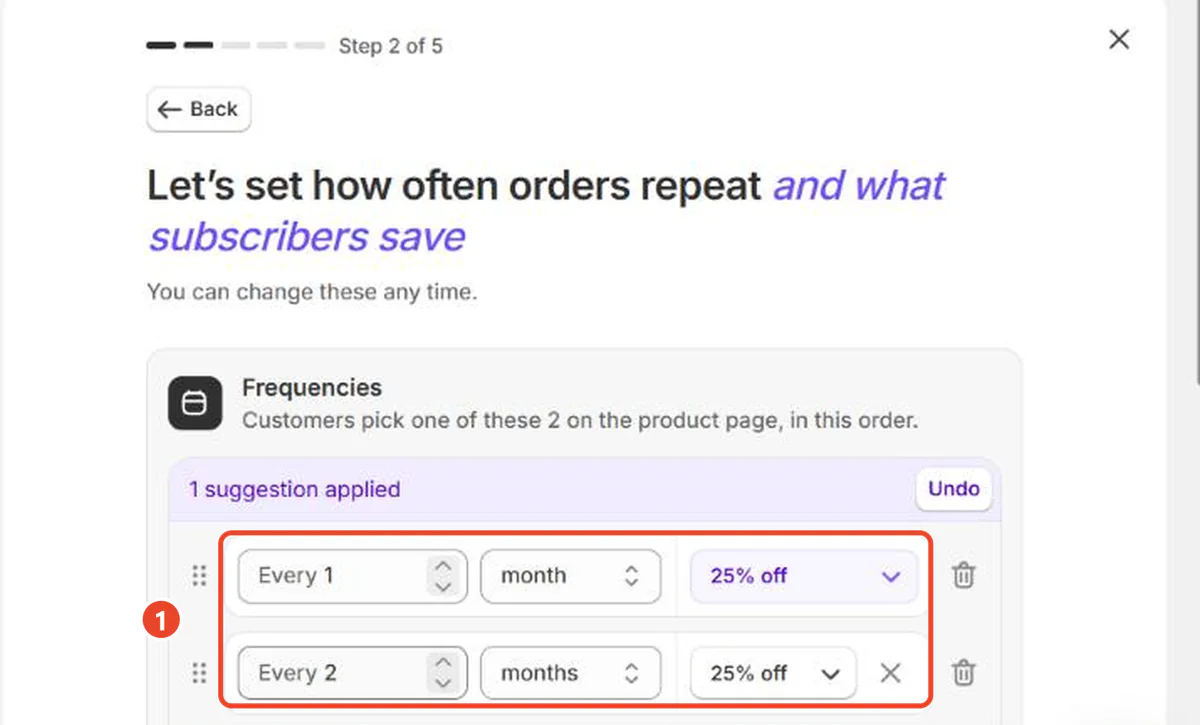
You can also front-load the discount, with a bigger cut on the first two orders that shrinks afterwards, or skip the percentage and give free shipping on renewals or a free gift with the first box.
Step 3: Install a subscription app
Install a subscription app from the Shopify App Store. Compare the tools on features, subscription management and the way each app bills you, because the gap in fees at scale is big:
- Native & Free. Shopify Subscriptions lets you create basic subscription plans at no cost. It holds 3.8 stars from 907 reviews, and Shopify states that bundles aren't compatible with it.
- Flat fee. Kaching Subscriptions starts at $9.99 a month for up to $1,000 in monthly subscription revenue, with no transaction fees, a 14-day free trial and a 5.0 rating from 1,214 reviews.
- Priced by subscriber count. Seal Subscriptions is free up to 50 subscriptions, then from $5.95 a month.
- Fee plus revenue share. Recharge Starter is $149 a month plus 1.50% and 20 cents per transaction.
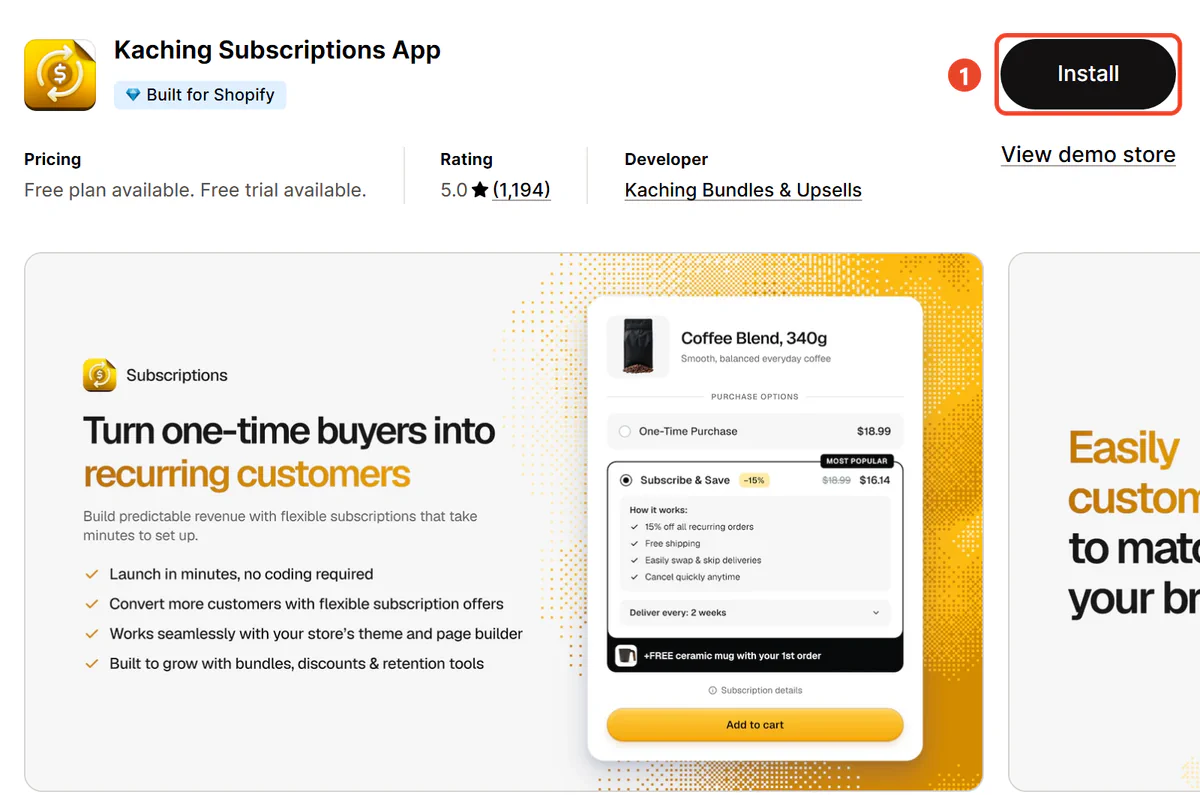
I compared nine subscription apps in the roundup of the best Shopify subscription apps.
Step 4: Show the subscription on the product page
Show the subscription next to the add to cart button, as a choice between a one-time purchase and subscribe and save. Kaching Subscriptions drops its widget into the first add to cart form on the product page by itself. Shopify Subscriptions needs a theme that supports sections and blocks, which means any Online Store 2.0 theme.
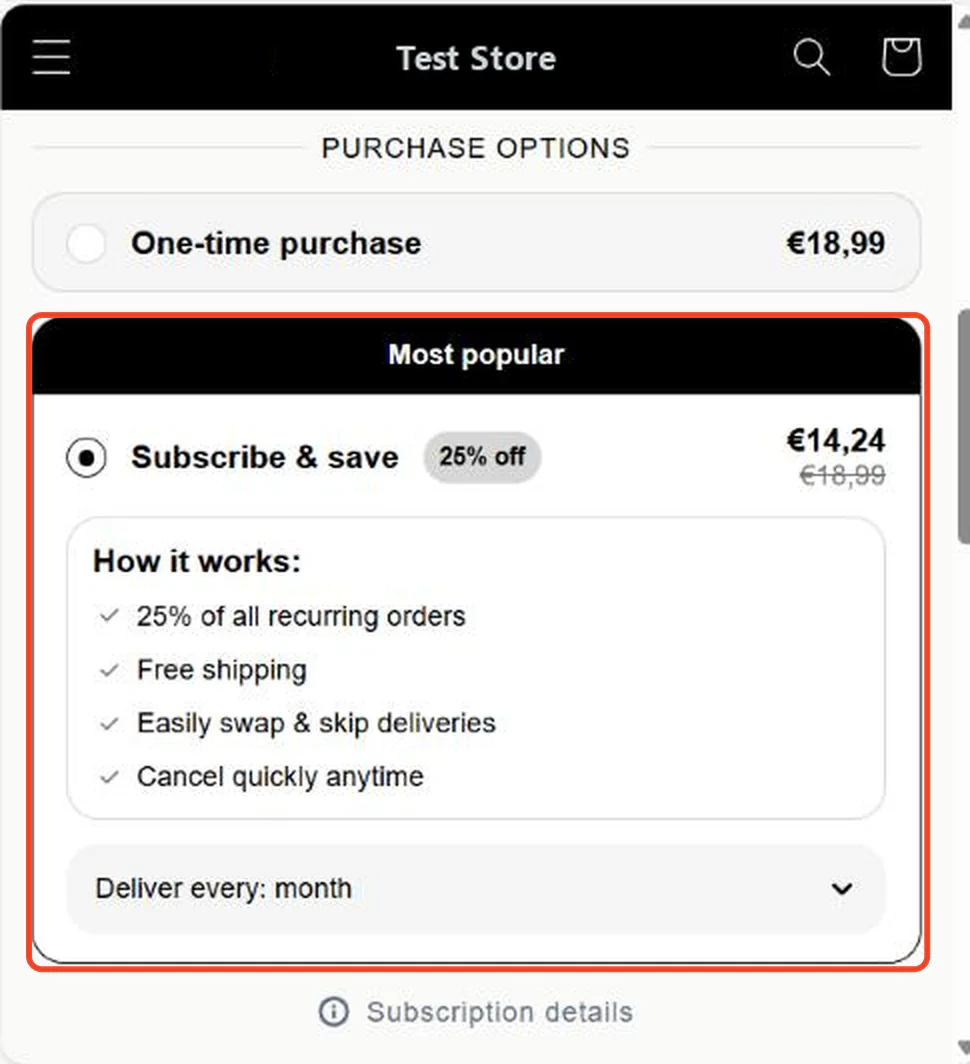
Put the saving in the option label ("Subscribe & save 25%") with the one-time price crossed out, and pre-select whichever option you want most shoppers to take. Below it, display a short list of what subscribers get. On my test store the default "How it works" text promised free shipping, so edit that line if you don't offer it. Shopify then adds its own subscription disclosure at checkout, and that one can't be removed on any plan.
Selling multipacks? Put the subscription inside the bundle. Kaching Bundles and Kaching Subscriptions share one widget, so a shopper picks a 3-pack and a delivery schedule in a single click. The bundle side is covered in the guide on how to create bundles on Shopify.
Step 5: Keep subscribers coming back
Keep subscribers coming back by giving them control over the subscription and a reason to stay past the first few orders. Recurly's churn benchmarks put median ecommerce churn at 4.25%. Of that, 1.38% is involuntary: cards that failed while the customer still wanted the product.
Get these in place before launch:
- A customer portal where subscribers manage their own subscription: skip, pause, swap products or change frequency without contacting support.
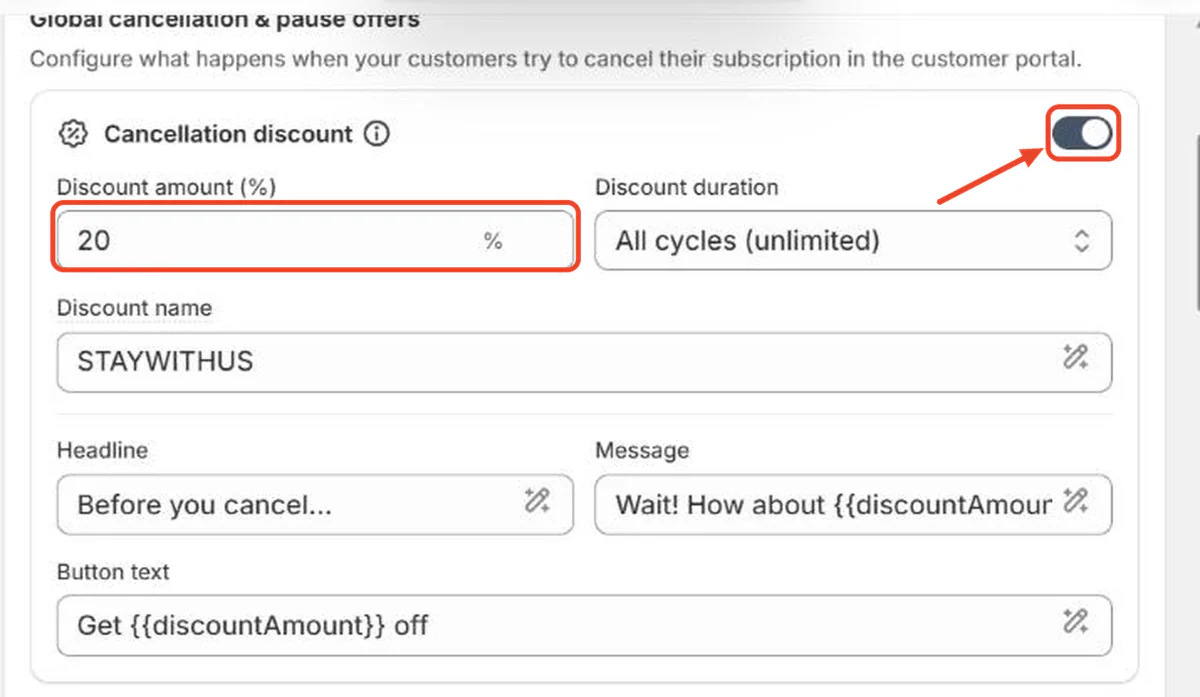
- Retention offers on the cancel button, such as a discount, a skip or a pause.
- Failed payment retries spread over several days, plus an email asking for a new card.
- Rewards for staying, for example a discount or a free product after a set number of orders, which Kaching Subscriptions calls streaks.
FAQ
Does Shopify have a subscription service?
Yes, Shopify's own subscription service is the free Shopify Subscriptions app, with weekly, monthly and yearly plans and optional discounts. Stores that want prepaid plans, retention offers or bundles install a third-party subscription app instead.
Can you sell digital subscriptions on Shopify?
Yes, you can sell digital subscriptions on Shopify. A subscription app charges the customer on schedule, and a digital delivery or membership app sends the file or unlocks the content after each payment.
Can you sell memberships on Shopify?
Yes, you can sell memberships on Shopify as an access subscription with a monthly or yearly fee. The subscription app handles billing. Gating members-only pages, prices or content takes a membership app or customer tags.
How much does it cost to sell subscriptions on Shopify?
Selling subscriptions on Shopify costs $0 in app fees with Shopify Subscriptions and from $9.99 a month with Kaching Subscriptions, on top of your Shopify plan and payment processing. Apps that take a cut of every transaction get more expensive as subscription revenue grows.