Should You Migrate Subscription Apps on Shopify? (2026)
Migrate subscription apps on Shopify when the yearly cost gap, a missing feature or support problems outweigh the work and risk of the move.

Reviewed by Mantas Petruškevičius, Organic Growth Lead at Kaching Appz
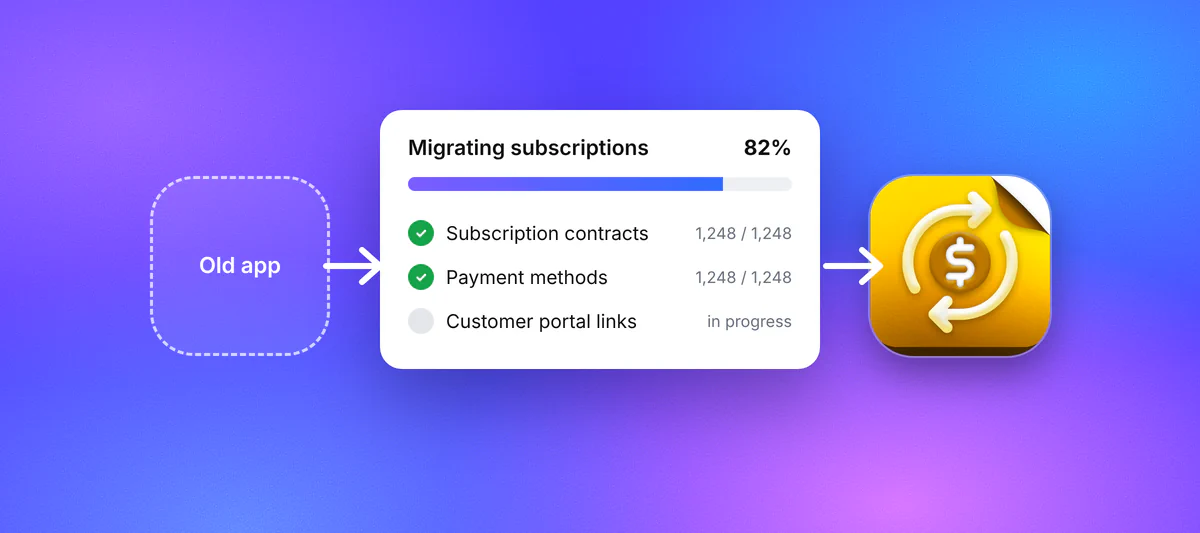
In this article we will cover why and when should you migrate between two different Shopify subscription apps for your store, what data is needed for successful migration as well as tips and risks to manage before you move.
When should you switch subscription apps on Shopify?
You should switch subscription apps on Shopify when another app would cost far less at your revenue, when yours lacks a feature you need, or when it keeps letting you down on support or reliability. Let’s break down some of the core reasons.
Cost at your revenue. Revenue-share fees rise with every renewal you process. Picture a store doing $20,000 a month in subscription revenue at a $40 average order, roughly 500 renewals. Recharge Subscriptions Starter plan would cost approximately about $549 a month. Kaching Subscriptions bills a flat $49.99 at that level. Seal comes in near $24.95. Against Recharge, that's about $6,000 a year for features that overlap a lot, as discovered in my comparison of Shopify subscription apps.
Missing features. Most common missing feature is a subscription plan type that your app can't support. Besides this, it may be missing retention offers, payment retries, or subscriptions and bundles that won't share one product-page widget. Churn on its own usually isn't the sole reason to migrate, you should try the churn fixes inside your current app first, since product offer and shopping experience have a bigger impact on churn than the subscription app itself - it’s mostly invisible to users after signing up.
Support. A broken renewal means a customer gets charged the wrong amount today, so slow answers hurt. When I read one and two star reviews on Popular Shopify App Store listings, majority of them, about 57%, complained about slow or unhelpful support. This is where Kaching Subscriptions shines with its fast and helpful customer support.
Reliability. Poor reliability comes down to failed subscription renewals, wrong prices after an update and checkout errors.
Then, before migration, you should consider timing. There is three situations where I'd wait even with a good reason to leave:
- Peak season. Don't move subscribers in the weeks before Black Friday Cyber Monday (BFCM) or a big launch. Support tickets and payment failures spike during a migration.
- Legacy gateway. Is your old app charging cards through its own Stripe or Braintree account, outside Shopify? Then the cards need importing first. Shopify's developer guide on migrating payment methods says Stripe and Braintree stay on as legacy gateways for existing contracts, while new or updated contracts charge through Shopify Payments.
- Custom integrations. Klaviyo flows, Shopify Flow automations, loyalty programs, ERP syncs and webhooks wired to the old app's events go silent the moment it stops. Someone has to find the time to rebuild them.
What data is needed when migrating between Shopify subscription apps?
The data needed when migrating between Shopify subscription apps comes in four groups: subscription contracts, payment methods, customer portal links and emails, and the flows, integrations and analytics history around them.
Subscription contracts
Each subscription contract stores the customer, product and variant, delivery frequency, locked-in price and discount, shipping address, status and next billing date. The new app builds a fresh contract from your export of the old one.
Shopify's rules for its own CSV contract import give a sense of how strict this gets. Every column has to be in the file, and every field is required unless Shopify marks it optional. Files max out at 10 MB, an import can't overwrite a contract that already exists, and each next billing date has to be at least 24 hours after the moment of import. Other apps set their own limits so check each app’s migration guide individually for most accurate information. Before anything is imported, count the active contracts in your export and check the number against your old dashboard as quick rule of thumb.
Payment methods
A saved card lives in a payment vault as a token, owned by whoever created it, and that is where a lot of migrations stall. There are four main reasons payment methods get stuck, which I'd sum up like this:
- Gateway tokens don't migrate. Some providers will export tokens to another vault on request. Others refuse, and even the willing ones can take weeks.
- The old platform billed outside Shopify. No token exists in Shopify's vault, so every one of those customers needs a card saved in Shopify before a Shopify-native app can charge them.
- Customers are slow. A card that can't be moved has to be re-entered by the subscriber, and plenty of people only do it after a renewal fails.
- All-or-nothing importers. Some importers reject any contract without a valid payment method. You end up waiting on every customer before importing anyone, with two apps running side by side for weeks.
Where tokens can move, Shopify's developer docs name the routes. Stripe cards, Braintree cards and Apple Pay, PayPal Express billing agreements and Authorize.net payment profiles can all be imported. Shopify also recommends pausing billing in the old app while payment methods and contracts are migrating.
Customer portal links and emails
On switch day your subscribers get a new portal, because the portal belongs to the new app. Every "manage subscription" link has to change with it, whether it sits in a Klaviyo flow, an order confirmation, an SMS or your site menu.
Both apps can also email the same customer about the same event. Kaching Subscriptions automatically sends a portal link when an imported subscription is activated (you can switch that off in its email settings).
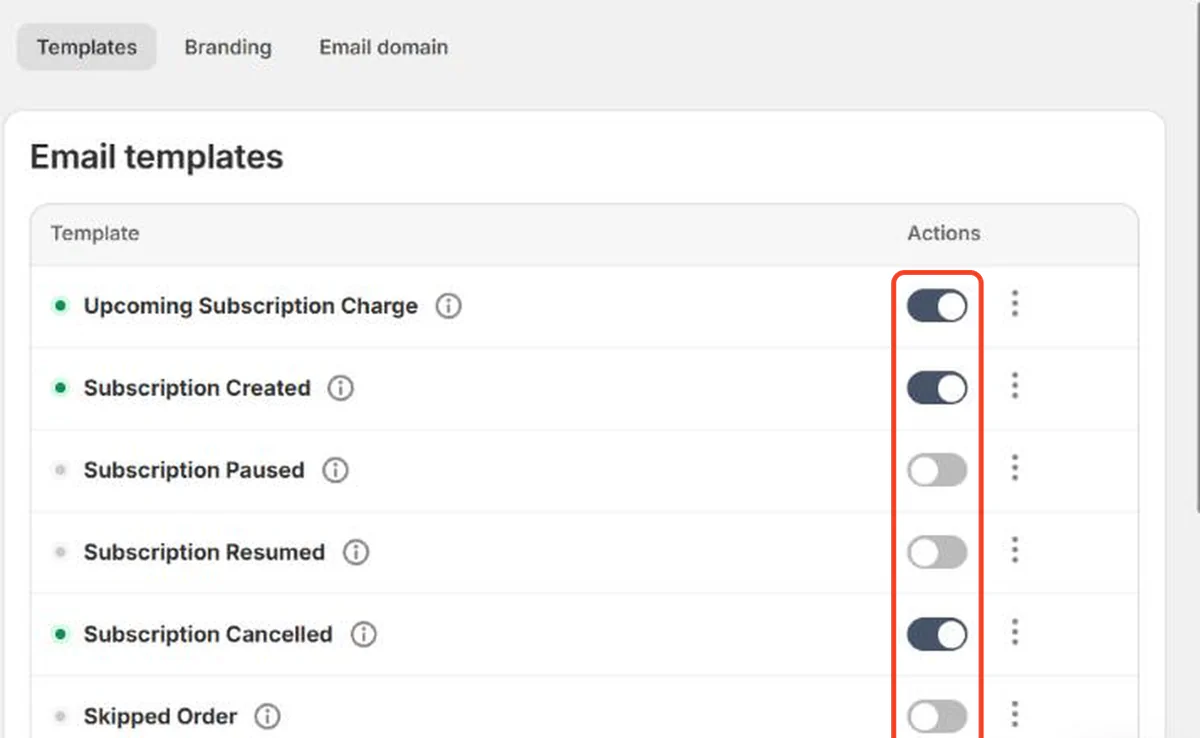
Flows, integrations and analytics history
Popular subscription apps have different approached when it comes to storing history. Recharge's migration docs say analytics and historical data don't migrate. Joy's docs say the same about order history and analytics. Kaching Subscriptions keeps imported subscriptions out of its retention-by-order-number report, since their earlier orders happened somewhere else. So export your lifetime value (LTV), cohort and churn reports before you start.
Make sure to not take too much time here. Shopify's subscription considerations say an uninstalled subscription app's data is deleted after 48 hours (contracts and customer payment information excluded). Leave the old app installed until the move is done and the reports are saved.
What are the risks of migrating subscription apps?
The risks of migrating subscription apps are failed charges, double billing, moved billing dates, confusing customer emails, lost history and churn in the first billing cycle. Subscriber retention through a Shopify migration depends on catching all six.
Failed charges. A contract that lands without a usable card fails on its first renewal. On Recurly's churn benchmark, failed payments already account for about a third of ecommerce churn (1.38 of 4.25 percentage points), before any migration adds to the pile.
Double billing. A contract left active in both apps charges the customer twice. Kaching Subscriptions and Appstle import subscriptions as paused to stop that: you check them, cancel the old contracts, and only then activate.
Moved billing dates. People read a charge on an unfamiliar date as a mistake, and some file a chargeback. Never move billing dates in the switch. Carry every contract's next billing date through untouched.
Confusing customer emails. "Your subscription was cancelled" from the old app, then "Welcome" from the new one. Some subscribers cancel just to be safe.
Lost history. LTV, cohorts and first-order dates stay behind, and migrated subscribers can show up as brand-new customers.
First-cycle churn. A bad migration shows up in the first billing cycle after cutover. One operator quoted in appstoreresearch.com review of switching costs lost about $200,000 in subscription revenue in the year after a migration went wrong, and their customer service tickets rose 38%. Turn on payment recovery from day one. Retries and card-update emails are what turn a failed first charge into a recovered order.
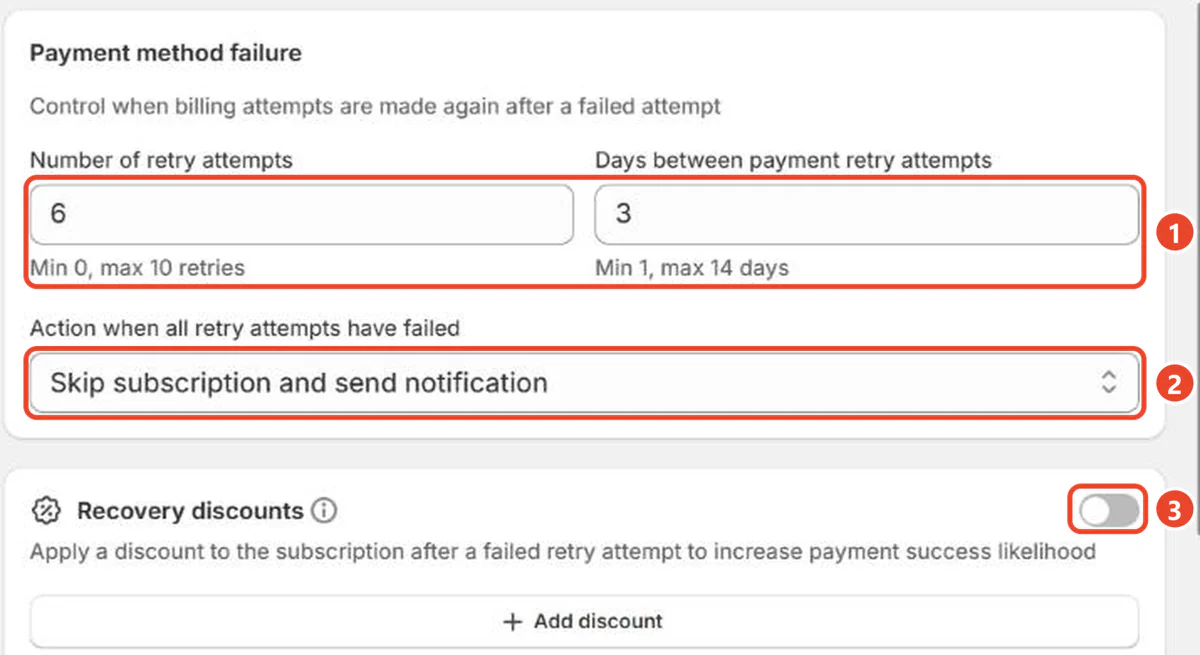
Kaching Subscriptions has a payment recovery page for this: up to 10 retries, up to 14 days apart, a fallback action once they all fail, and an optional recovery discount. Set it up before the first imported contract renews.
Which subscription apps help you migrate?
The subscription apps that help you migrate split by functionality. A support team imports your file, or a tool lets you do it yourself, and the pricier platforms assign a migration manager. I built the table from each app's migration page, help docs and pricing pages. "Not stated" means the vendor doesn't declare information.
| App | Who does the migration work | Cost of migration | Source apps supported |
|---|---|---|---|
| Kaching Subscriptions | Kaching support imports a CSV you export and send through live chat, and the subscriptions arrive paused | Not stated | Not named (any app that exports a CSV in Kaching's format) |
| Shopify Subscriptions | You, through a self-serve CSV import in Shopify's format | Not stated (the app is free) | Apps that are Shopify Checkout integrated, or Shopify Subscriptions on another store |
| Recharge | You, with a self-service migration tool (CSV template, 5,000 rows per run) | End-to-end migration support listed on the Scale plan ($499 a month) | Bold v1 and v2, Stay.ai, Smartrr, WooCommerce, Appstle |
| Appstle | Appstle's migration team | Free on all plans | All V1 and V2 Shopify subscription apps (vendor claim), incl. Recharge, Yotpo, Seal, Bold |
| Loop | A dedicated migration manager, shared Slack channel and test environment | Free on paid plans (from $99 a month plus 1%) | Recharge, Skio, Stay.ai |
| Seal | You, with a bulk CSV import and an API wizard for Recharge | Not stated | Bold V1 and V2, Recharge, Assemble, Appstle |
| Skio | Skio's in-house migrations team | No migration fee (plans from $599 a month) | Recharge, Bold, Stay.ai, Smartrr, Subscribe Pro, WooCommerce |
| Joy | Joy support imports your CSV, with an assigned migration manager | Free (listed on the Free plan) | Recharge, Appstle, Seal, Bold, Skio, PayWhirl, Subify |
Kaching Subscriptions runs migration through its support team, not a self-serve upload. You export your subscriptions as a CSV in its format and send the file in live chat. The team imports it, the subscriptions arrive paused, and you review and activate them before cancelling the old contracts.
Bigger brands tend to want the white-glove route. Loop gives you a migration manager and a test environment. Appstle does hands-on migration free on every plan, though 8 of its 54 one- and two-star reviews are about migrations that went badly. With Seal and Shopify Subscriptions you do the work yourself, which is manageable for a few hundred contracts.
FAQ
Will customers have to re-enter their card details?
No, customers won't have to re-enter their card details if the cards are already stored in Shopify or can be imported into it. Shopify's developer docs cover imports from Stripe, Braintree, PayPal Express and Authorize.net. A customer only types a card in again when its token can't move, for example when the old provider won't export it.
How long does a subscription migration take?
A subscription migration takes anywhere from a day to about four weeks, depending on the app and your payment setup. Most apps migrate subscriptions in days, then wait on payment methods. Keep the old app installed with billing paused until the new app's first billing cycle has run.
Can I move off Shopify Subscriptions?
Yes, you can move off Shopify Subscriptions. It exports your contracts to CSV, and since it bills through Shopify, your customers' payment methods are already in Shopify's vault. The new app rebuilds the contracts from that export, so compare its next billing dates with the file before you cancel anything in Shopify Subscriptions.