Shopify Recurring Payments: How to Set Them up in 5 Steps
Shopify recurring payments are automatic charges to a customer's saved card on a set schedule. You need a subscription app and a supported gateway.

Reviewed by Mantas Petruškevičius, Organic Growth Lead at Kaching Appz
Below you'll find the billing models, the real cost of recurring billing, the prerequisites, five setup steps, and what happens when a charge fails or a subscriber wants out. All research done in November 2026.
What are recurring payments on Shopify?
Recurring payments on Shopify are charges a subscription app makes against a customer's stored payment method on a schedule agreed at checkout. A shopper picks the subscription option on the product page and pays. Shopify saves the card and creates a subscription contract holding the plan, the price and the next billing date. When that date arrives, the app tells Shopify to charge the card again, and each successful charge becomes a new, ordinary Shopify order that you fulfill like any other.
At checkout, Shopify adds a disclosure telling the buyer they'll be "automatically charged the recurring amount(s) shown in your cart (plus shipping and taxes) until the subscription(s) ends or you cancel", per its subscription considerations page, and no plan lets you remove it. Card numbers stay with Shopify, the app only triggers the charge.
Which recurring billing models can you run?
You can run five recurring billing models on Shopify, though not every app supports all of them:
| Billing model | How it bills | Best for | Example |
|---|---|---|---|
| Pay-per-delivery (subscribe and save) | Charges once per delivery, when each order renews | Products customers use up: coffee, pet food, supplements | 1 bag of coffee every month, charged monthly at 10% off |
| Prepaid | One charge covers several deliveries, then renews or ends | Gifts, bigger first orders, better cash flow | Monthly delivery billed every 5 months: 1 order with 5 fulfillments |
| Ongoing plan | Keeps billing until the customer cancels | Most replenishment subscriptions | Monthly vitamins with no end date |
| Fixed-term plan | Stops after a set number of orders, or requires a minimum before cancelling | Programs, courses, kits with a set length | A 6-month skincare routine that ends after order 6 |
| Separate billing and delivery frequency | Bills on one schedule, ships on another | Prepaid plans, quarterly billing | Ships every month, billed every 3 months |
Most stores launch with pay-per-delivery, since the customer pays only for what ships. Prepaid billing model brings the cash in early but often converts worse.
Check the app before you plan around a model. Shopify's free Subscriptions app documents weekly, monthly and yearly plans, with an option to end after a set number of orders. Prepaid billing isn't among supported options. Kaching Subscriptions stores billing frequency and delivery frequency as separate fields and takes a minimum and a maximum order count per plan.
What do recurring payments cost on Shopify?
Recurring payments on Shopify cost you a gateway processing fee on every charge, a third-party transaction fee when Shopify Payments is off, and whatever the subscription app charges.
Processing fees are first to be evaluated. A renewal is a card charge like any other, so your gateway takes its usual rate, and with Shopify Payments that rate depends on your Shopify plan and your country.
Then comes the third-party transaction fee. If Shopify Payments isn't active, Shopify takes its own cut on top of the gateway's: 2% on Basic, 1% on Grow, 0.6% on Advanced and 0.2% on Plus, according to Shopify's pricing page. Run $5,000 a month of renewals through PayPal Express on Basic and that's $100 gone before PayPal bills you anything.
The app fee comes in two shapes, a flat monthly price set by revenue tier or a monthly price plus a share of every transaction. Revenue tier pricing is usually a much cheaper pricing plan for growing stores because your expenses will not scale equally with your revenue and as you grow your store the subscription app expenses will take up a lower percentage of your revenue.
What do you need before you can take recurring payments?
Before you can take recurring payments, you need a supported payment gateway, a subscription app and a sales channel that sells subscription products.
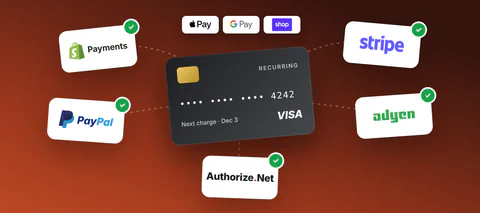
The gateway list is short: Shopify Payments, PayPal Express, Authorize.net, Adyen and Stripe. Your store region decides which of them you can actually use. Stripe is open only to select merchants and Adyen requires an existing Adyen approval, so for most stores the real choice is Shopify Payments or PayPal Express. Buy now, pay later options, iDEAL and other local or manual methods generally can't be charged a second time, which means they can’t be used for recurring payments.
For the app, anything from the Shopify App Store works, free or paid. Shopify only shows subscription data in your admin once one is installed.
As for recommendations on which payment gateway to pick, I'd choose Shopify Payments where it's available. It updates saved card details automatically when a customer's bank issues a new card, and Shopify says this works widely in the United States, with international support varying.
How to set up recurring payments on Shopify
To set up recurring payments on Shopify, check your gateway, install a subscription app, create a subscription plan, add it to your products and place a test order. This is the short version. The widget, the customer portal and the emails are covered step by step in the guide on how to set up subscriptions on Shopify.
Step 1. Check your payment gateway
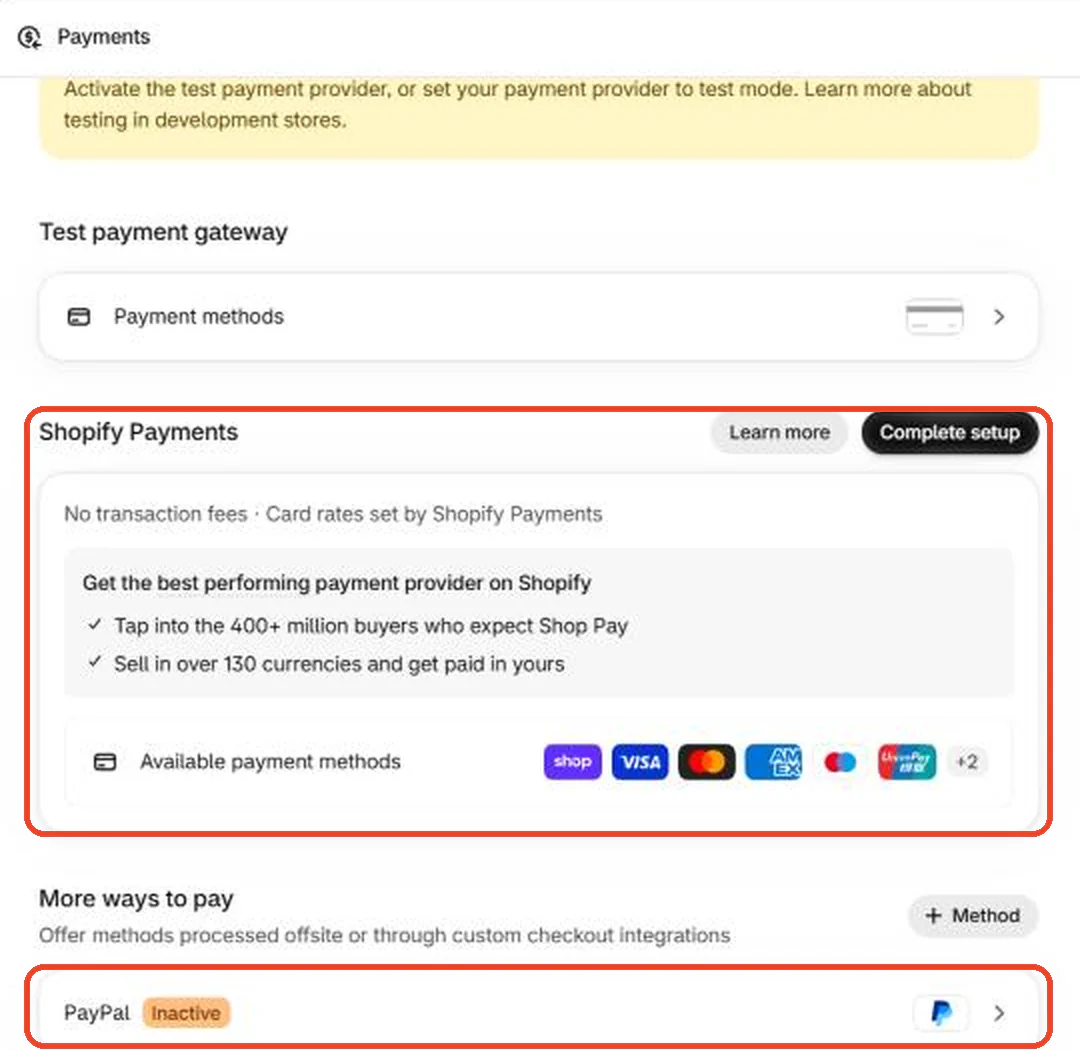
Open Settings, then Payments in your Shopify admin, and confirm your card payments run through Shopify Payments, PayPal Express, Authorize.net, Adyen or Stripe. Another provider? Switch before launch. Moving gateways after people subscribe can mean asking every one of them for their card details again.
Step 2. Install a subscription app
Install a Shopify recurring payments app from the App Store and approve its permissions. It needs access to customer payment methods and subscription contracts, because that access is what lets it charge renewals.
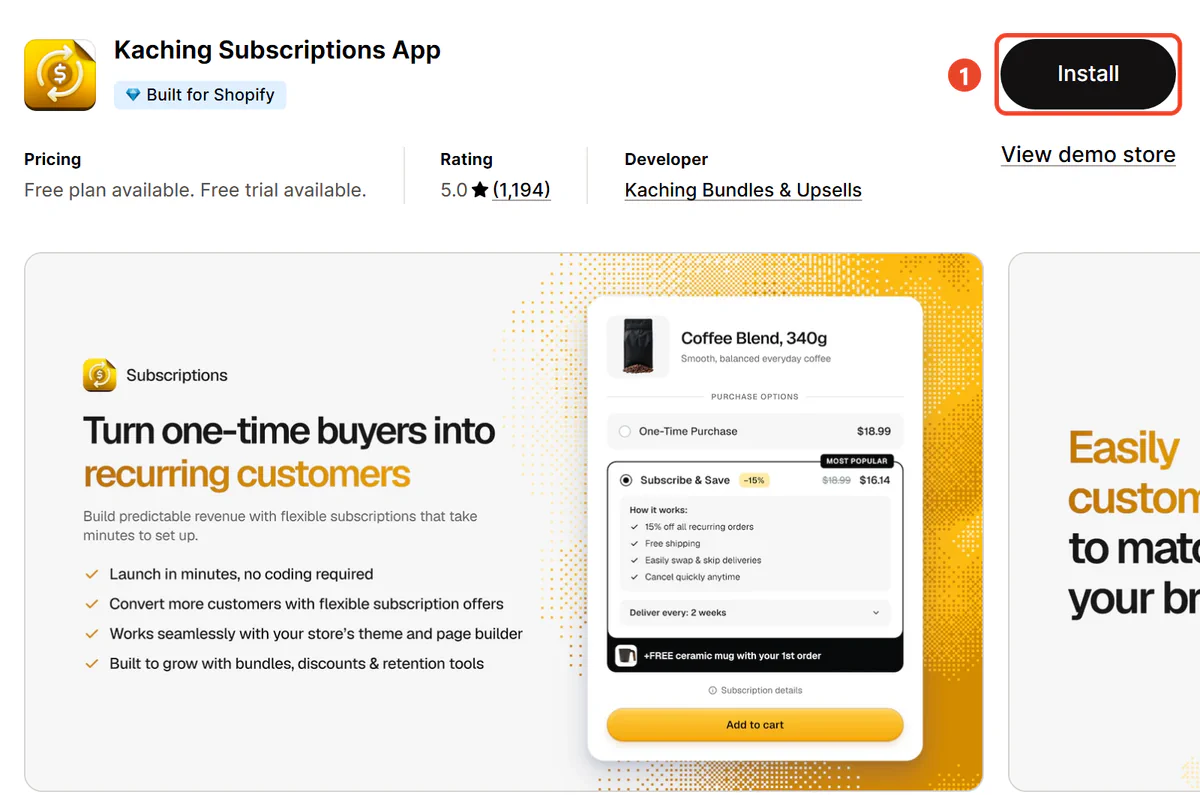
Kaching Subscriptions gives you a 14-day free trial and costs nothing on development stores, enough room to build and test the whole flow before the first bill.
Step 3. Create a subscription plan
A subscription plan sets how often the customer pays, how often the order ships and what discount they get. In Kaching Subscriptions you pick the billing type (pay-per-delivery or prepaid), enter the delivery frequency, add a billing frequency if it's different, and choose a percentage or fixed discount.
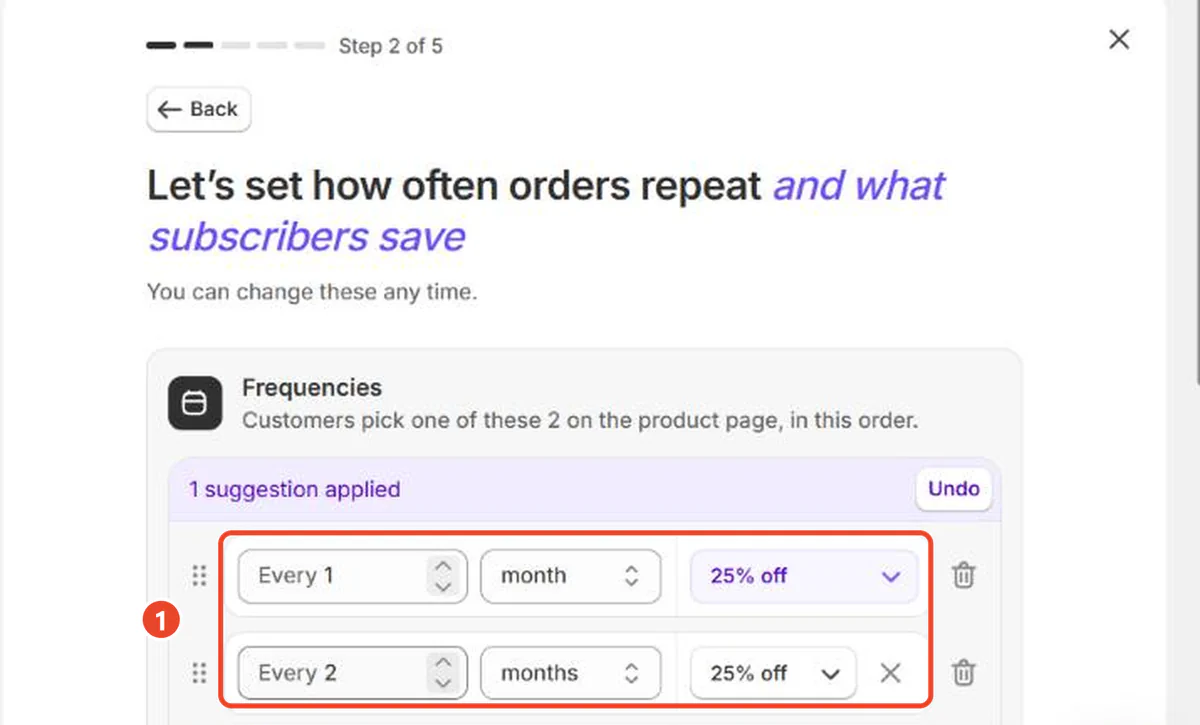
Step 4. Add the plan to your products
Attach the plan to the products or collections you'll sell on subscription. Shopify stores plans as selling plan groups on each product, and a single product can hold several, such as every month and every two months.
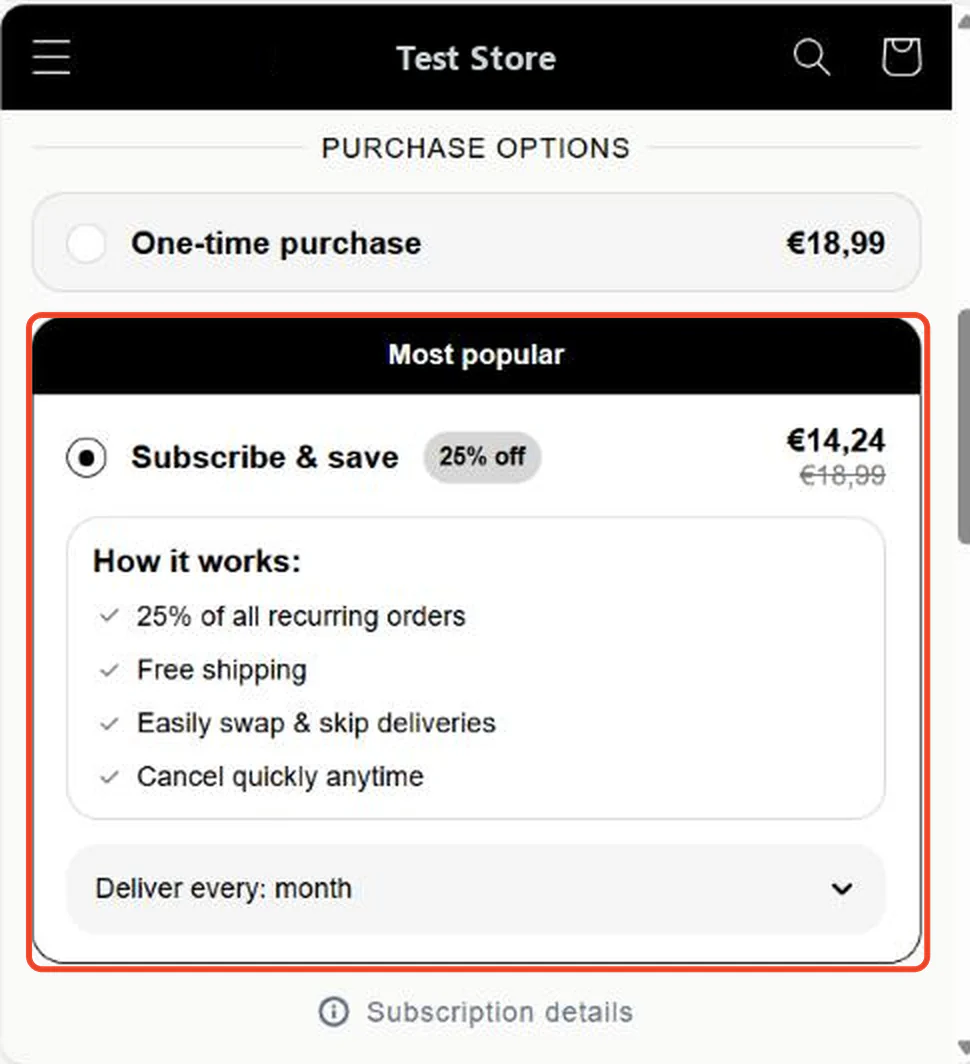
Switch on the app's widget next so shoppers see the subscription option on the product page. Selling a product on subscription only? Open it in Shopify admin and tick "Only sell this product with these purchase options" in the purchase options section, and the one-time purchase option disappears.
Step 5. Place a test order
Place one real subscription order on your own store, then check that the subscription contract shows the right plan, price and next billing date.
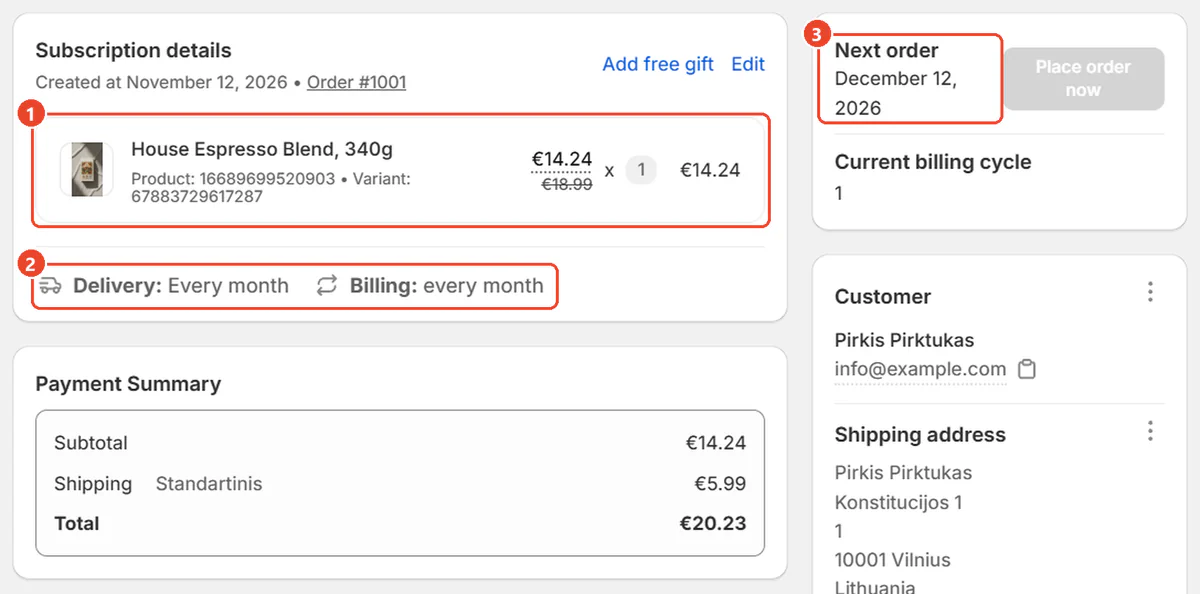
You can test the second charge today. Kaching Subscriptions has a manual "place upcoming order" action that moves the billing date to today and tries the payment immediately, and it tags orders "Kaching Subscription First Order" and "Kaching Subscription Recurring Order", which makes both easy to spot in your orders list. When everything checks out, cancel the test subscription and refund the orders.
What happens when a recurring payment fails?
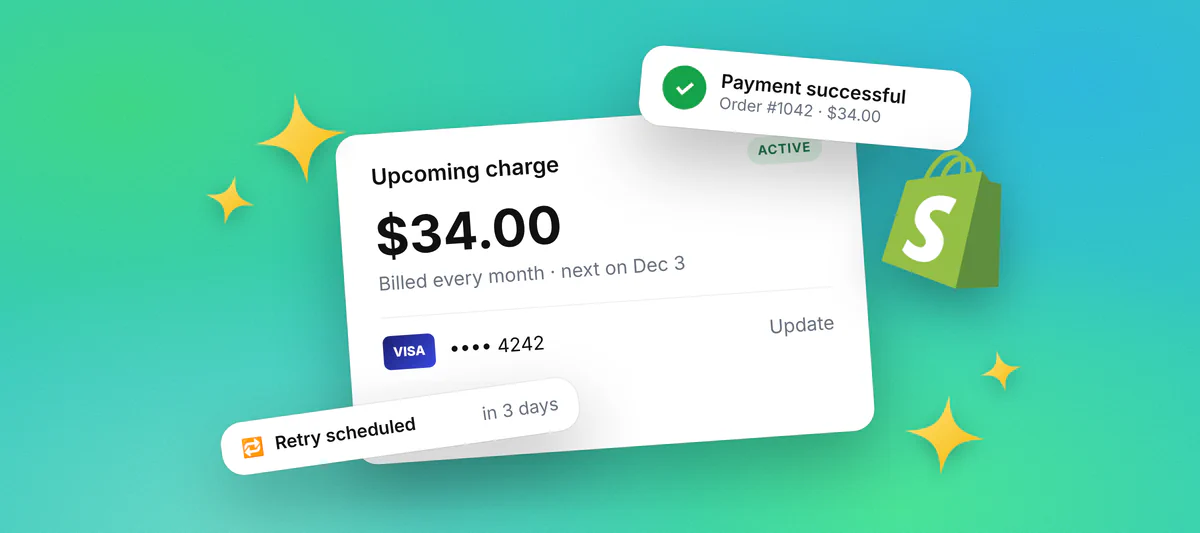
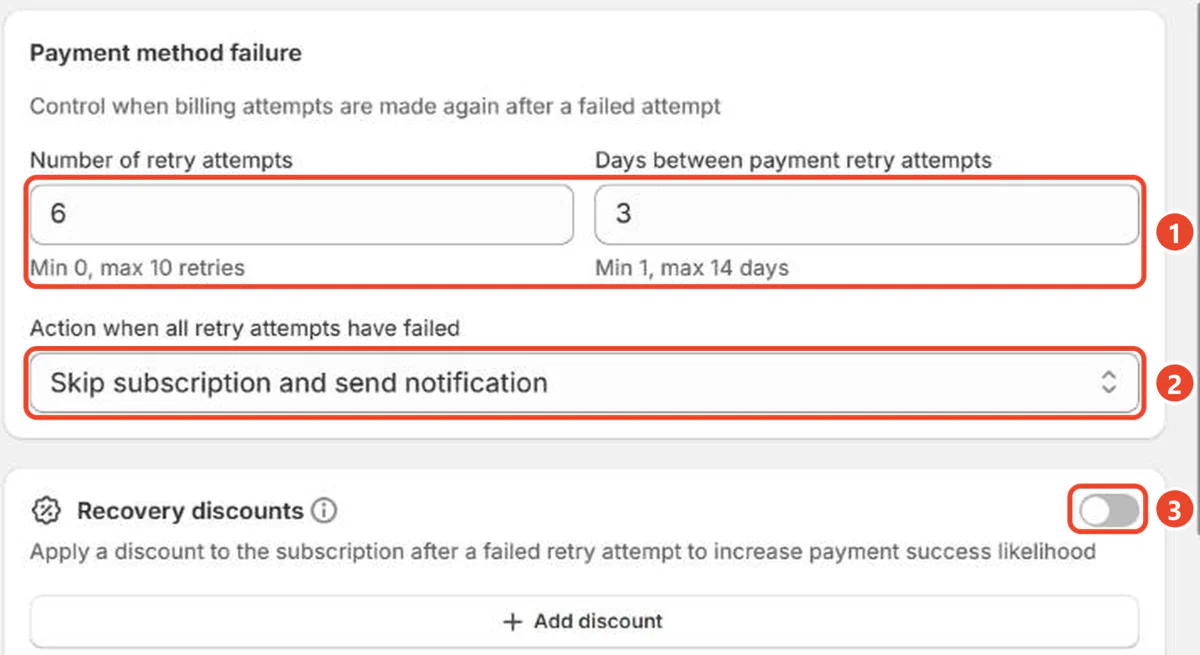
When a recurring payment fails, the subscription app retries the charge on a schedule, emails the customer, and after the final attempt skips the order, pauses the subscription or cancels it, whichever you chose. Expired cards, empty accounts and banks blocking the charge cause most of these.
Shopify Subscriptions keeps those controls under Apps > Subscriptions > Settings: number of retries, days between them, final action, as Shopify's app settings guide describes. Kaching Subscriptions has the same three on its Payment Recovery page, allowing up to 10 retries spaced 1 to 14 days apart, and adds a recovery discount for customers who update their card.
A failed charge is one way to lose a subscriber. The other drop-off moments, and how to fix them, are in the guide on reducing Shopify subscription churn.
How do customers update or cancel a recurring payment?
Customers update or cancel a recurring payment in the subscription app's customer portal, which sits inside their Shopify customer account. From there they can swap the card, change the shipping address, skip or pause an order, or cancel, depending on the options you switch on.
You can push a card update from your side as well. In Shopify admin, open the customer's profile, go to Payment methods and click Send link to update card. Shopify emails a secure link that expires after 48 hours, and filtering your customer list by Failed payment shows everyone who needs one.
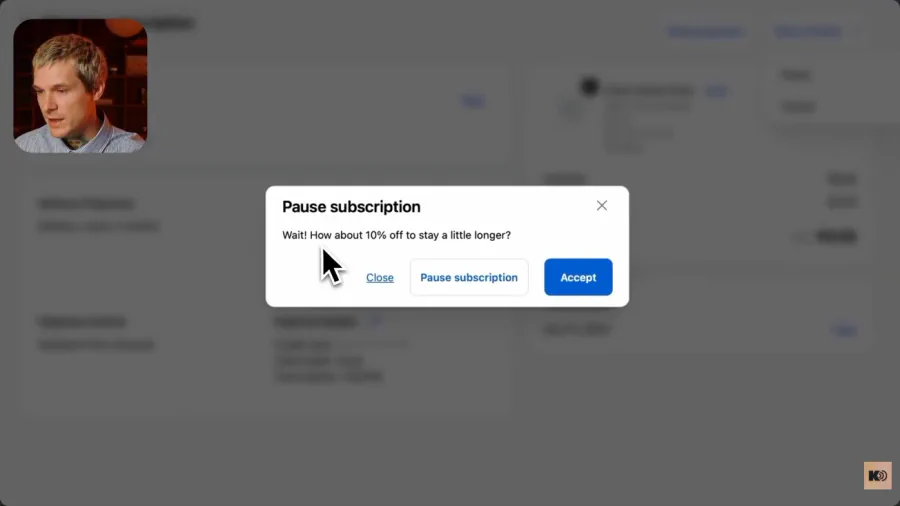
Leave the cancel button where people can find it. Shopify's own checkout disclosure promises customers they can cancel "anytime by going to your account or contacting the store". What I would add is one offer before the final click, like an extra discount, an option to skip the payment for a period or temporarily pause the recurring payments.
Which apps take recurring payments on Shopify?
Five apps take recurring payments on Shopify with very different billing models, retry settings and pricing. I compared them in November 2026 from their App Store listings, pricing pages and help docs:
| App | Billing models | Failed-payment retries | Pricing model | Starting price |
|---|---|---|---|---|
| Kaching Subscriptions | Pay-per-delivery, prepaid, separate billing and delivery frequency, minimum and maximum orders | Up to 10 retries, 1 to 14 days apart, then skip, pause or cancel, plus recovery discounts | Flat monthly fee by subscription revenue, no transaction fees | $9.99/month (up to $1,000 in subscription revenue), 14-day free trial |
| Shopify Subscriptions | Pay-per-delivery, weekly, monthly or yearly, optional end after a set number of orders | Retry count and days between set by you, then skip, pause or cancel | Free | $0 |
| Recharge | Pay-per-delivery, prepaid | Failed Payment Recovery on every plan | Monthly fee plus a percentage and a fee per transaction | $149/month + 1.50% + 20 cents per transaction, 60-day free trial |
| Appstle | Pay-as-you-go, prepaid | 2 to 10 attempts, 1 to 10 days apart, then skip, pause or cancel | Flat monthly fee by subscription revenue, 0% transaction fee | Free up to $500/month in subscriptions, then $10/month (up to $5,000) |
| Seal | Pay-per-delivery, prepaid | Retry count and delay set by you, then cancel, pause or skip | Flat monthly fee by number of subscriptions, 0% transaction fee | Free up to 50 subscriptions, then $5.95/month (up to 100) |
For most stores I'd start with Kaching Subscriptions. It's rated 5.0 from 1,214 reviews, handles every billing model in the table and keeps its price flat inside each revenue tier. It also runs with Kaching Bundles in one widget, so a shopper picks a 3-pack and a delivery schedule in a single click. It only launched in June 2025, though, so if your stack depends on a long list of third-party integrations, check yours are supported first.
Shopify Subscriptions costs nothing and handles one simple plan well enough, but it sits at 3.8 from 907 reviews and documents no prepaid plans. Recharge, at 4.8 from 3,155 reviews, is built for big brands, and it uses percentage of revenue pricing, meaning the costs grow with every sale. Appstle (5.0, 9,248 reviews) and Seal (4.9, 3,162 reviews) are cheap to start, though Appstle keeps phased retries and prepaid with separate orders for its $100 plan, and Seal charges by subscription count.
Features, ratings and real costs at three revenue levels are in my full round-up of the best Shopify subscription apps.
FAQ
Does Shopify support recurring payments?
Yes, Shopify supports recurring payments through a subscription app on a supported payment gateway. The free Shopify Subscriptions app covers basic recurring plans and third-party apps such as Kaching Subscriptions add prepaid billing, retention offers and payment recovery.
Can I use PayPal for recurring payments on Shopify?
Yes. PayPal Express is one of the five gateways Shopify supports for subscriptions. If Shopify Payments isn't active on your store, Shopify's third-party transaction fee applies to those charges. With Shopify Payments active, customers can also pay with PayPal as a wallet at checkout.
Can you charge recurring payments without a subscription app?
No. Shopify subscription payments need an app from the Shopify App Store to create subscription contracts and charge renewals. Without one, your store has no way to bill a saved card on a schedule.
How do I cancel a customer's recurring payment on Shopify?
You can cancel a customer's recurring payment in your subscription app: open the subscription, cancel it, and future charges stop. Orders that were already billed still need fulfilling. If you allow it, customers can cancel on their own in the customer portal.