





How to allow your customers to manage their subscriptions
Kaching Subscriptions customer portal
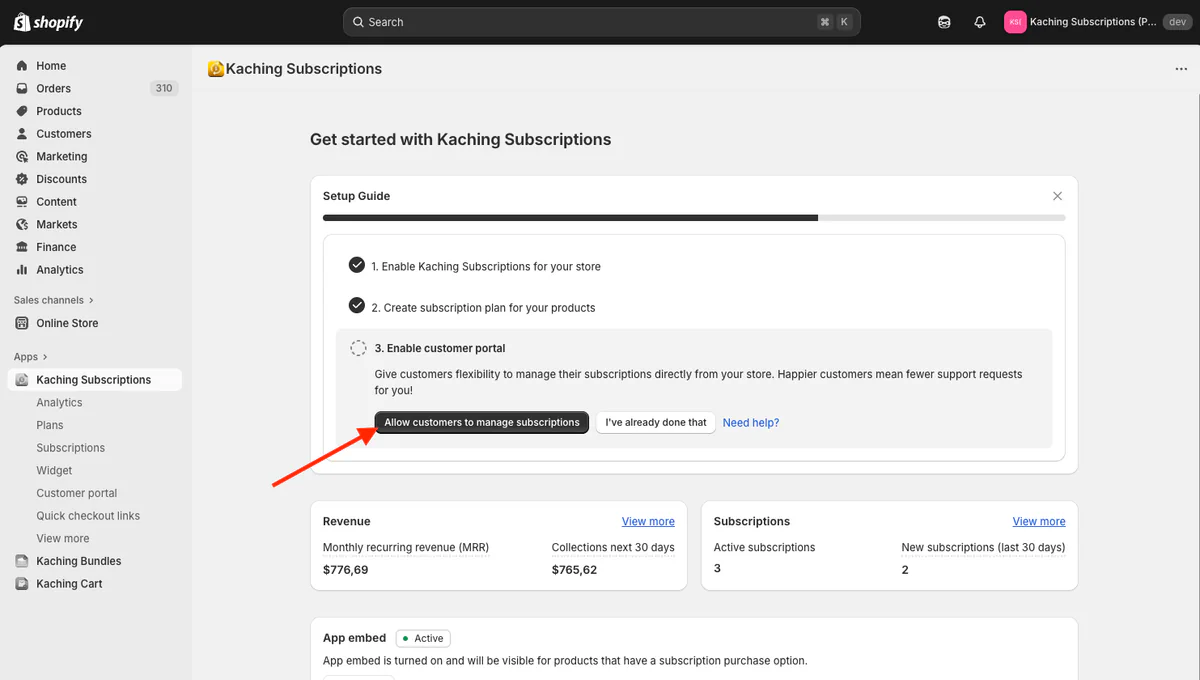
The final step in your onboarding process is to enable your customers to manage their subscriptions easily. This improves transparency, builds trust, and reduces support tickets.

Follow these two quick tasks to complete this step:
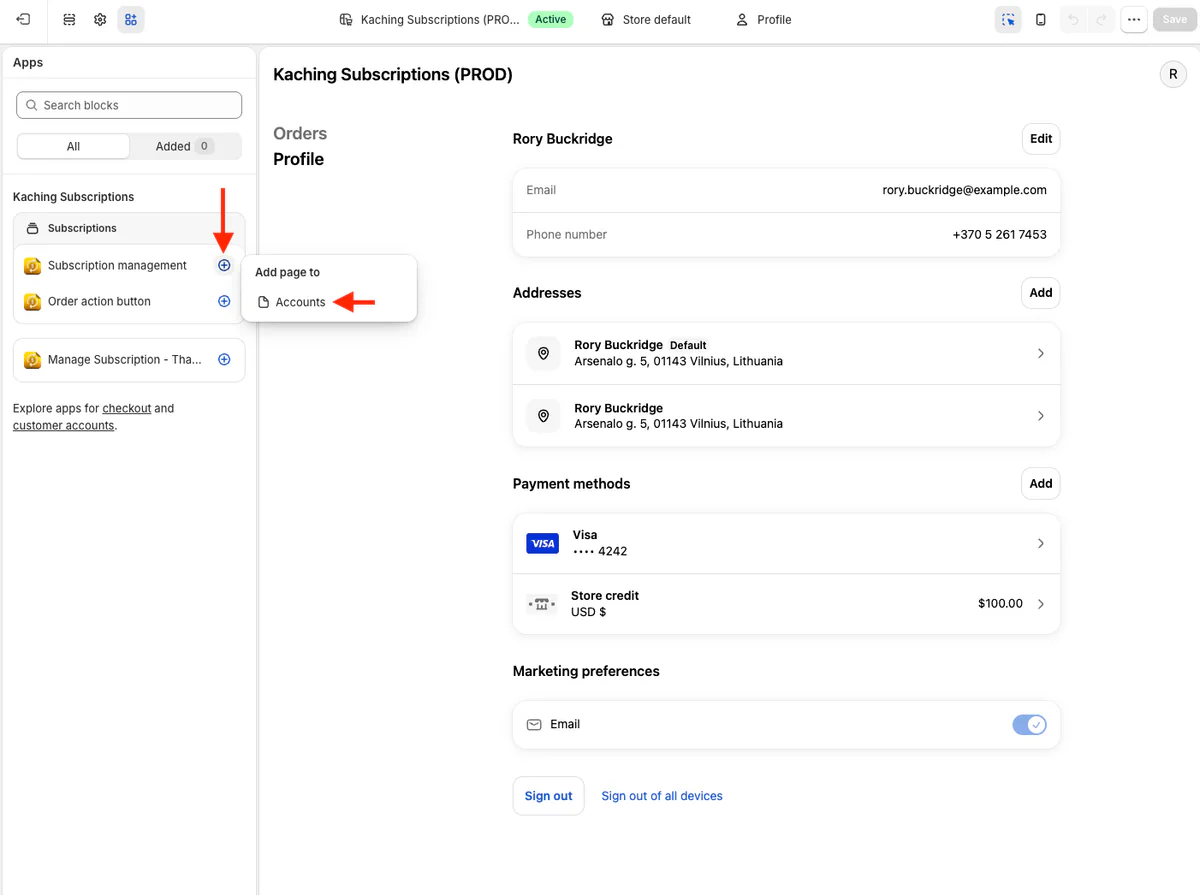
1. Add subscription management to the accounts page
Embed the subscription management component directly into your customer account page. This gives your customers access to view, skip, pause, or cancel their subscriptions.
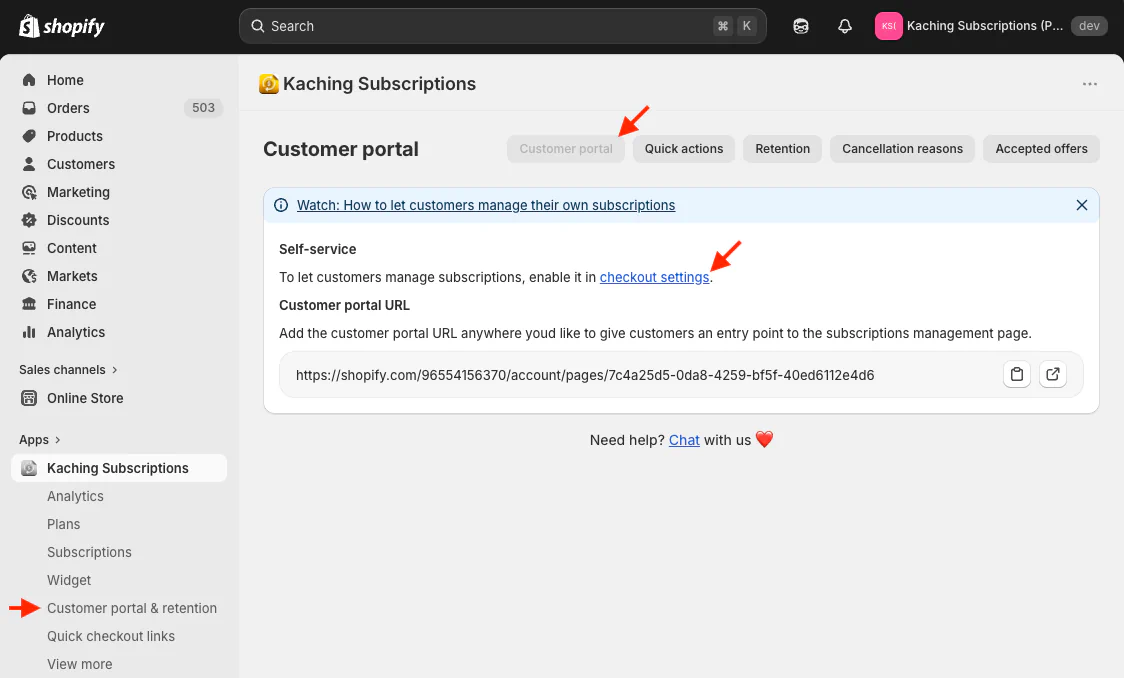
If you don't see this button, you can also find it in the Customer portal page:
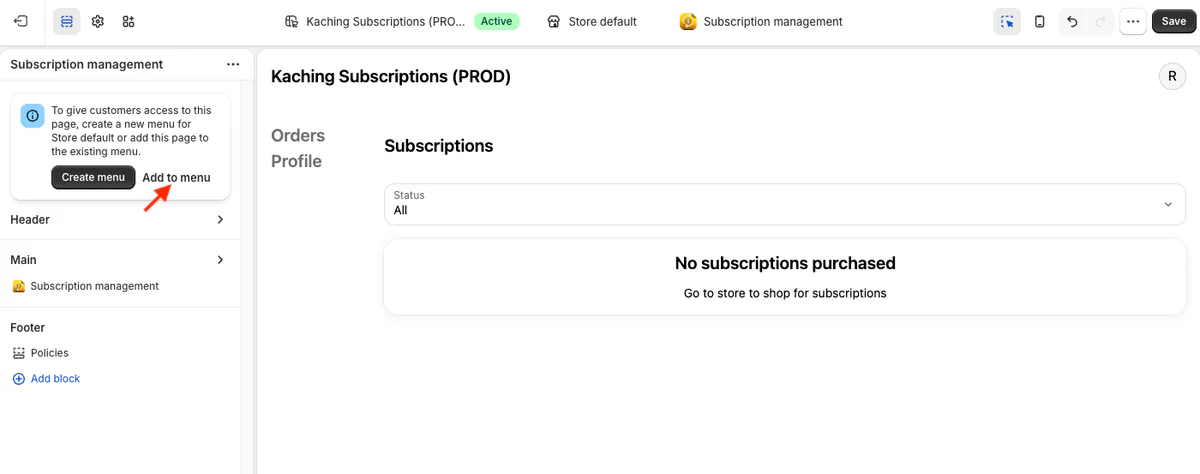
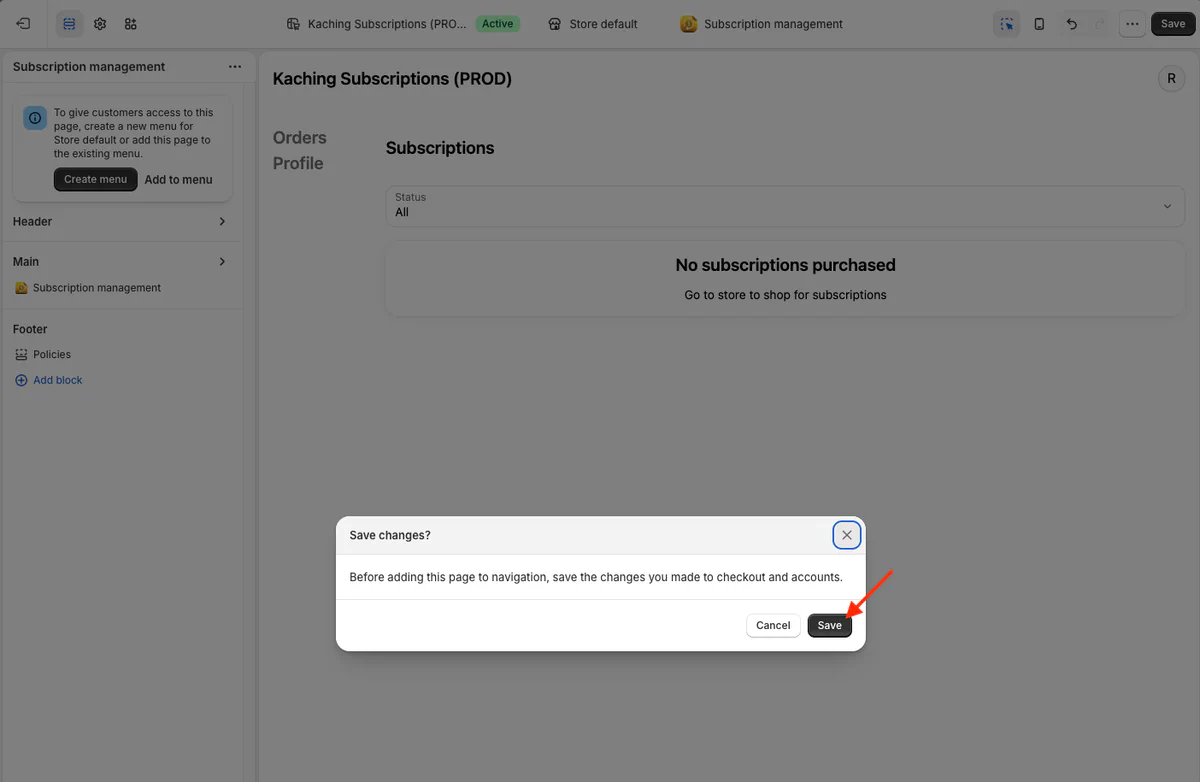
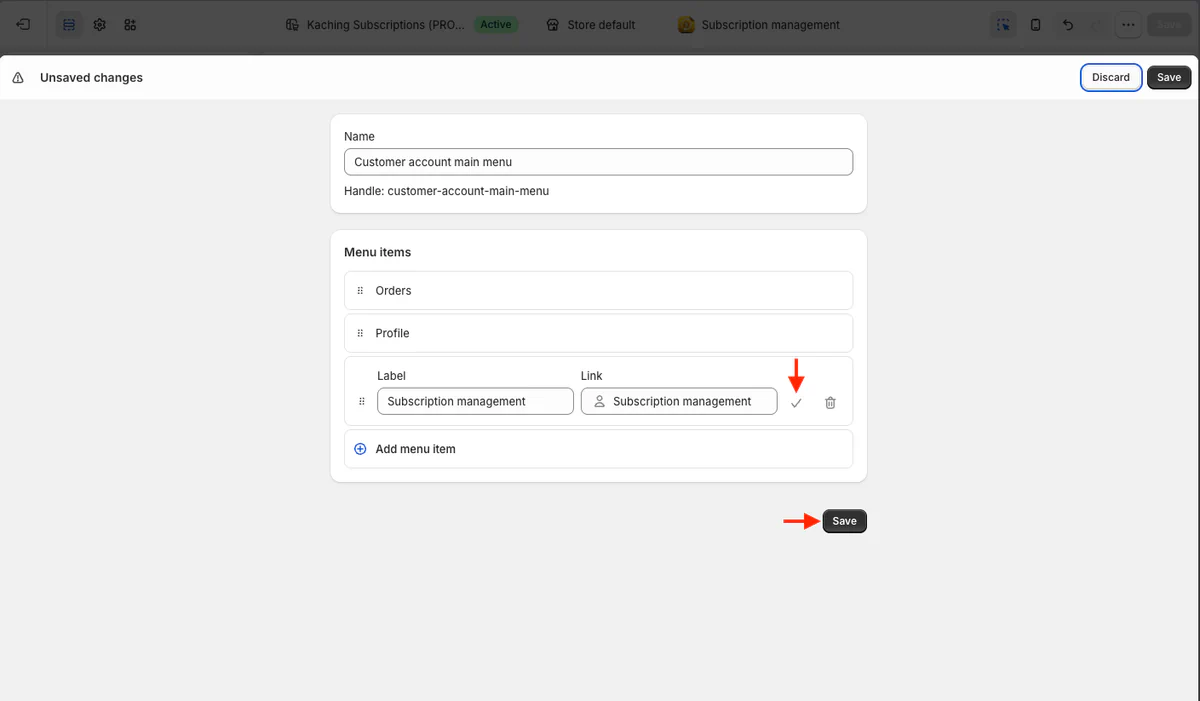
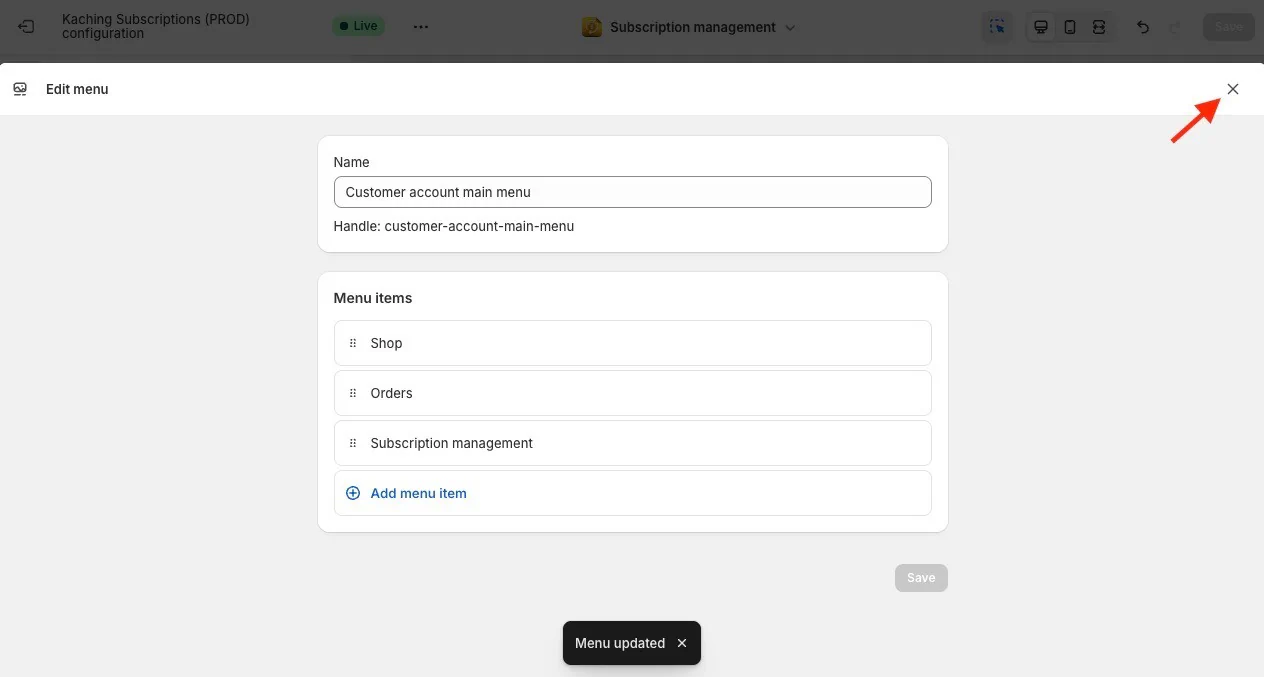
2. Add subscription management link to the menu
Make it easy for customers to find the subscription management area by linking it in your navigation menu.
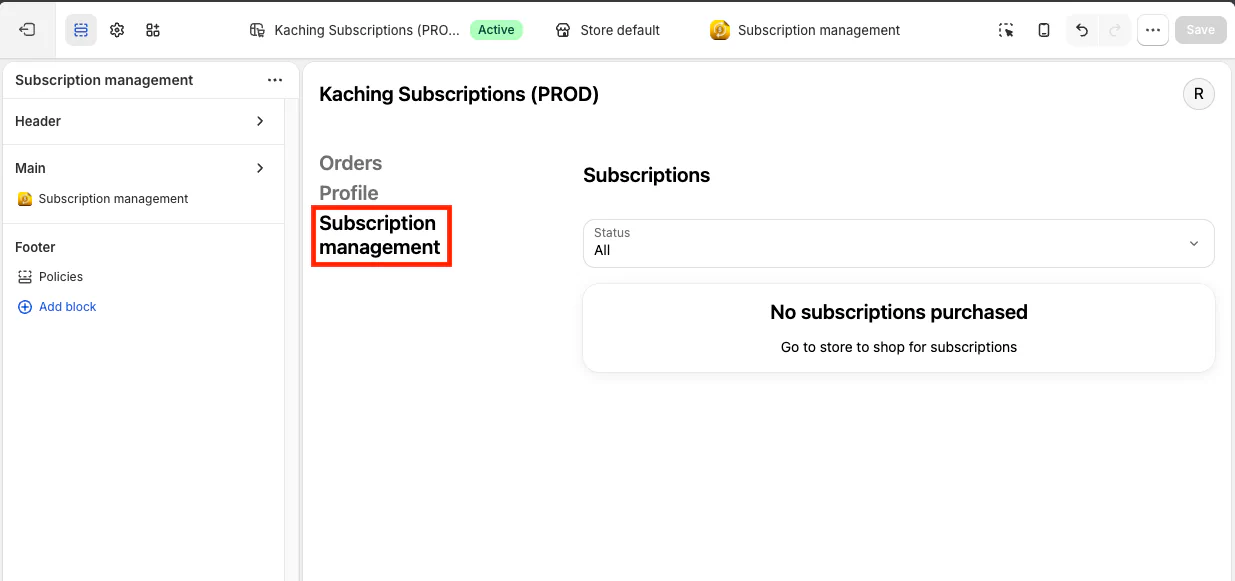
🎉 That’s it! Your customers can now manage their subscriptions easily.
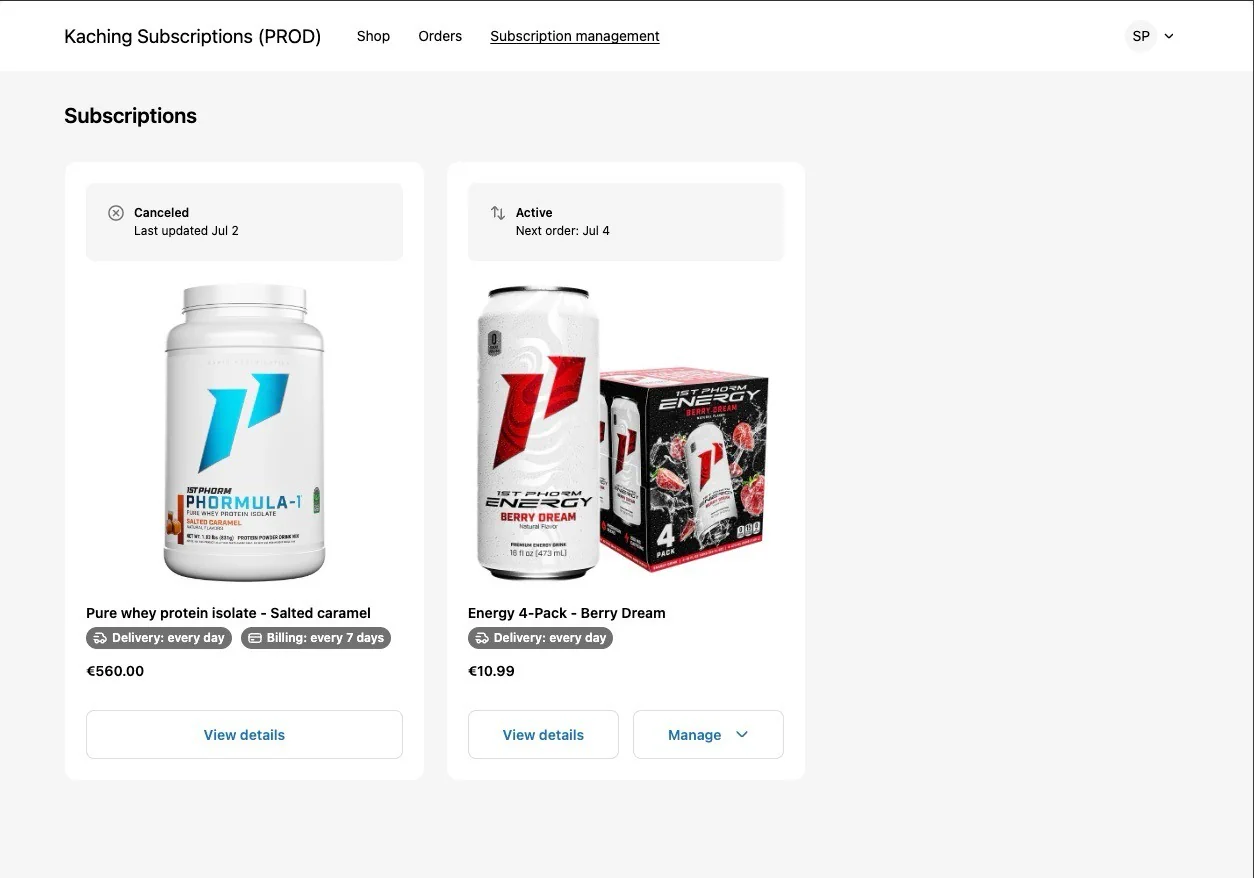
This is how the page will look for your customers:
Need help? Drop us a message in the live chat, and we'll sort it out together.
Related articles
 Kaching Subscriptions ExplainedKaching Subscriptions ExplainedSubscriptions
 How to integrate Kaching Subscriptions with GemPages Page BuilderLearn how to integrate Kaching Subscriptions with GemPages Page BuilderSubscriptionsHow to integrate Kaching Subscriptions with PageFly Landing Page BuilderLearn about Kaching Subscriptions and PageFly Landing Page Builder integrationSubscriptionsHow to import subscriptions to Kaching SubscriptionsHow to import subscriptions to Kaching SubscriptionsSubscriptions