





How to see all recurring subscriptions orders?
How to find only recurring orders for subscriptions
To view only recurring subscription orders created by Kaching Subscriptions:
- Open the Orders page in your Shopify admin:
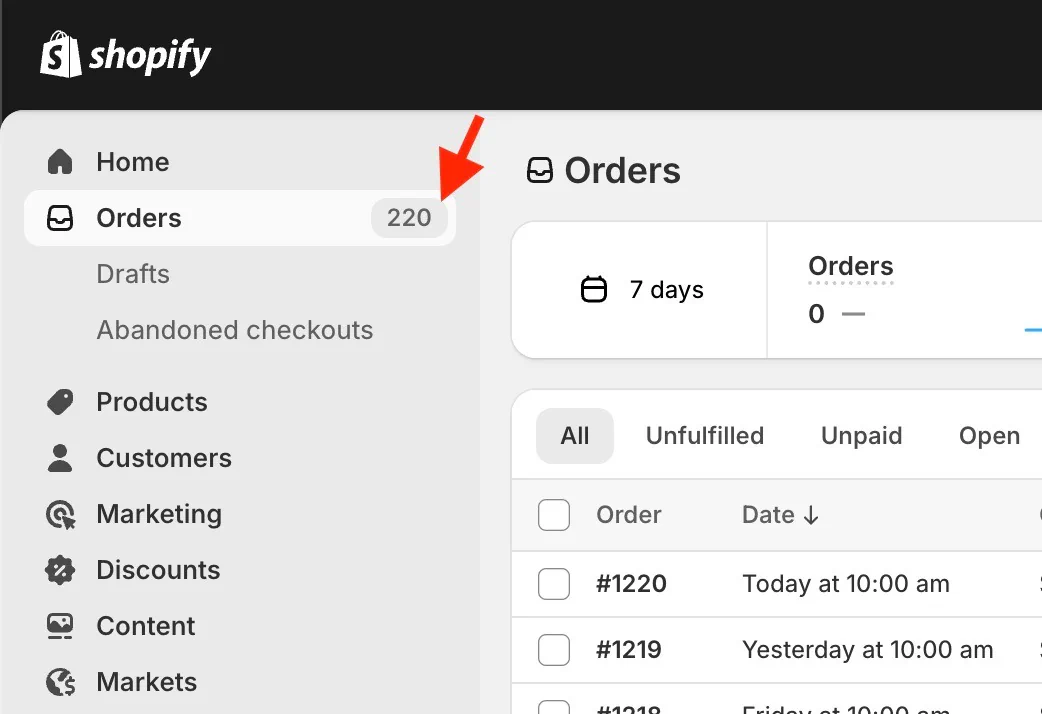
- Click Search and filter (F):

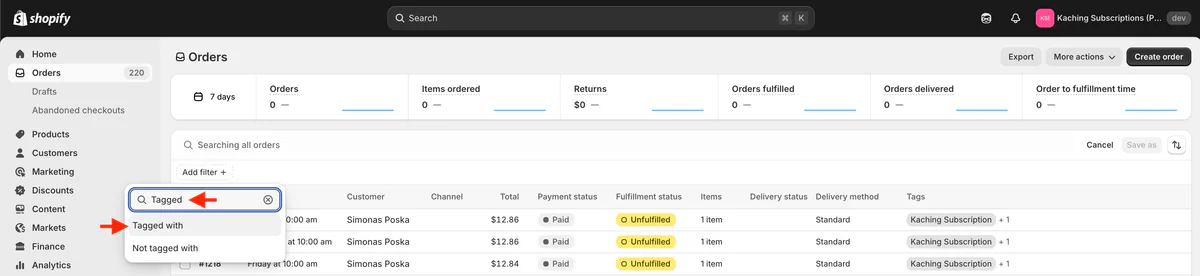
- Click Add filter:

- Choose Tagged with:
- Type Kaching Subscription Recurring Order:
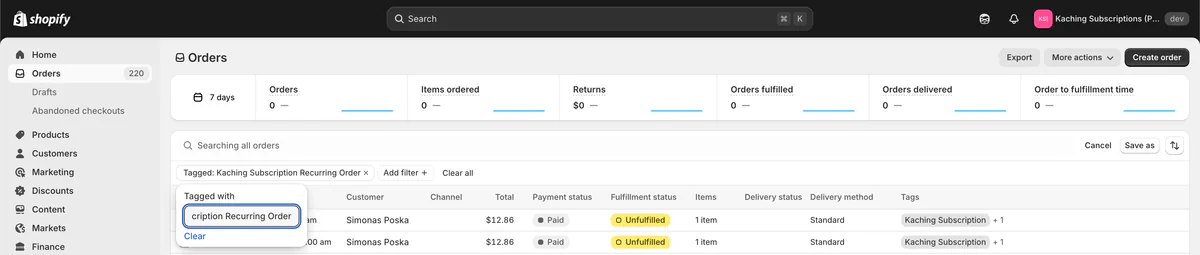
This will show only the recurring orders (renewals).
Tags we add automatically:
- Kaching Subscription First Order - applied to the initial subscription order.
- Kaching Subscription Recurring Order – applied to each recurring order.
- Kaching Subscription – applied to all subscription orders (both first and recurring).
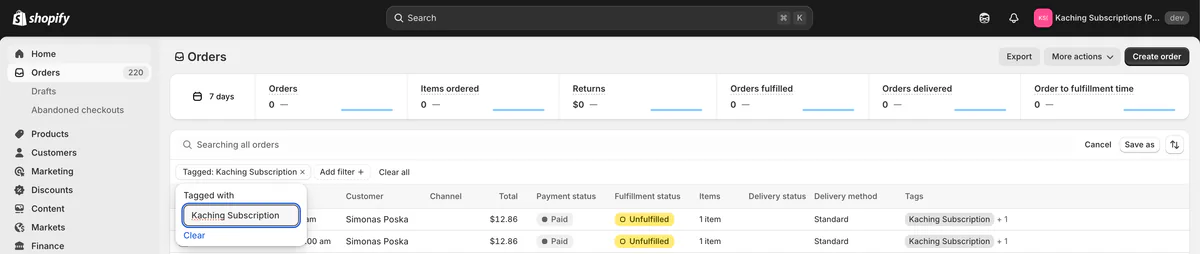
If you want to see all subscription orders, simply filter by the Kaching Subscription tag:
Need help? Drop us a message in the live chat, and we'll sort it out together.
Related articles
Kaching Subscriptions ExplainedKaching Subscriptions ExplainedSubscriptions How to set up a BOGO deal with subscriptionsHow to set up a BOGO deal for recurring ordersBundles
 Fulfilling orders for cancelled subscriptionsFulfilling orders for cancelled subscriptionsSubscriptionsHow will my subscription sales be recorded?Learn what happens during a subscription renewal in Shopify.SubscriptionsWhere will recurring subscription orders appear in Shopify?Learn where recurring subscription orders appear in Shopify and how they’re recorded for easy tracking and fulfillment.Subscriptions
How to set up a BOGO deal with subscriptionsHow to set up a BOGO deal for recurring ordersBundlesFulfilling orders for cancelled subscriptionsFulfilling orders for cancelled subscriptionsSubscriptionsHow will my subscription sales be recorded?Learn what happens during a subscription renewal in Shopify.SubscriptionsWhere will recurring subscription orders appear in Shopify?Learn where recurring subscription orders appear in Shopify and how they’re recorded for easy tracking and fulfillment.Subscriptions