





How to create Klaviyo private API key?
How to create Klavyio private API key
To create Klaviyo private API key:
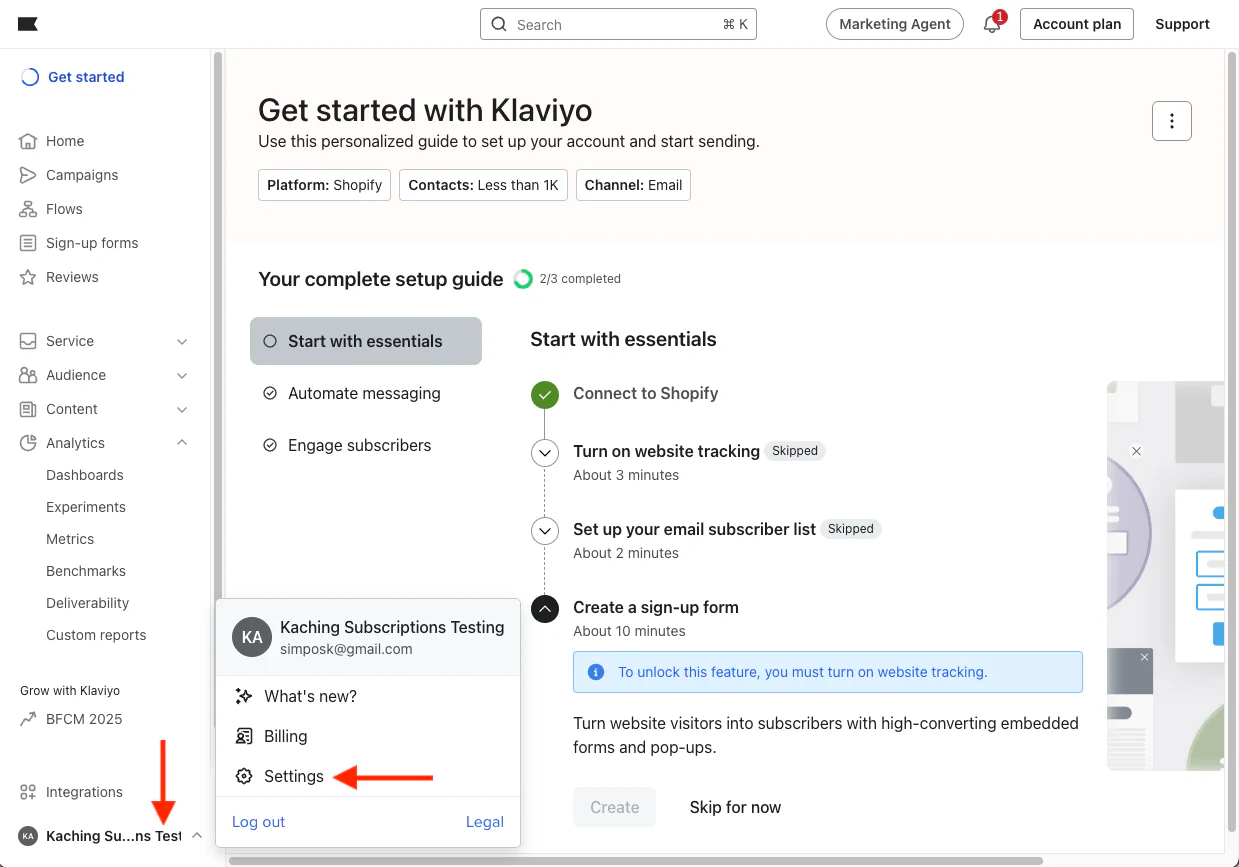
- Clicking Settings
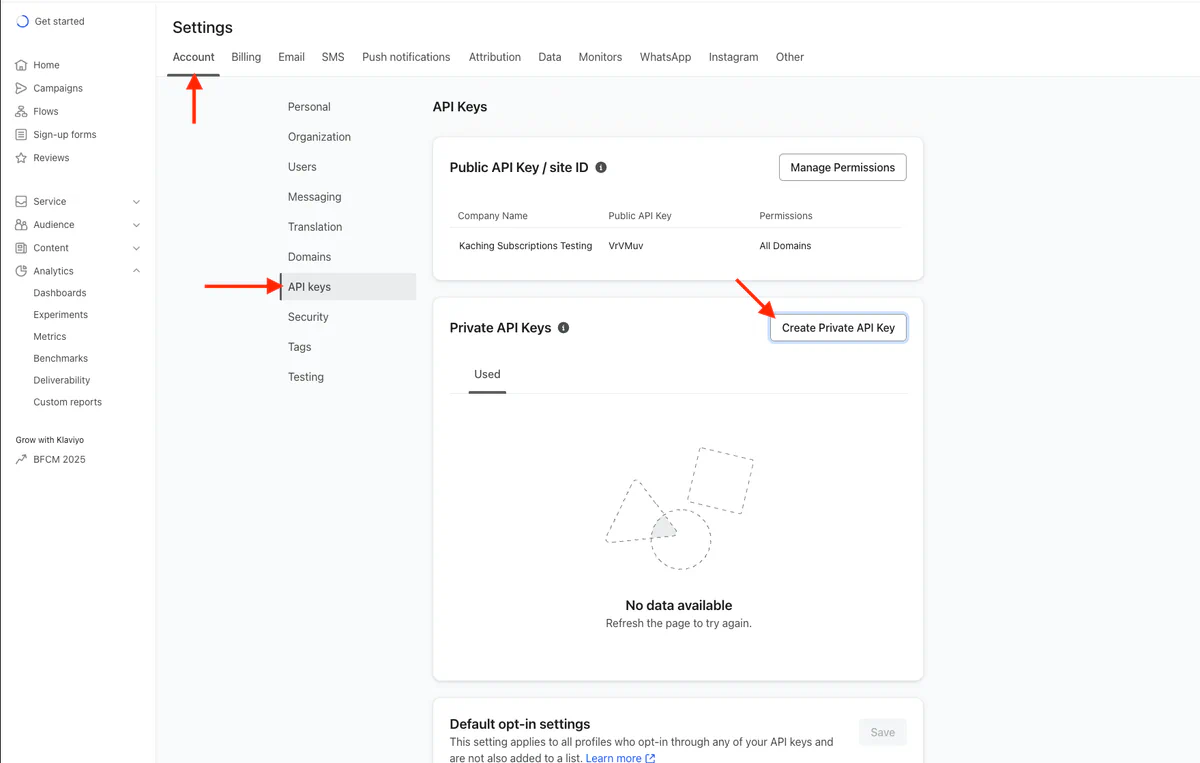
- Navigate to Account > API keys
- Click Create Private API Key
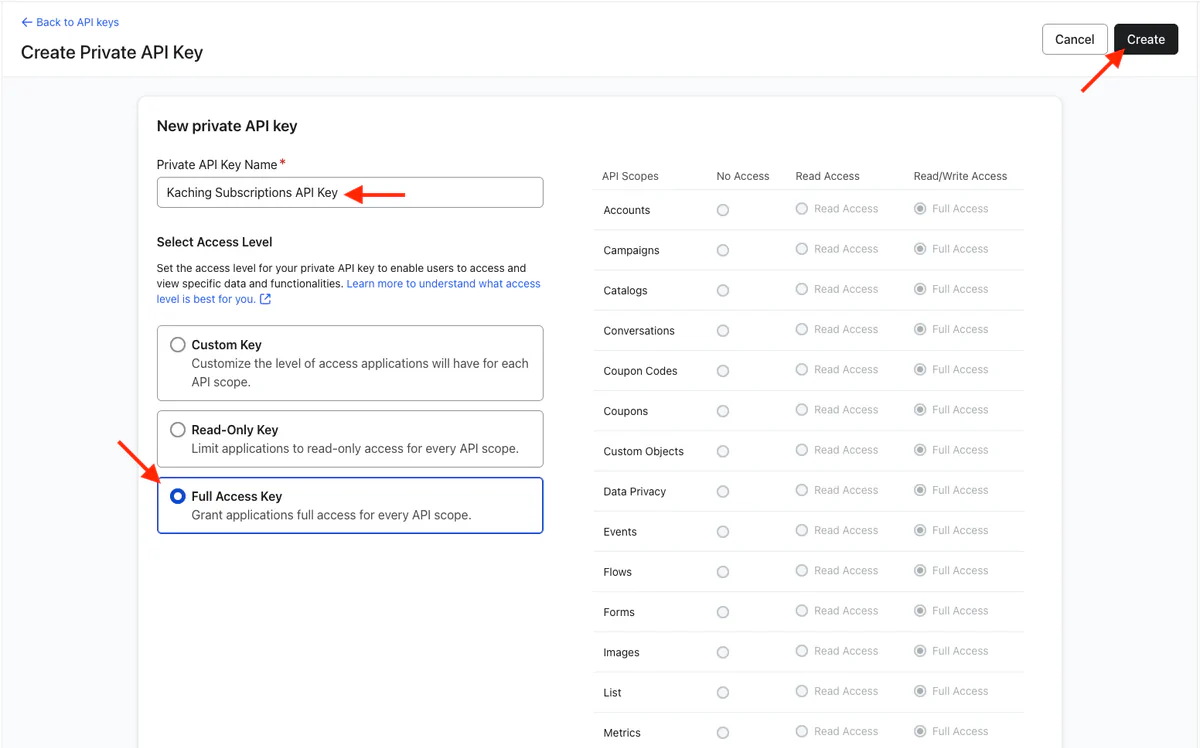
- Give your API Key a name "Kaching Subscriptions API Key"
- Click Full Access Key
- Click Create
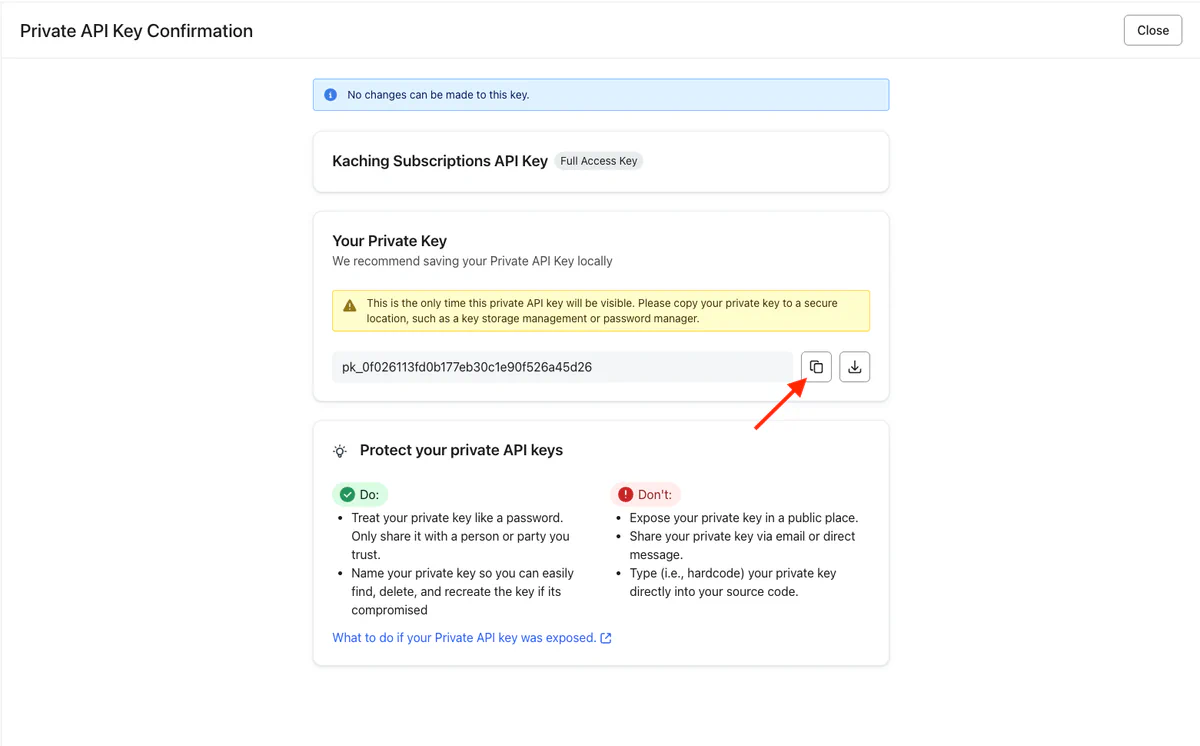
- Copy the Private API Key
Related articles
How to Create an Abandoned “Added to Cart” Flow in Klaviyo Using Kaching Cart on ShopifySet up Klaviyo tracking and abandoned cart flow to recover sales. Kaching cart integrates seamlessly to boost Shopify revenue.Cart How to create a different subscription plan for each quantity breakLearn how to create a different subscription plan for each quantity breakSubscriptions
 Where to find Klaviyo public API key?Where to find Klaviyo public API keySubscriptionsHow to Set Up the Klaviyo IntegrationKlaviyo integrationSubscriptionsKlaviyo Event Payload StructureKlaviyo event data typesSubscriptions
How to create a different subscription plan for each quantity breakLearn how to create a different subscription plan for each quantity breakSubscriptionsWhere to find Klaviyo public API key?Where to find Klaviyo public API keySubscriptionsHow to Set Up the Klaviyo IntegrationKlaviyo integrationSubscriptionsKlaviyo Event Payload StructureKlaviyo event data typesSubscriptions