





Set Up Buy X Get Y Discounts
Learn how to set up Buy X, Get Y discounts to drive more sales with less effort
Setting up a Buy X, Get Y discount is a great way to boost your average order value (AOV) and give customers a reason to add more to their carts. With Kaching Bundles, it's so quick to set up and only takes a few clicks.
There are two main ways on how to set up Buy X get Y bundle deal:
- Using quantity break template.
- Using Buy X, get Y template.
In this article, we'll focus on how to set up a BOGO deal using the 'Buy X, Get Y template'. Ready to work your magic? Let's get that deal rolling✨
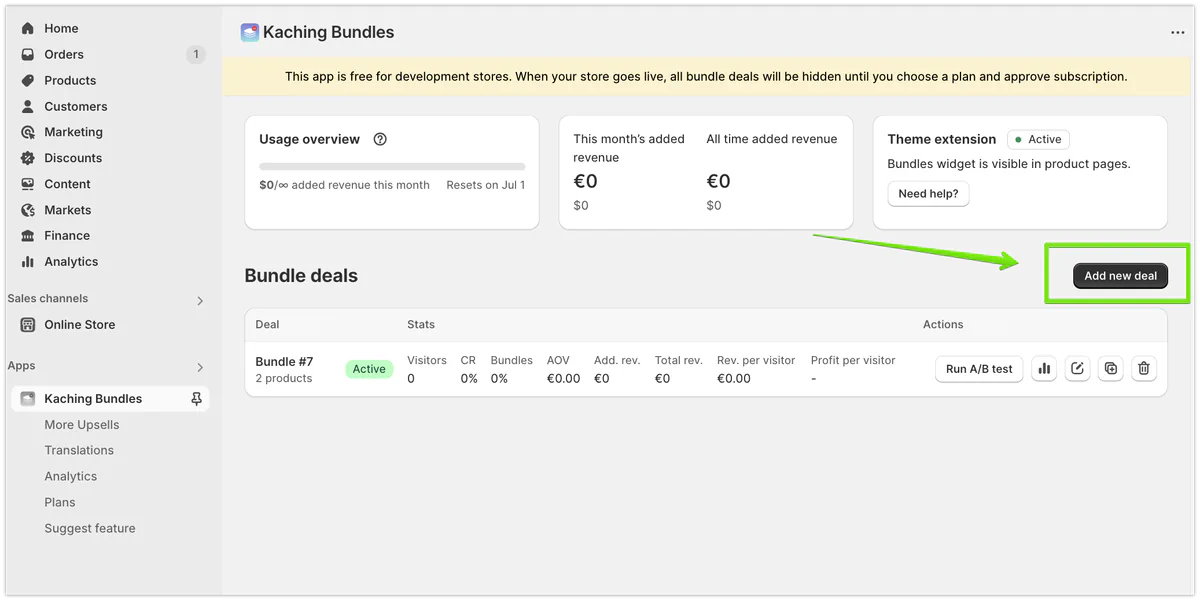
- Start by selecting the option to 'Add new deal'.
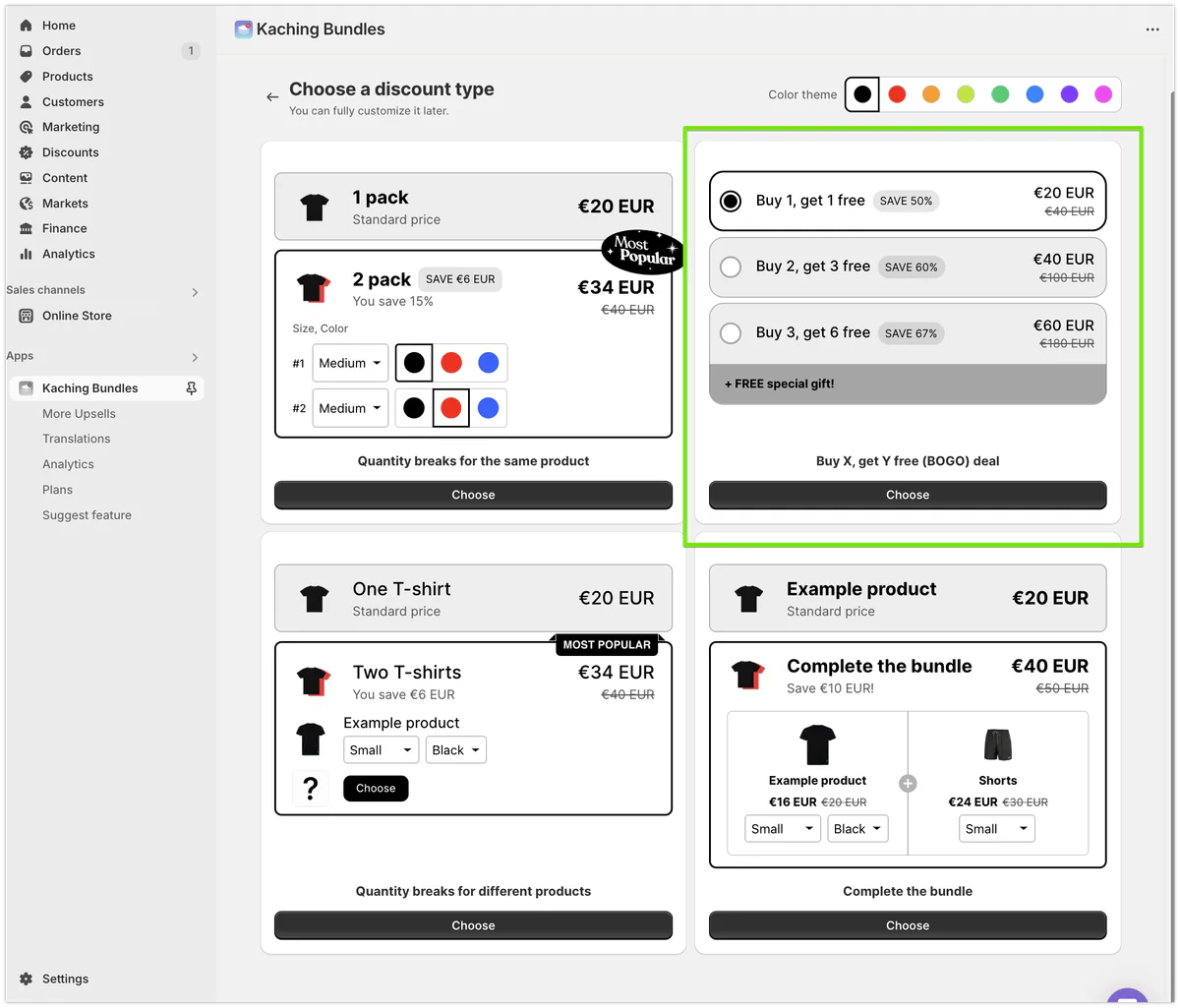
- From the list of bundle templates, pick the 'Buy X, get Y free (BOGO) deal' option.
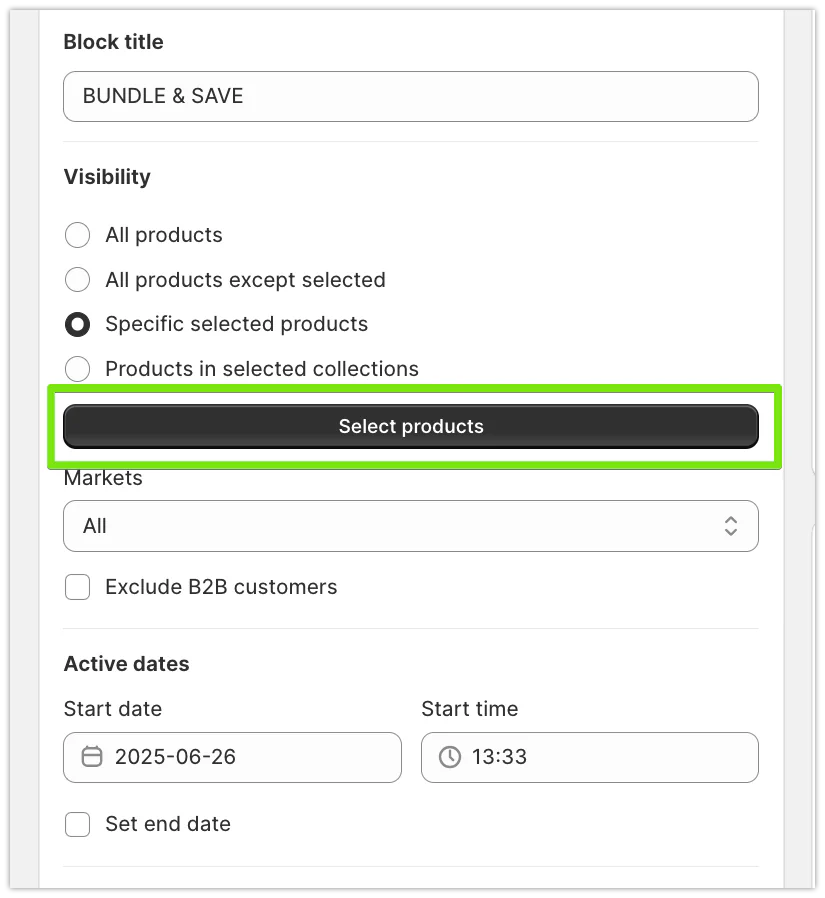
- Choose 'Visibility' options and select the products you want this deal to apply to. You can pick one or multiple items.
- Set the quantities for the 'Buy' and 'Get' fields. For example: Buy 2, get 3 free!
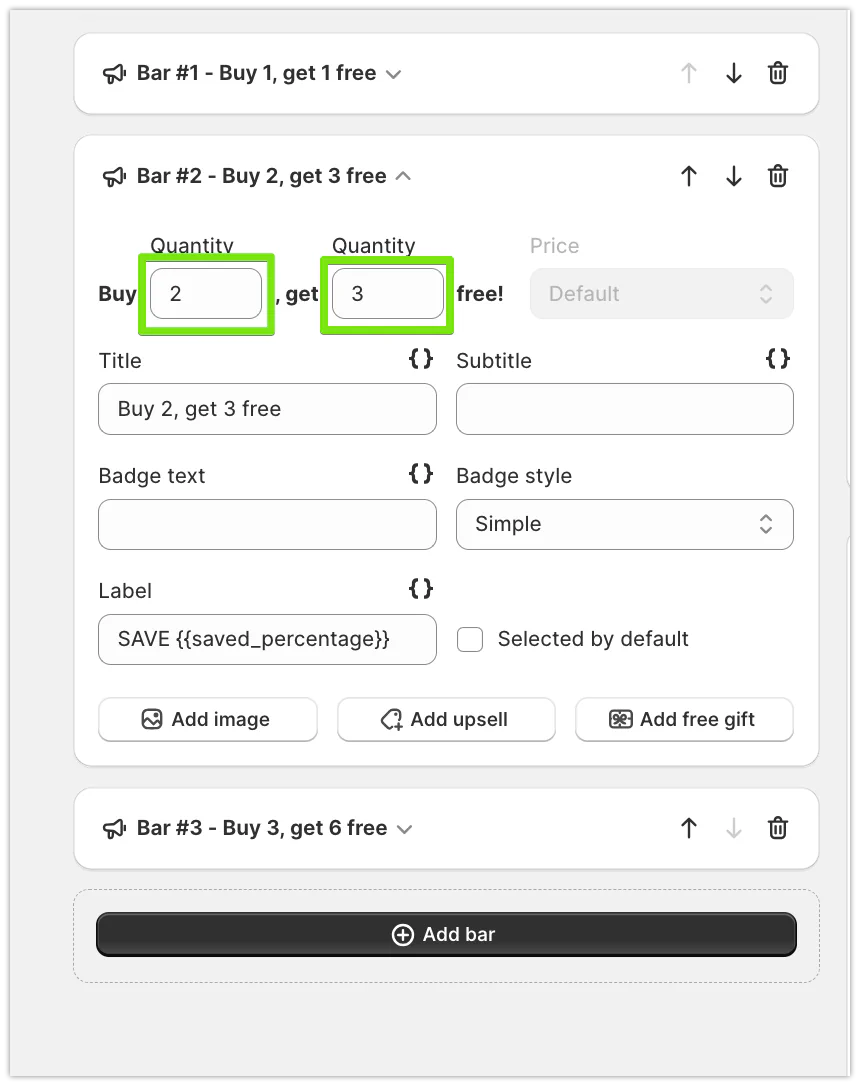
- Add a label, subtitle, or even a 'Most Popular' badge to highlight your deal and make it stand out.
- Hit 'Save and Publish' to make sure your new deal goes live on your store.
Need help? Drop us a message in the live chat, and we'll sort it out together.
Related articles
How to set up a quantity BOGO dealBuy-One-Get-One-Free - learn how to create basic and advanced BOGO deals in the Kaching Quantity bundles app.Bundles Different bundle types: Quantity Break, BXGY Discount and Bundle UpsellLearn what's the difference between different discount typesBundlesHow to set additional discount for BOGO dealsLearn how to add higher discount for Buy one, Get one free offerBundlesHow to make native Buy X Get Y discounts work with subscriptionsKaching Subscriptions & Native Buy X Get Y discountsSubscriptions
 Buy X, Get Y – Every BOGO Variant SetupBOGO isn't just one type of offer. There are multiple ways to structure it — and each one changes how much you make per order. This article walks you through…Bundles
Different bundle types: Quantity Break, BXGY Discount and Bundle UpsellLearn what's the difference between different discount typesBundlesHow to set additional discount for BOGO dealsLearn how to add higher discount for Buy one, Get one free offerBundlesHow to make native Buy X Get Y discounts work with subscriptionsKaching Subscriptions & Native Buy X Get Y discountsSubscriptionsBuy X, Get Y – Every BOGO Variant SetupBOGO isn't just one type of offer. There are multiple ways to structure it — and each one changes how much you make per order. This article walks you through…Bundles