





Different bundle types: Quantity Break, BXGY Discount and Bundle Upsell
Learn what's the difference between different discount types
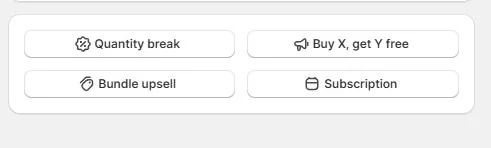
When creating a new bundle deal in the Kaching Bundles app, one of the first steps is selecting the discount type. Each discount type serves a different purpose and offers unique benefits depending on the kind of offer you want to run.
Let’s break down the three main types:
Quantity Break, BXGY Discount, and Bundle Upsell.
1. Quantity Break
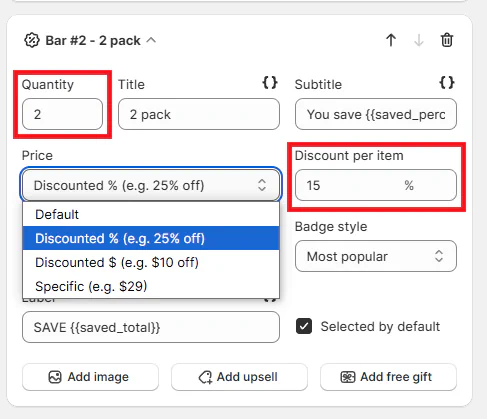
Use this when you want to offer tiered discounts based on quantity — perfect for volume-based incentives or BOGO-style pricing.
Example use cases:
- Buy 2 → get 15% off
- Buy 3 → get 20% off
- Buy 1 Get 1 at 50% off
You can:
- Set a specific discount per item (percentage or fixed amount),
- Or define a custom total price for the selected quantity.
2. BXGY Discount (Buy X Get Y)
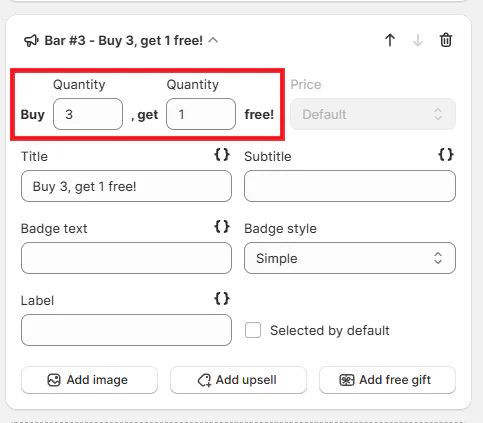
Use this when you want to create classic Buy 2, Get 1 Free-style promotions.
Just define:
- The Buy quantity (X)
- The Get quantity (Y)
Unlike Quantity Break, this discount type automatically calculates the deal price, and cannot be manually set.
Key advantage:
These deals show up in Shopify's cart and checkout as free items, which can boost conversion through clear value messaging.
3. Bundle Upsell
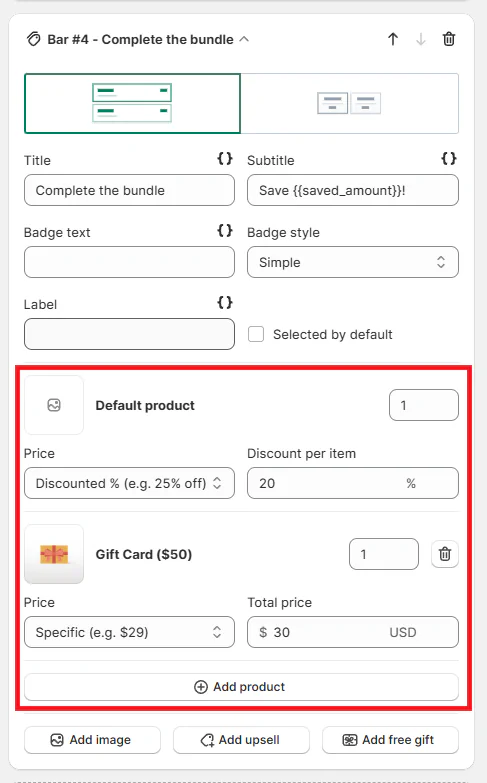
Use this to offer custom product bundles where different products (or even variants) are grouped together — perfect for accessory packs or cross-sells.
Example:
If you're selling a phone case, you can upsell a screen protector, charger, and cleaning kit as a discounted bundle.
You can:
- Hand-pick products/variants
- Set individual discounts for each item in the bundle
Shared Features Across All Discount Types
No matter which discount type you choose, you’ll have access to the same customization options:
- Add free gift products or upsell suggestions
- Customize Title, Subtitle, Labels and Badges
- Use dynamic variables to personalize texts
- Maintain a consistent design and layout across bundle types
Need Help Choosing?
If you're not sure which discount type fits your offer best, feel free to reach out to our support team via in-app live chat. We’re happy to guide you!
Related articles
How to set additional discount for BOGO dealsLearn how to add higher discount for Buy one, Get one free offerBundles Why Can’t I Set Different Discounts for the Same Quantity?Learn why app might show Same quantity error when trying to Save dealBundlesSet Up Buy X Get Y DiscountsLearn how to set up Buy X, Get Y discounts to drive more sales with less effortBundlesHow to create a different subscription plan for each quantity breakLearn how to create a different subscription plan for each quantity breakSubscriptions
 Buy X, Get Y – Every BOGO Variant SetupBOGO isn't just one type of offer. There are multiple ways to structure it — and each one changes how much you make per order. This article walks you through…Bundles
Why Can’t I Set Different Discounts for the Same Quantity?Learn why app might show Same quantity error when trying to Save dealBundlesSet Up Buy X Get Y DiscountsLearn how to set up Buy X, Get Y discounts to drive more sales with less effortBundlesHow to create a different subscription plan for each quantity breakLearn how to create a different subscription plan for each quantity breakSubscriptionsBuy X, Get Y – Every BOGO Variant SetupBOGO isn't just one type of offer. There are multiple ways to structure it — and each one changes how much you make per order. This article walks you through…Bundles